The Deck - Secret #3 (Jade Dragon)
NOTE: This guide follows a route in which you first obtain the STERN KEY (above the small pool near the level start), then the CABIN KEY (on the INFLATABLE RAFT), then the STORAGE KEY (on top of the rusted hull above the TOP DECK). Then, once you have the STORAGE KEY, climb back down to the cavern floor, picking up the Jade Dragon on the way. If you went for the Jade Dragon earlier, and don't yet have the STORAGE KEY, see the footnote in the main walkthrough.
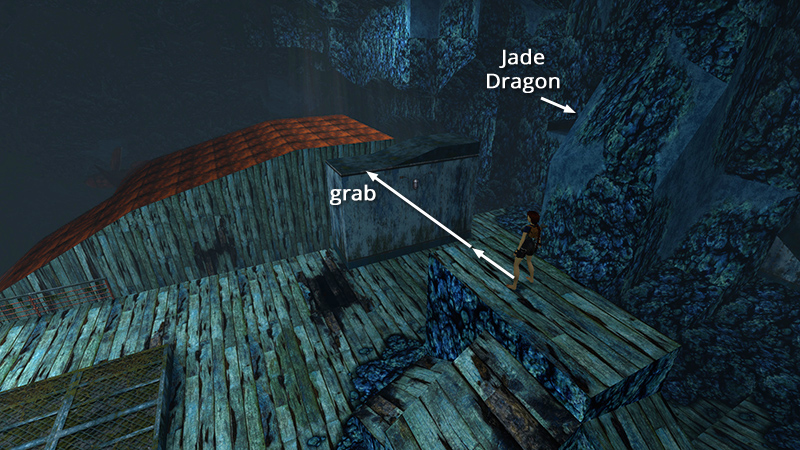
Assuming you've been following this walkthrough so far, you just picked up the STORAGE KEY on the rusted hull at the very top of the cavern, then made your way back down to the metal duct overlooking the cavern floor, as shown in the last section. Now we can finally go after SECRET #3, the Jade Dragon (30).
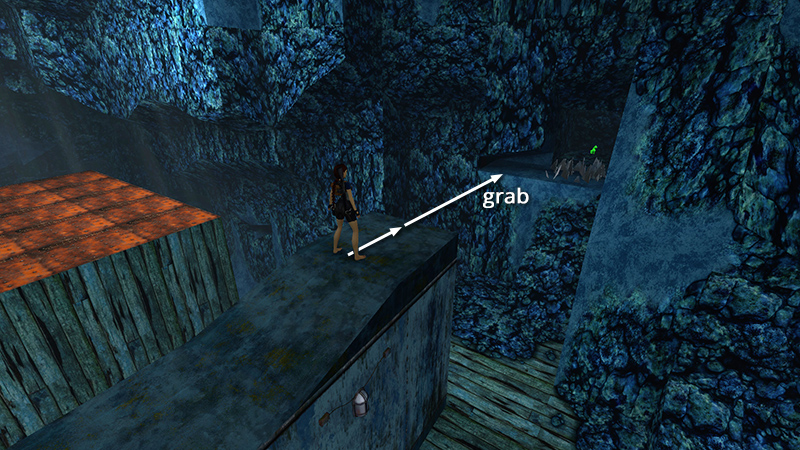
Take a running jump from the top of the metal duct to grab the crevice to the left of the little cave lined with broken glass.
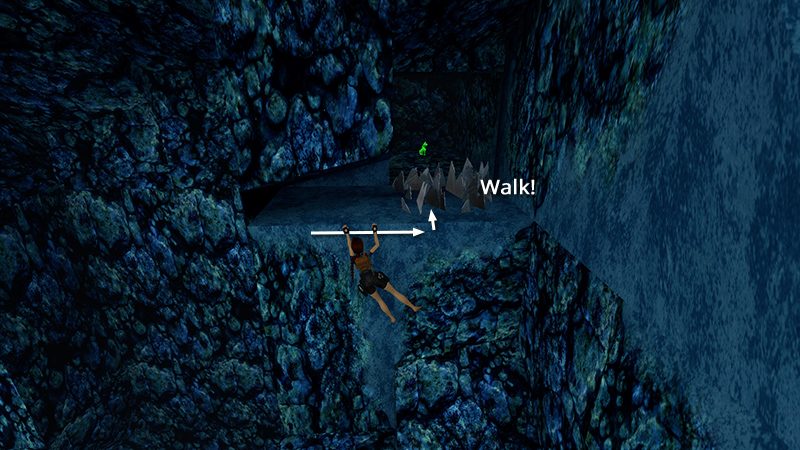
Traverse to the right, pull up, and walk carefully through the glass to the statue.
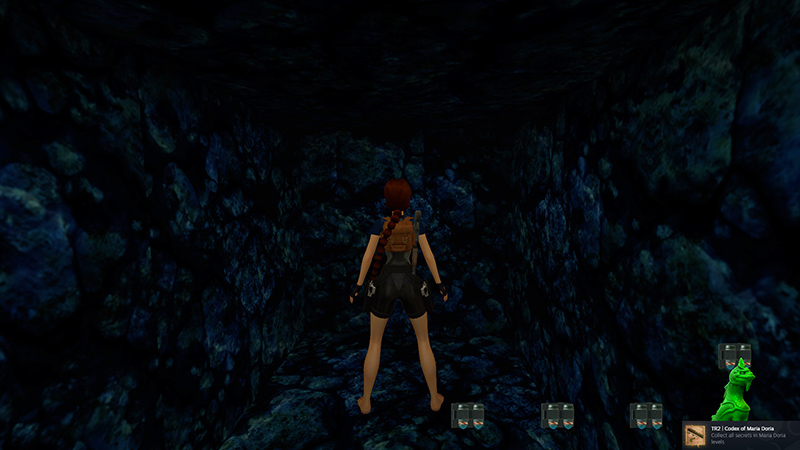
If you found all three secrets in this level, you'll get a bonus of 4 pairs of grenades (31-34).
NOTE: If you found all secrets in the four sunken ship levels (40 FATHOMS through THE DECK), you'll also unlock the "Codex of Maria Doria" achievement/trophy here.
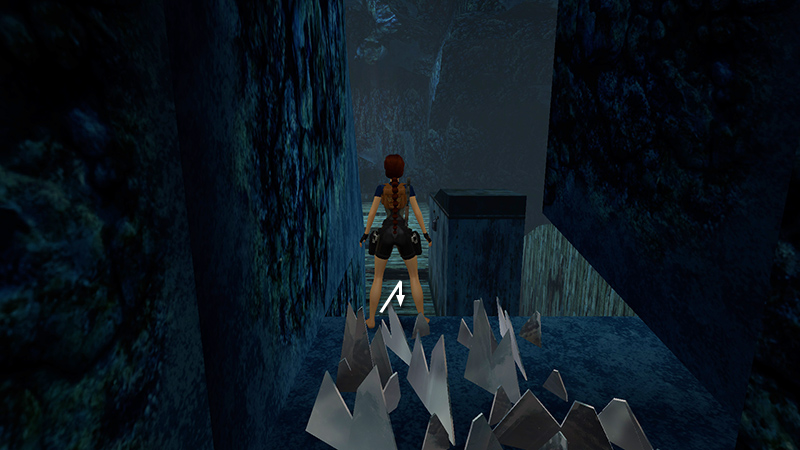
Walk carefully back through the glass, step off the ledge...
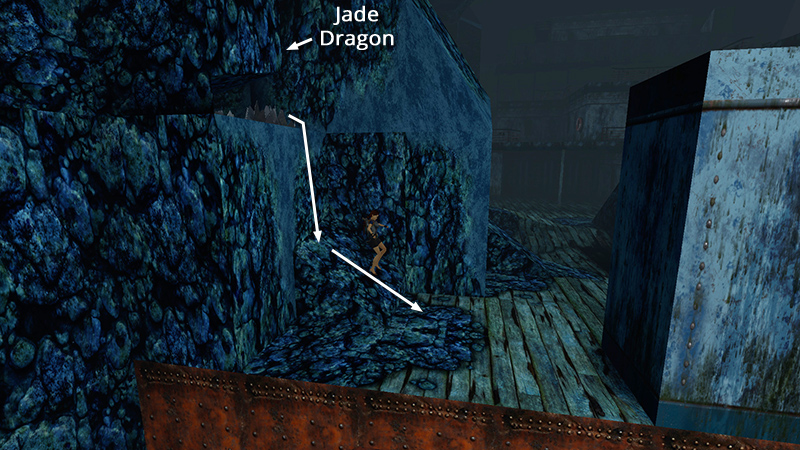
...and slide onto the deck.
If you are not working on the "Fire Safety" achievement/trophy, you can kill the flamethrowers (29-30) from above. Then and proceed to the exit, as shown here.
If you do want the "Fire Safety" achievement/trophy, instead continue with this section.
DARK MODE: I plan to add optional dark mode for these pages, but my current priority is updating the walkthroughs. Meanwhile, may I suggest a reputable dark mode browser extension, such as Dark Reader? (Download only from trusted sites, like darkreader.org or your browser's official add-on/extension site.)
Walkthrough text and diagrams copyright © Stellalune (email ). Feel free to copy or print this walkthrough for personal use. By all means, share it with friends, but please include this credit line so people can send me their feedback. No part of this walkthrough may be reproduced on another site without permission.