The Deck - Tunnel to Upper Hull - Storage Key
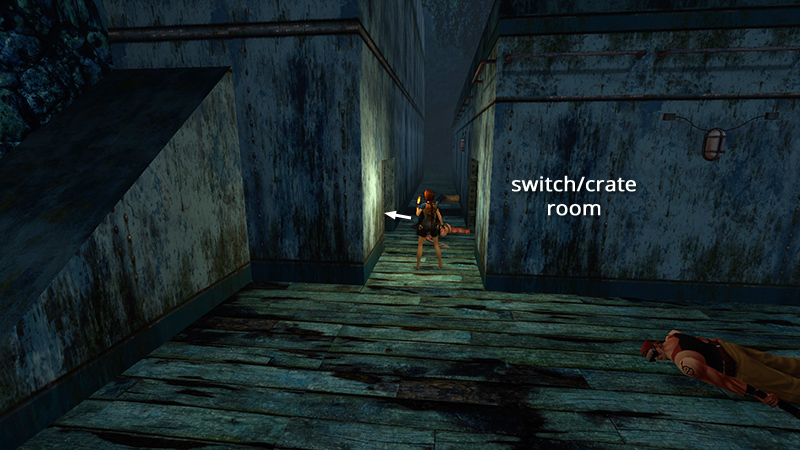
In the last section, we used the CABIN KEY, entered a small room with a broken glass trap, and pressed a button to open the last of the closed hatches on the TOP DECK. Go through that door now.
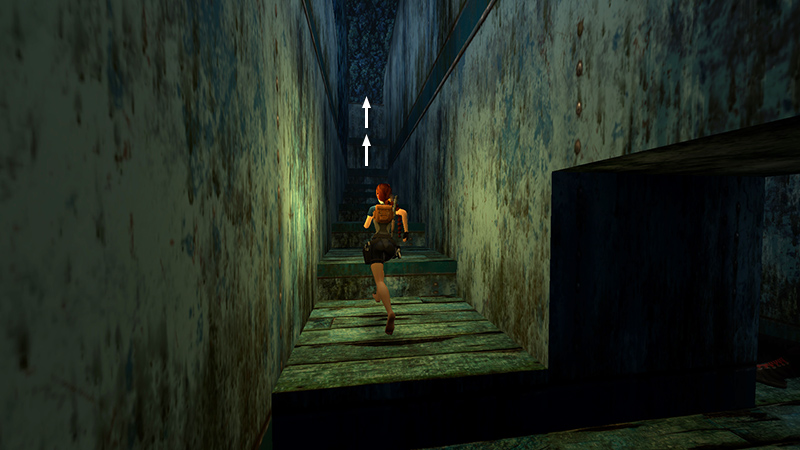
Climb the stairs, then two metal ledges. Watch out for the drop-off at the top.
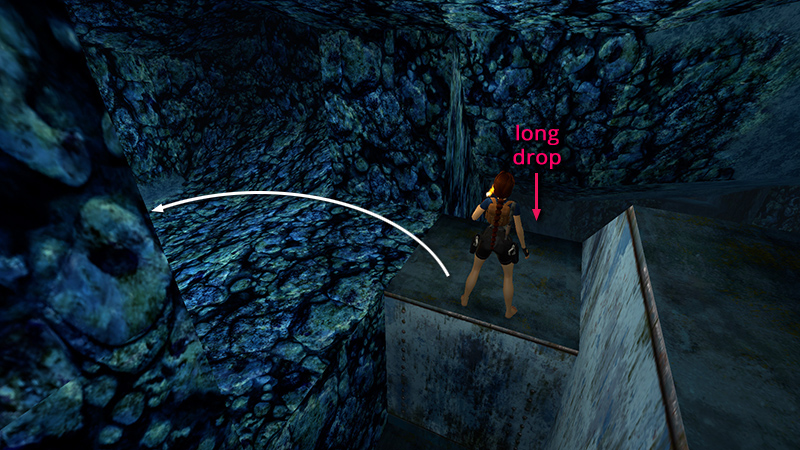
Make a U-turn to the left and follow the blue stone passageway...
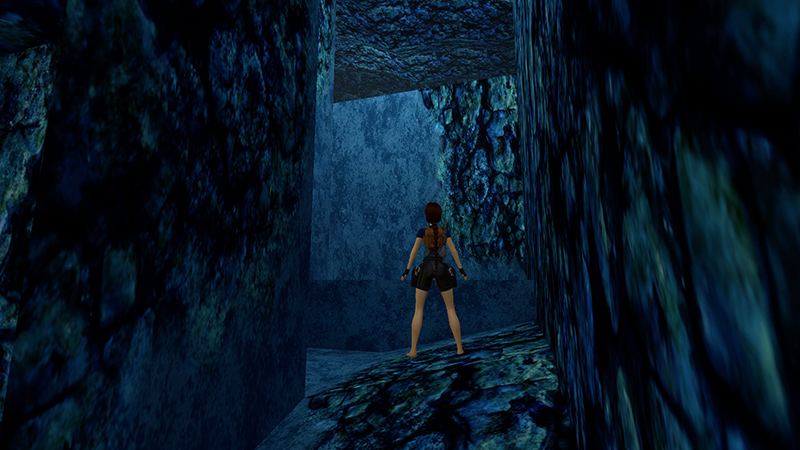
...to a low ledge with a wide opening above it. You can't reach the opening from below.
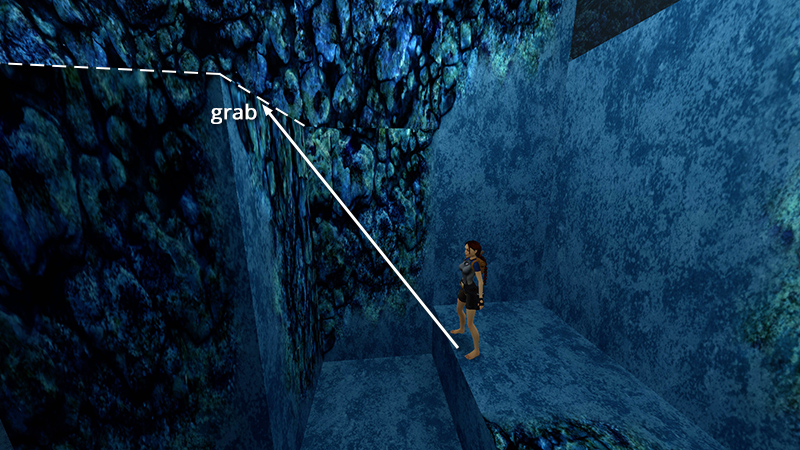
So, turn around, walk to the edge of the step, jump and grab the top of the tall stone block, then pull up.
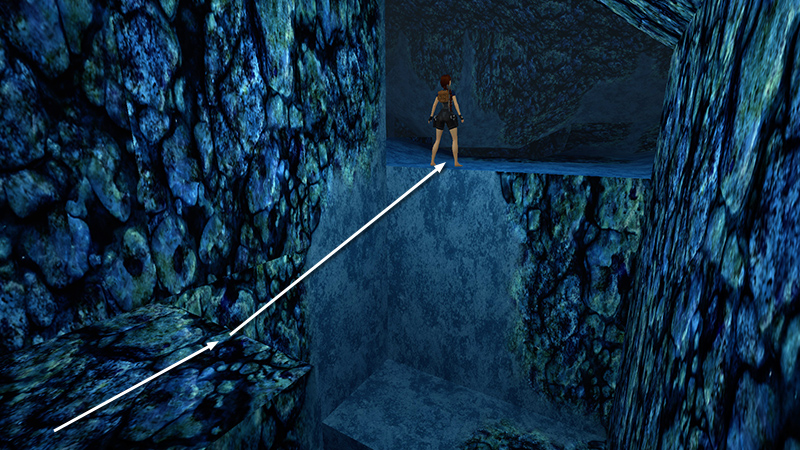
Turn around again and take a running jump into the opening.
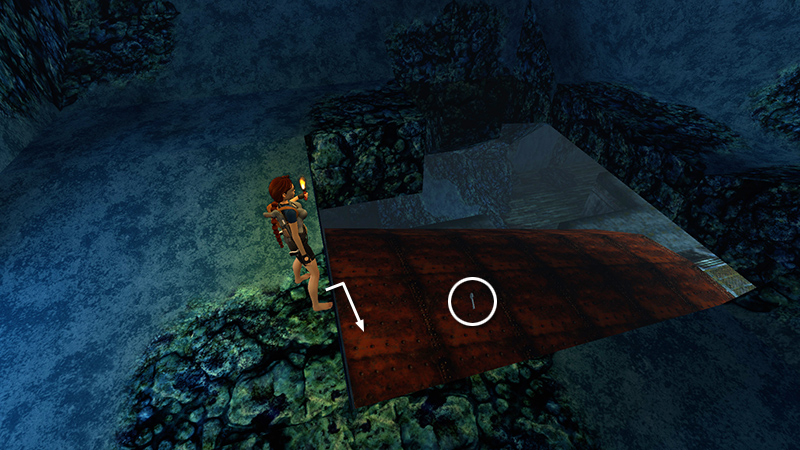
Drop through the hole in the floor onto the rusted hull and pick up the STORAGE KEY (29).
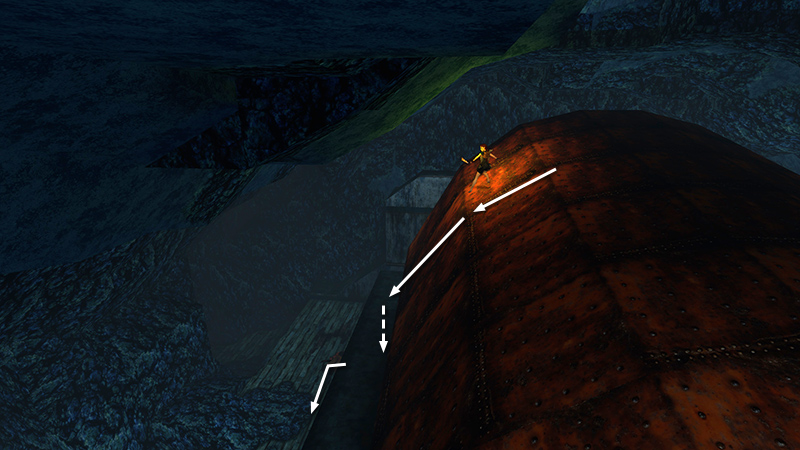
Once you have the key, slide down either side of the hull to the deck.
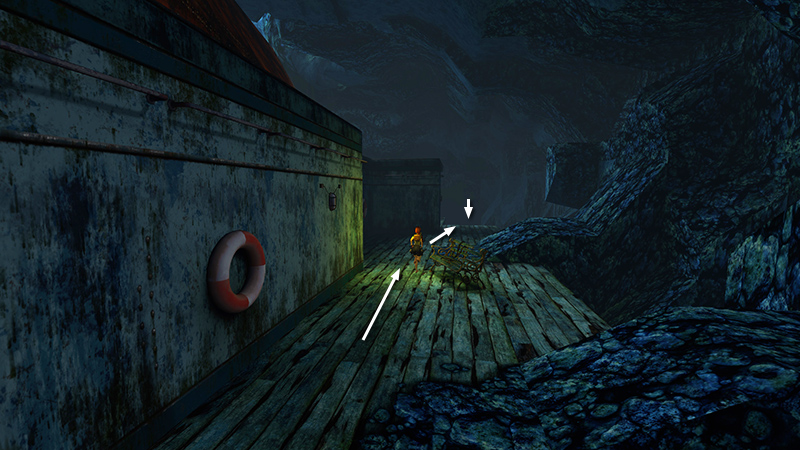
Then make your way forward and down to the UPPER-MIDDLE DECK (the level with the swimming pool).
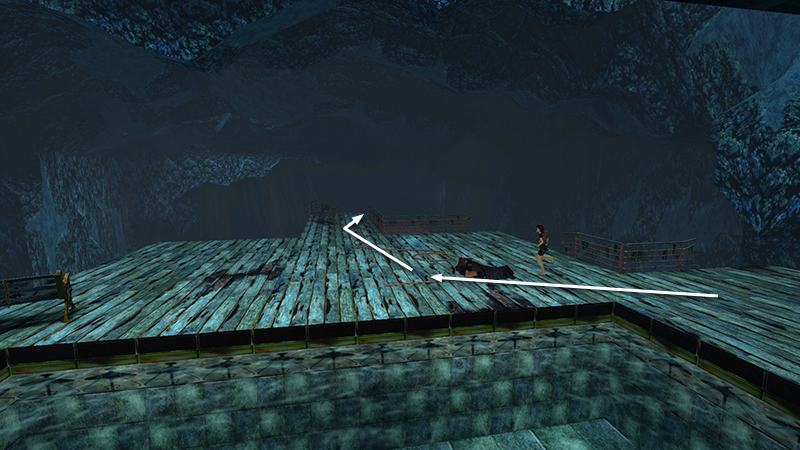
Move out onto the narrow bit of the UPPER-MIDDLE DECK, where it juts out toward the open cavern.
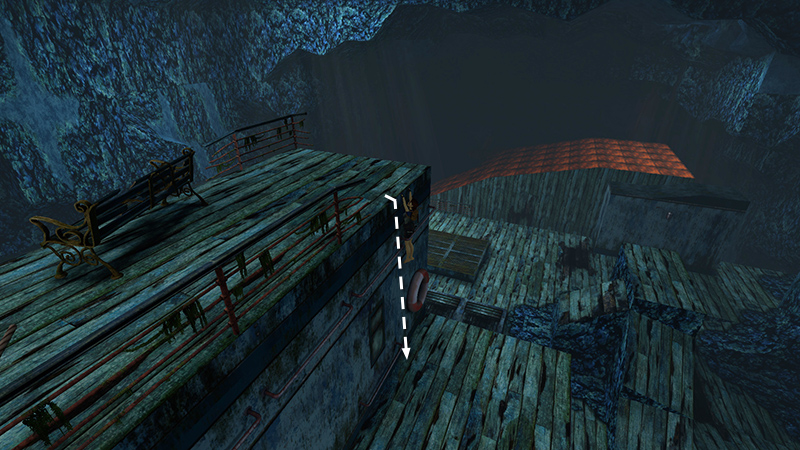
Drop down to the LOWER-MIDDLE DECK on the right side, just like you did earlier. Do not drop all the way down to the lowest deck.
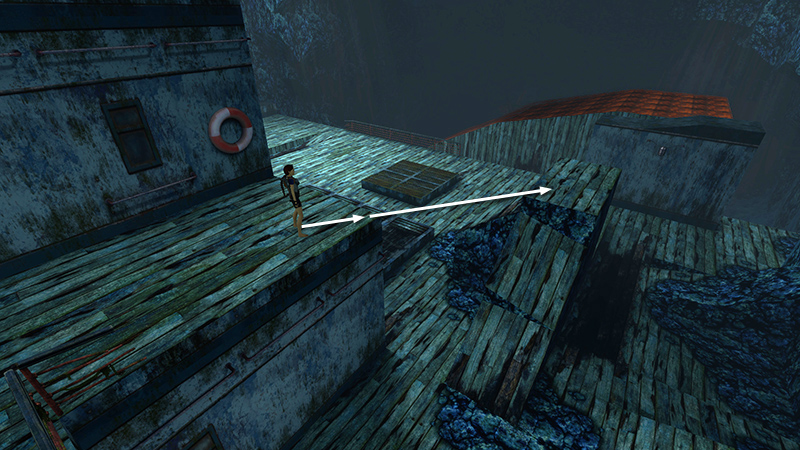
Move to the front corner of the lower-middle deck. Then take a running jump onto the flat rock with the wooden top...
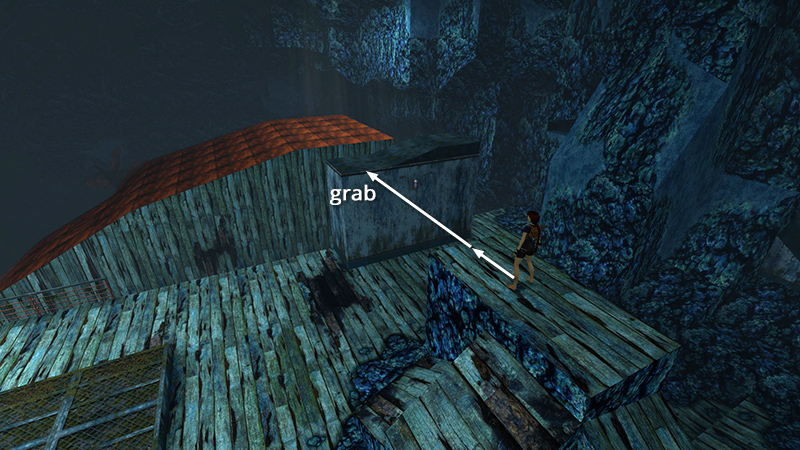
...then another running jump to grab the metal duct; pull up.
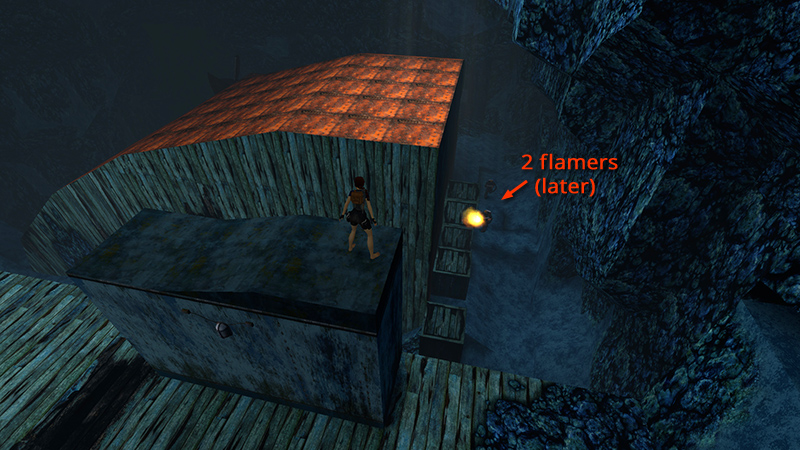
From the top of the metal duct, you may be able to spot 2 flamethrower guys (29-30) milling about below, near the movable crates. Ignore them for the moment.
[Previous | Next | The Deck Walkthrough]
DARK MODE: I plan to add optional dark mode for these pages, but my current priority is updating the walkthroughs. Meanwhile, may I suggest a reputable dark mode browser extension, such as Dark Reader? (Download only from trusted sites, like darkreader.org or your browser's official add-on/extension site.)
Walkthrough text and diagrams copyright © Stellalune (email ). Feel free to copy or print this walkthrough for personal use. By all means, share it with friends, but please include this credit line so people can send me their feedback. No part of this walkthrough may be reproduced on another site without permission.