Kingdom - Area Beyond the Cages - Secret #1 (Gold Coins)
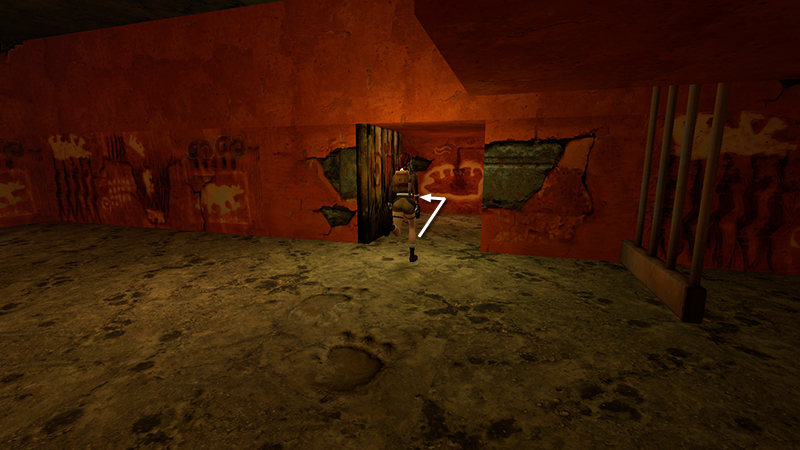
In the last section, you made your way through a series of interconnected cages with switches, finally exiting through a small, wooden door. In the hallway beyond the cages, head to the left first.
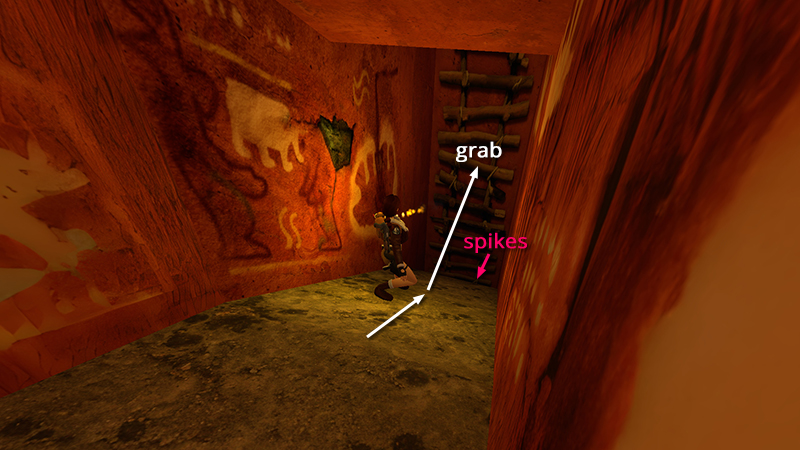
Slide down the ramp and jump to grab the ladder.
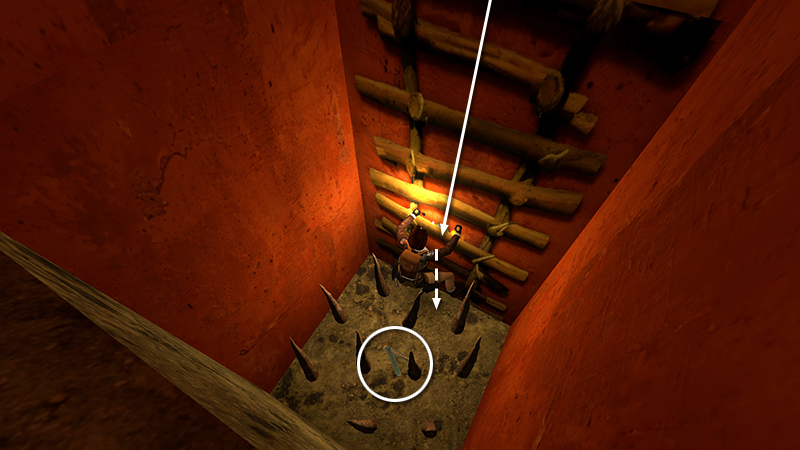
Climb all the way down into the spike pit at the bottom. Let go and walk through the spikes to get the Uzi ammo (10).
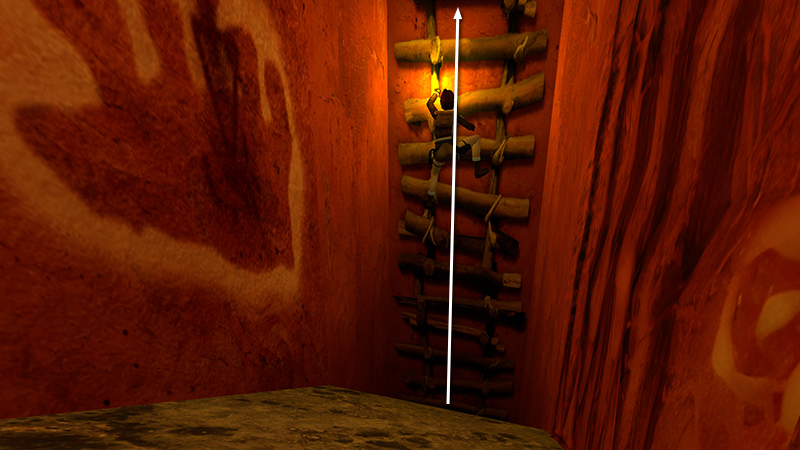
Climb back up the ladder past the spot where you grabbed on before.
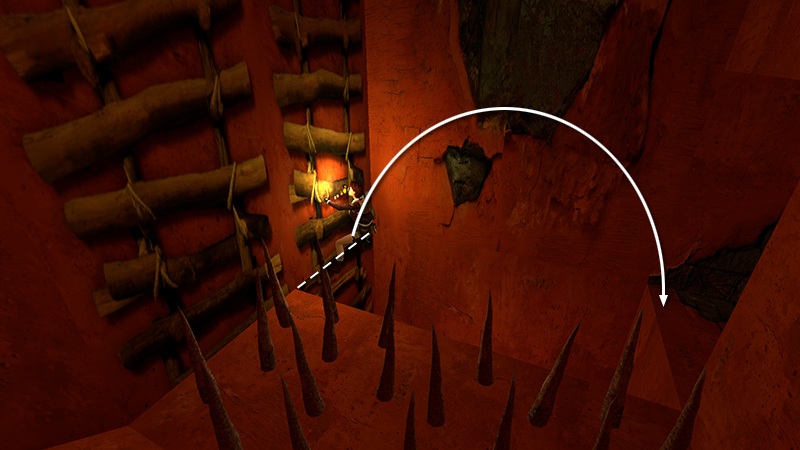
Position Lara so her feet are level with the spiked ledge on the left. Then backflip onto the ledge behind her.
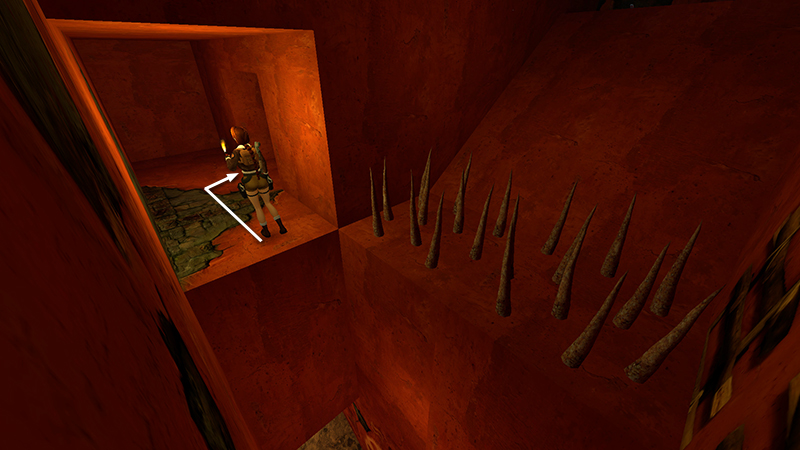
Follow the short passageway opposite the ladder and enter the dark, low-ceilinged room on the right.
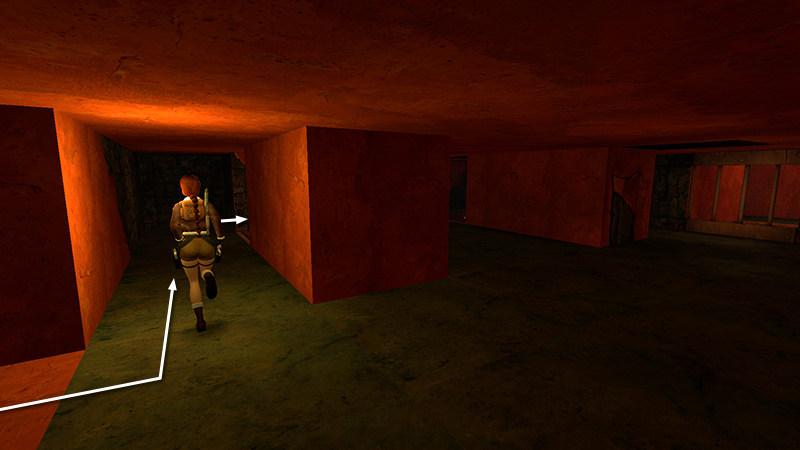
Inside, turn left, go forward a few steps, and then turn right again...
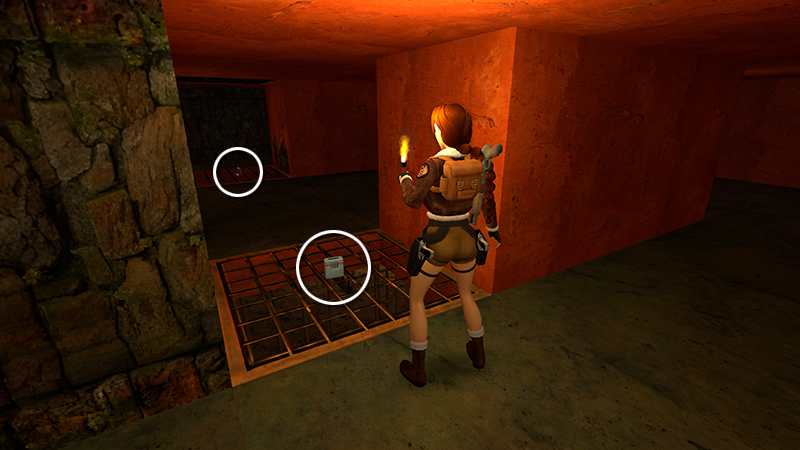
...to find some flares (11) and automatic pistol clips (12) sitting on grates in the floor. (Perhaps you noticed them earlier while exploring below.)
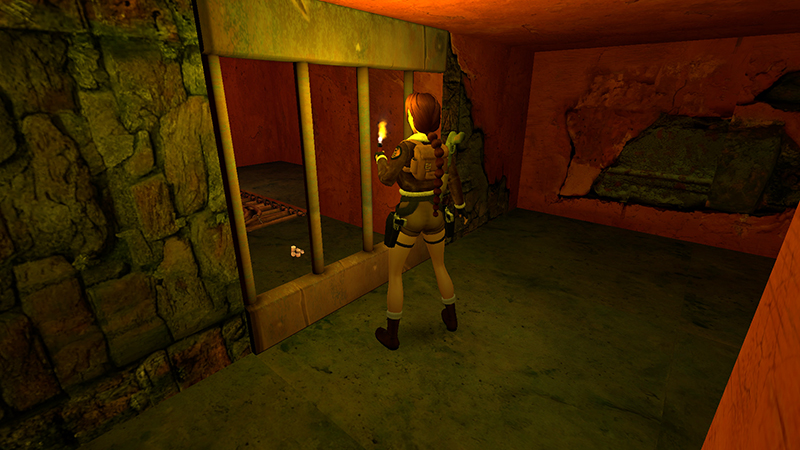
On the far side of the room is a barred doorway, behind which you can again glimpse the gold coins.
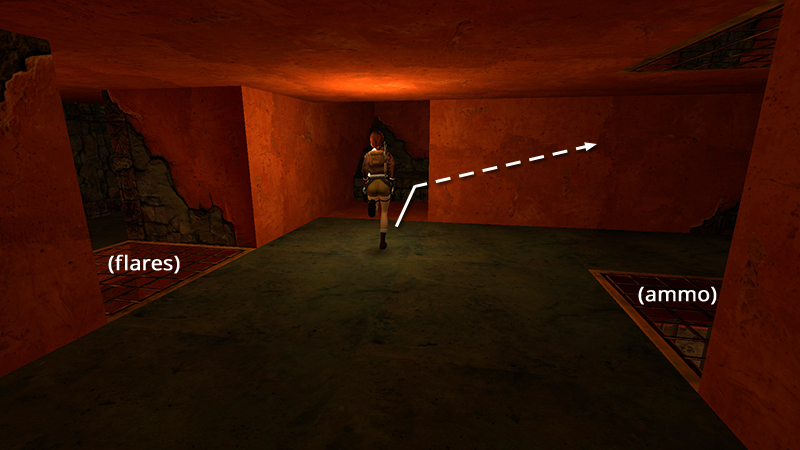
To get them, climb the stairs near the grates where you found the flares and ammo.
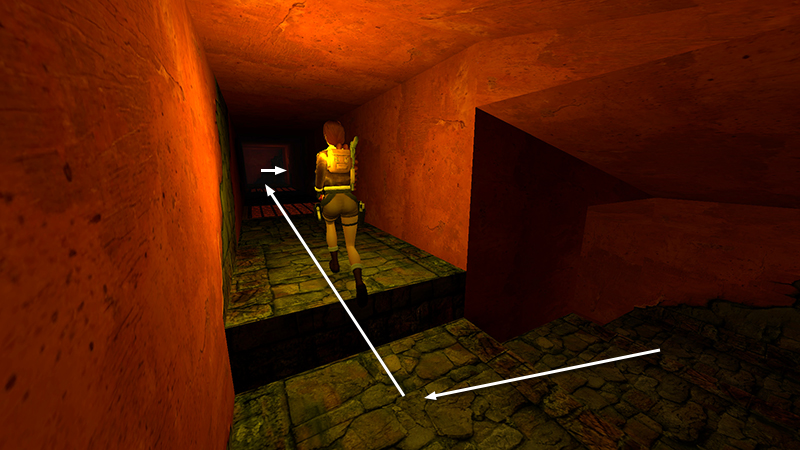
Then follow the hallway to a T-intersection. Turn right.
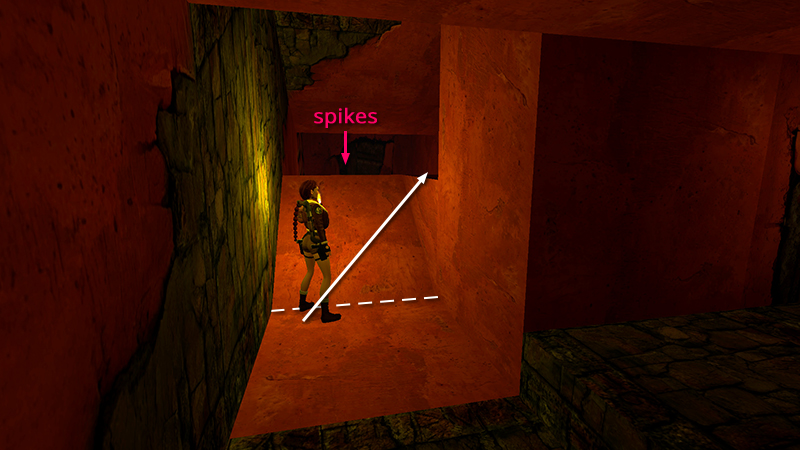
Don't jump over the orange slope ahead or Lara will land in the spikes beyond. Instead take a standing jump up to the flat spot on the right...
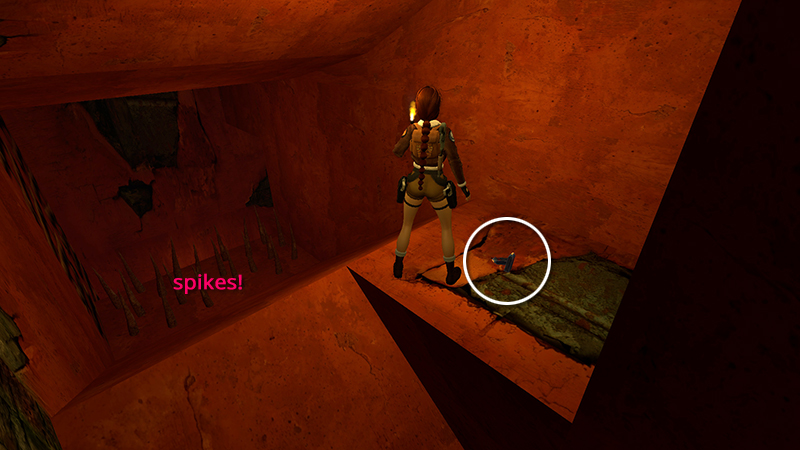
...where you'll find more automatic pistol clips (13).
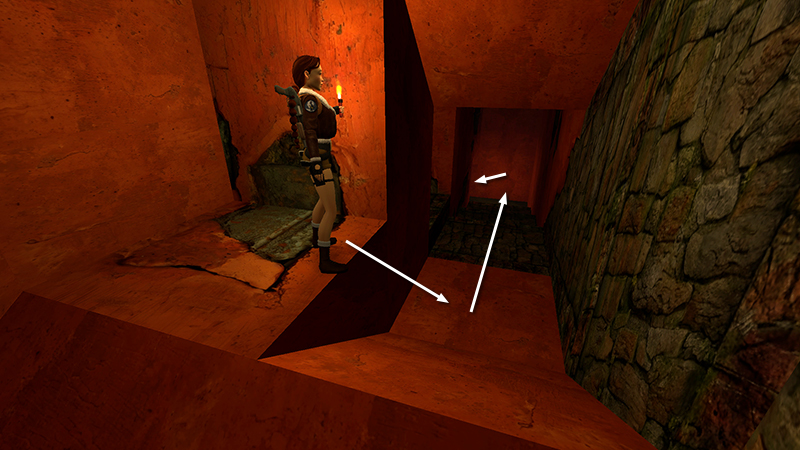
Hop/slide back down into the hallway and continue down the stairs and around the corner...
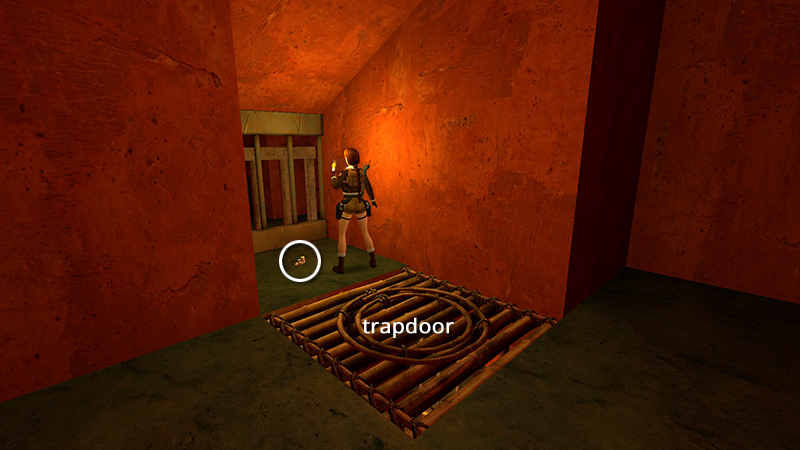
...to find SECRET #1, the gold coins (14), sitting in the barred alcove.
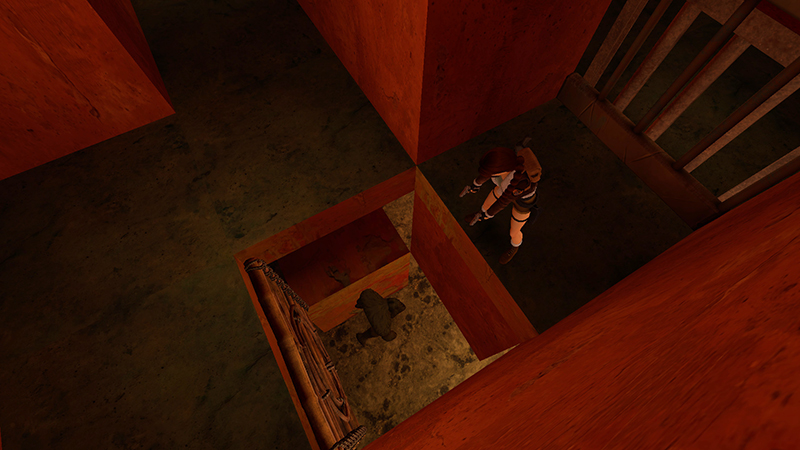
Taking the coins opens the nearby trapdoor. Now there's a sasquatch (7) running around in the cages below. You can hang from the opening to draw it out and then pull up and shoot it from above, but this is time consuming.
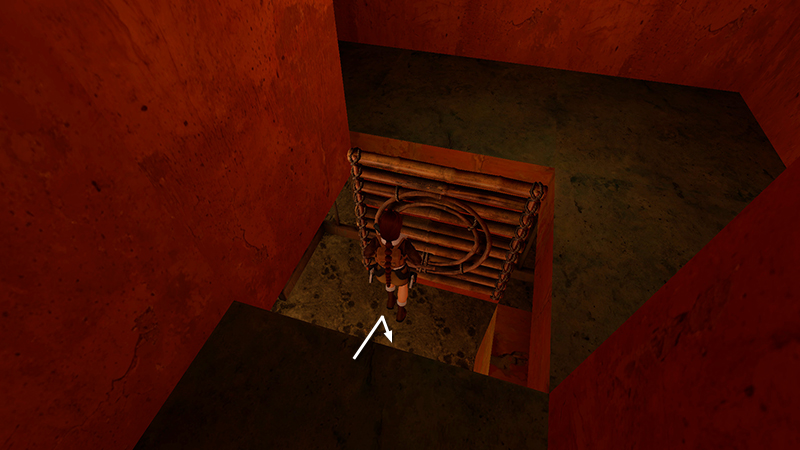
You're probably better off just dropping down...
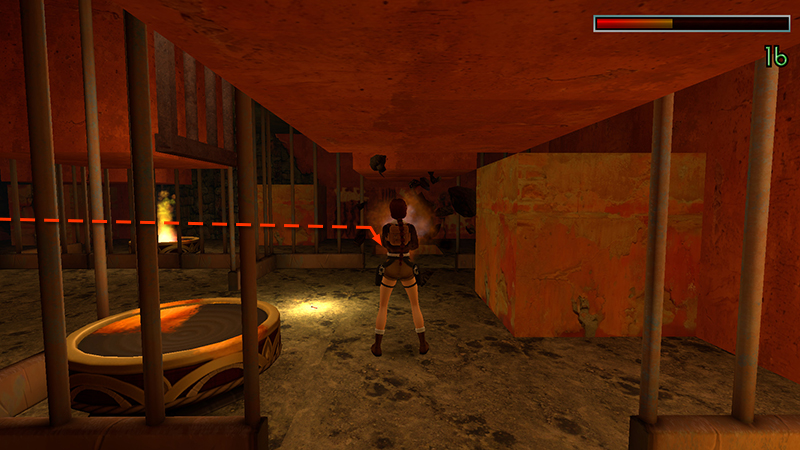
...and finishing it quickly with a grenade or the Uzis.
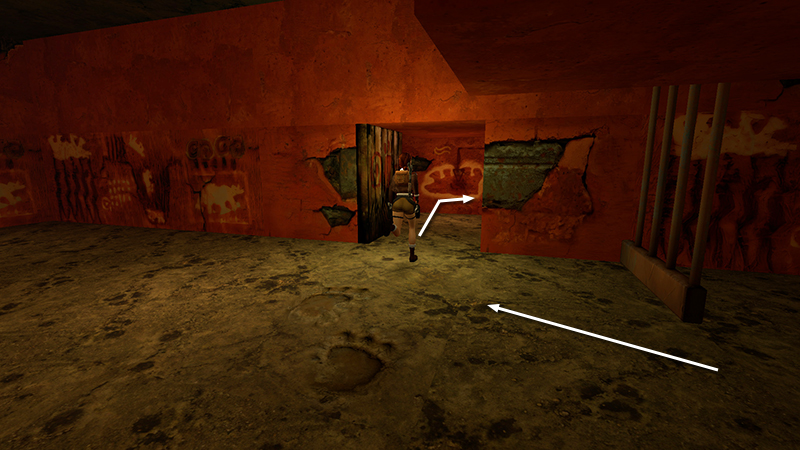
Afterward, return through the cages to the exit. (Check the diagram if you get disoriented.)
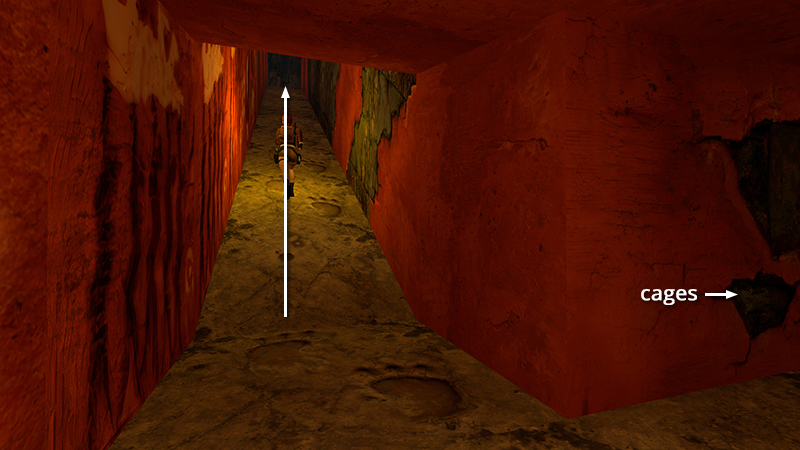
This time, follow the huge footprints up the long ramp on the right.
[Previous | Next | Kingdom Walkthrough]
DARK MODE: I plan to add optional dark mode for these pages, but my current priority is updating the walkthroughs. Meanwhile, may I suggest a reputable dark mode browser extension, such as Dark Reader? (Download only from trusted sites, like darkreader.org or your browser's official add-on/extension site.)
Walkthrough text and diagrams copyright © Stellalune (email ). Feel free to copy or print this walkthrough for personal use. By all means, share it with friends, but please include this credit line so people can send me their feedback. No part of this walkthrough may be reproduced on another site without permission.