Diving Area - Red Pass Card and Red Lock
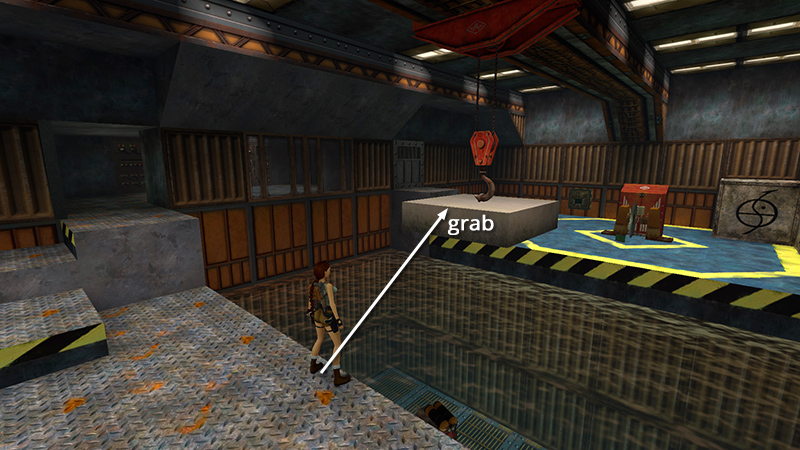
In the last section, we obtained the SECOND MACHINE CHIP from a dead enemy and returned to the ROOM WITH THE POOL AND CIRCULAR SAW. Use the dangling block to cross the pool once more.
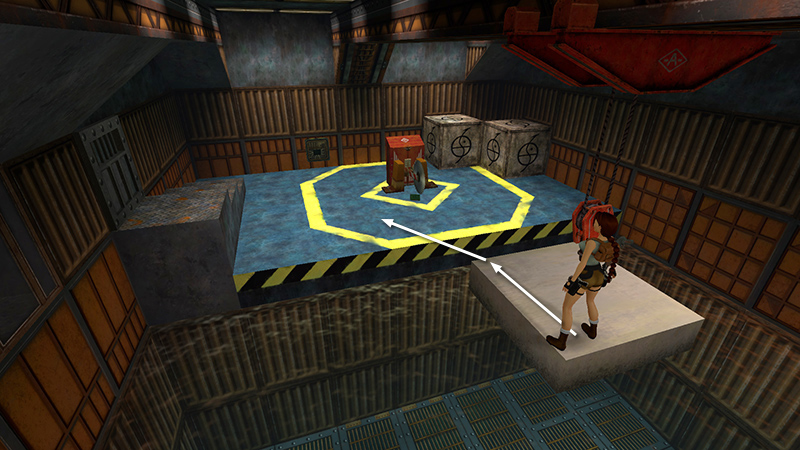
Watch out for the spinning saw as you jump down.
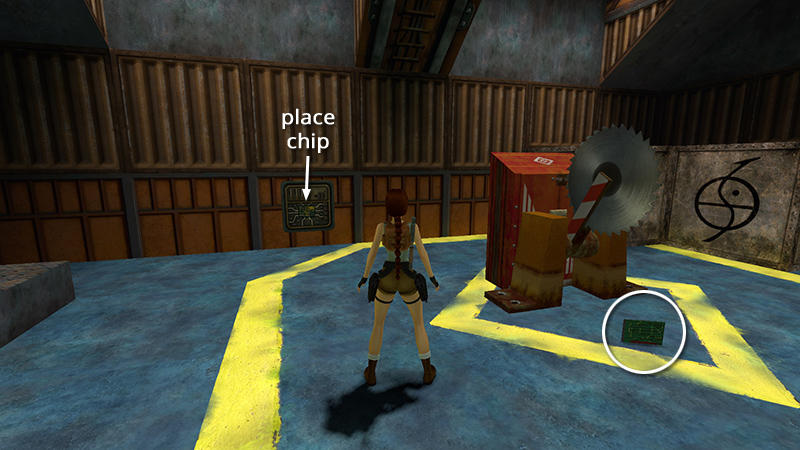
Place the MACHINE CHIP in the electrical panel on the back wall to turn the off the saw. Now you can retrieve the RED PASS CARD (30).
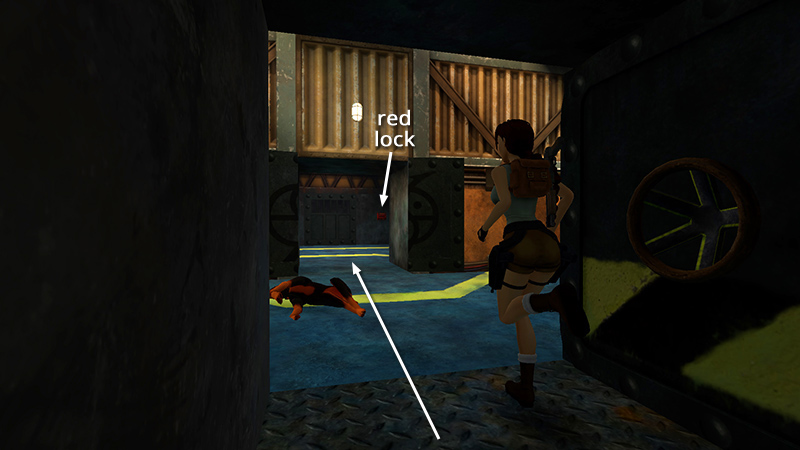
Return across the pool, up the stairs on the left, and directly across the hall to the room with the RED LOCK.
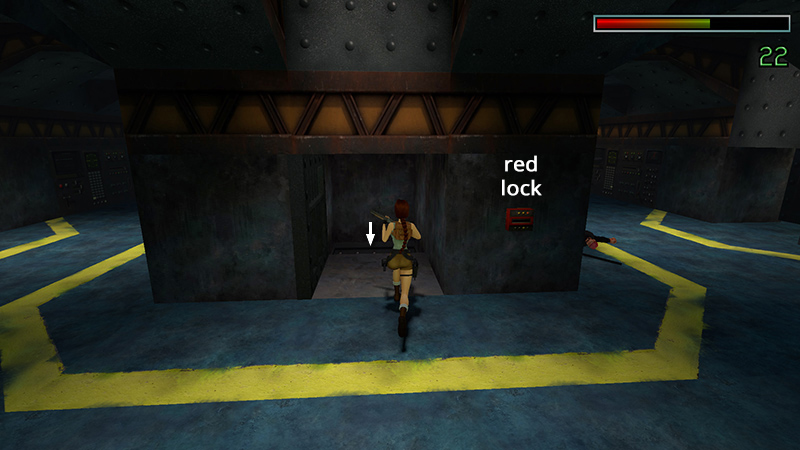
Use the card to open the door. Equip the shotgun (or weapons of choice), run forward, and fall into the narrow hallway below.
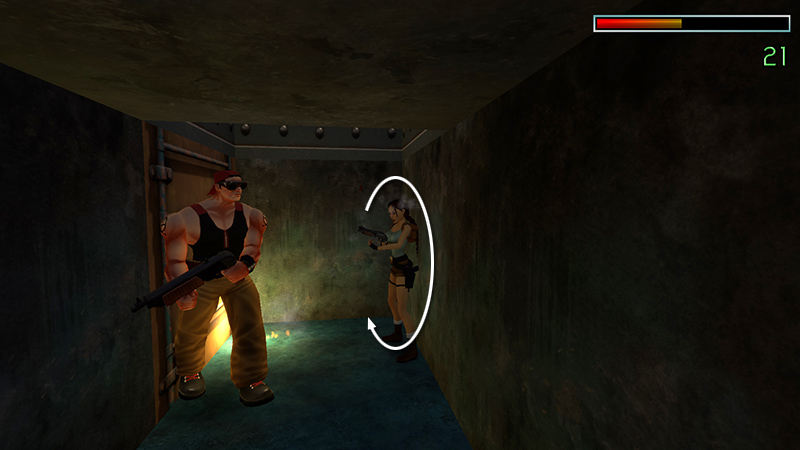
Roll and quickly take out a burly guy with a shotgun (32).
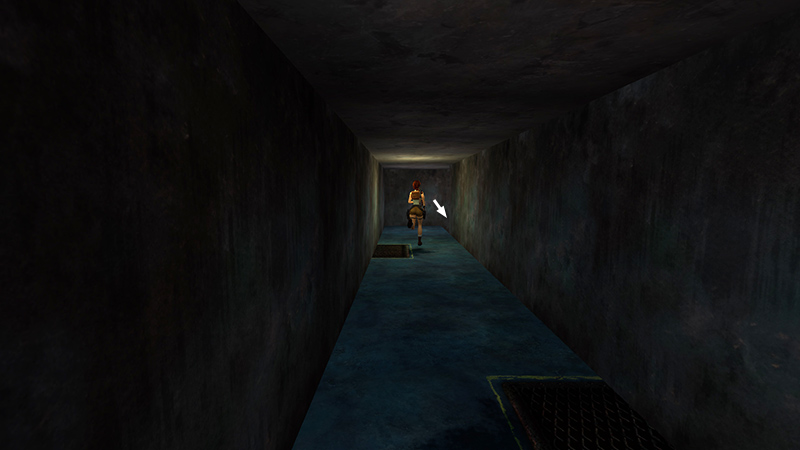
Continue to the end of the passageway and drop into the room with the DEEP POOL AND MINI-SUB (again).
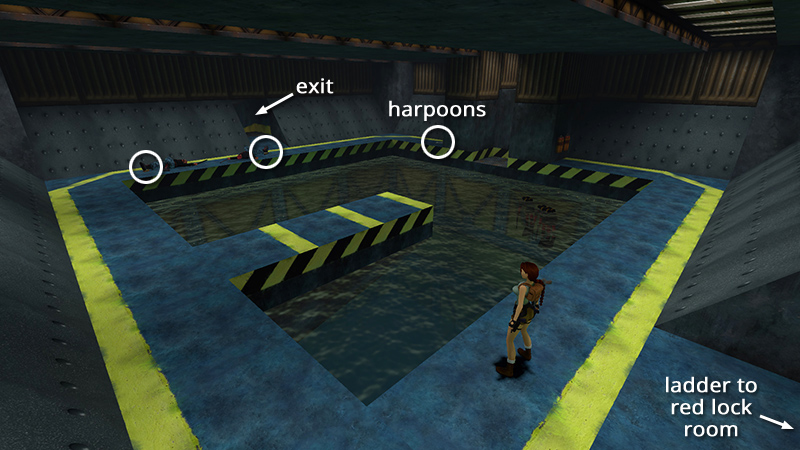
This time, rather than swimming in from below, you emerge on the walkway surrounding the pool. Here are the 2 enemies (21-22) you (hopefully) killed earlier from across the water. Take their small and large medi packs (31-32), along with 2 bundles of harpoons (33-34) lying at one end of the walkway. Exit through the other doorway.
NOTE: Be careful not to fall into the pool. The edges are too high to climb out. So you'll have to reload or swim through the hexagonal passageway to the room with the orange tanks. Climb out of the water there and return up the ramp to the room with the CIRCULAR SAW. Turn right and go up the stairs and across the hall to the door with the RED LOCK, and then drop down there to get back to the room with the deep pool and mini-sub.
DARK MODE: I plan to add optional dark mode for these pages, but my current priority is updating the walkthroughs. Meanwhile, may I suggest a reputable dark mode browser extension, such as Dark Reader? (Download only from trusted sites, like darkreader.org or your browser's official add-on/extension site.)
Walkthrough text and diagrams copyright © Stellalune (email ). Feel free to copy or print this walkthrough for personal use. By all means, share it with friends, but please include this credit line so people can send me their feedback. No part of this walkthrough may be reproduced on another site without permission.