The Cold War - Second Chasm with Two Ramps
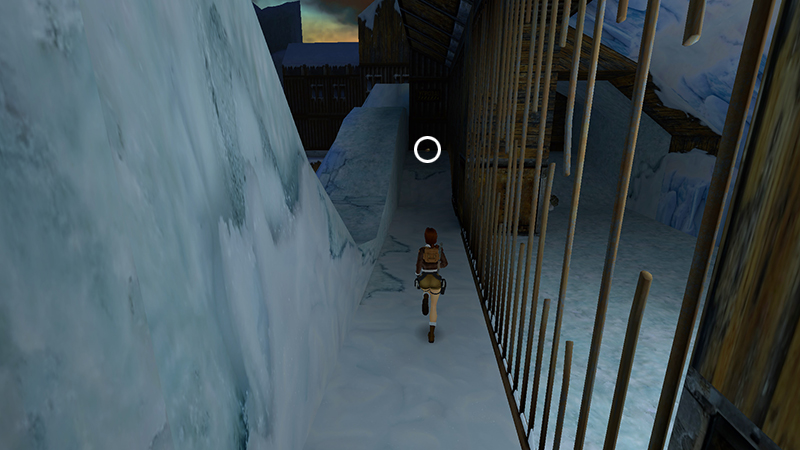
In the last section, you obtained the AUTOMATIC PISTOLS and made a few other pickups in and around the GUARDROOM, including the small medipack (36) at the end of this barred walkway.
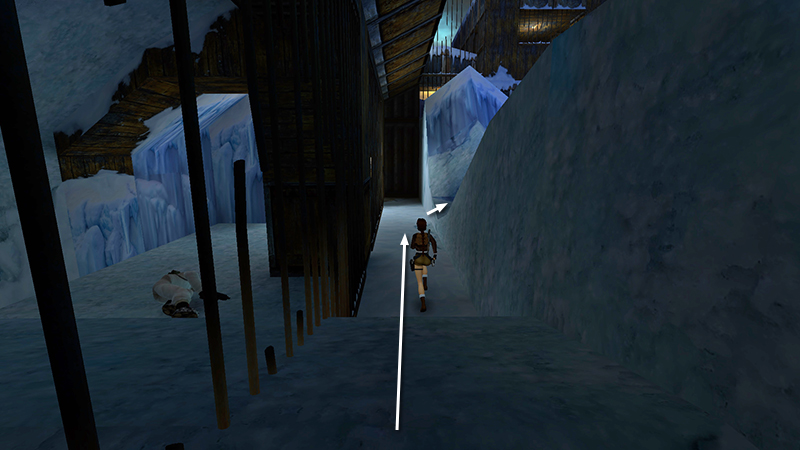
From there, turn around and backtrack about halfway along the walkway. On the right is a snowy ledge that dips down in the middle. Step up onto this ledge for a panoramic view of the chasm below and a little sniper action.
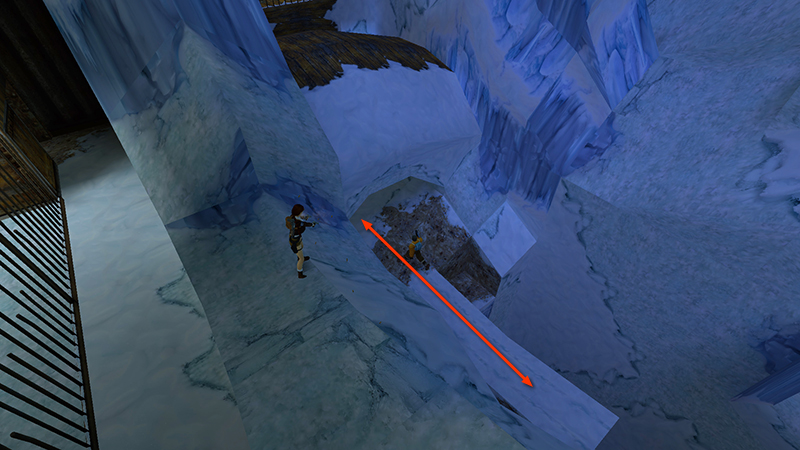
Hold Walk so Lara doesn't slide off the edge. There are 2 mercenaries (15-16) below, one on the left and one on the right end of the chasm. Go for the one on the left first using pistols or M16. It may take a little while, since he runs in and out of the cave.
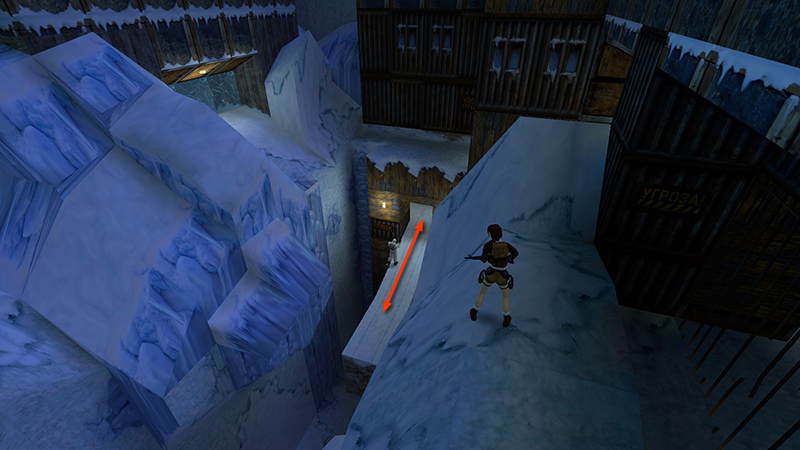
Then walk up the snowy ledge toward the right end. From there, you should be able to kill the guy in white down below using the M16.
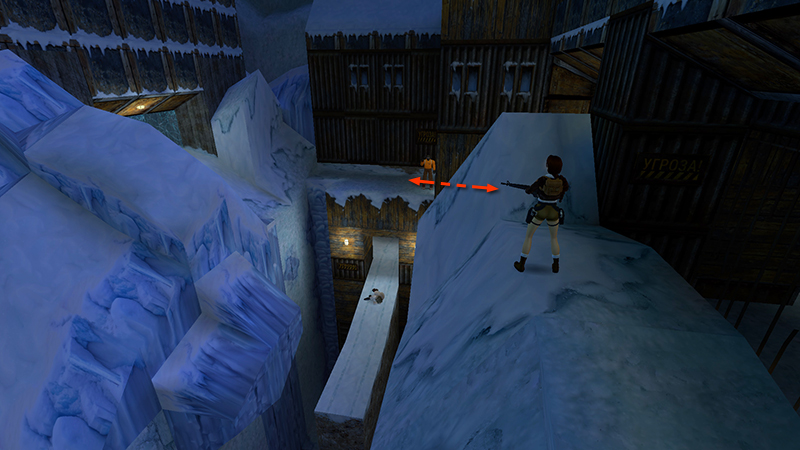
You may also be able to target a third mercenary (17) on the roof of the building above the white-suited guy. But you'll have a better angle soon.
- OR -
If you get bored waiting for any of these enemies to emerge, use the more direct approach described in the main walkthrough.
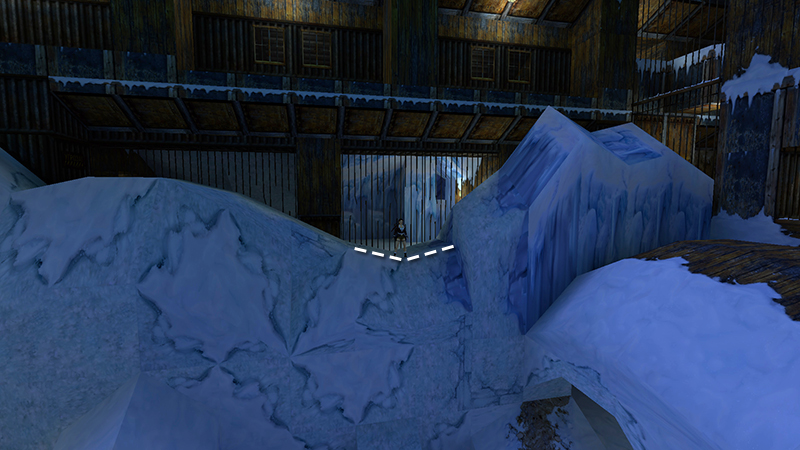
Return to the lowest part of the snowy ledge. The camera shifts to indicate the path forward.
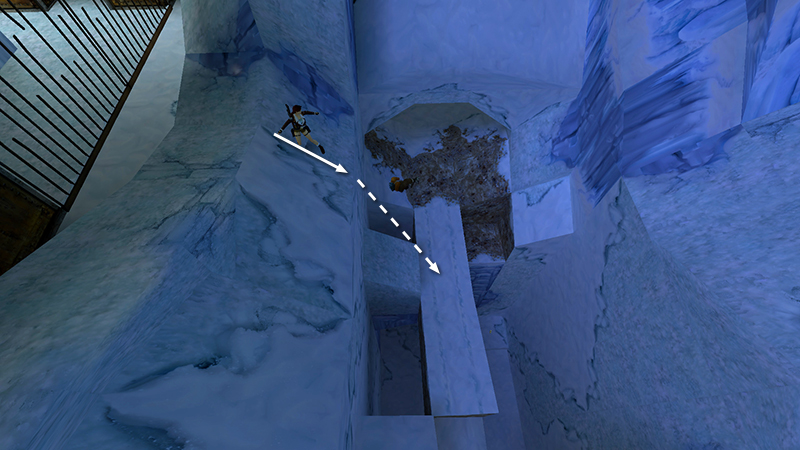
Stand near the lowest point of the ledge, step off the edge, and slide without jumping to land safely on the long ramp coming out of the cave.
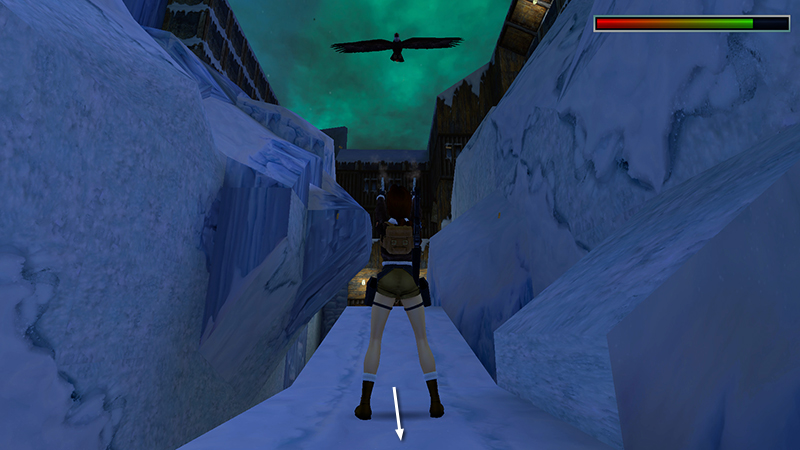
Turn so Lara's back is toward the cave and shoot the eagle (18) that soars in from above. You can back up a little, but don't go too far into the cave yet.
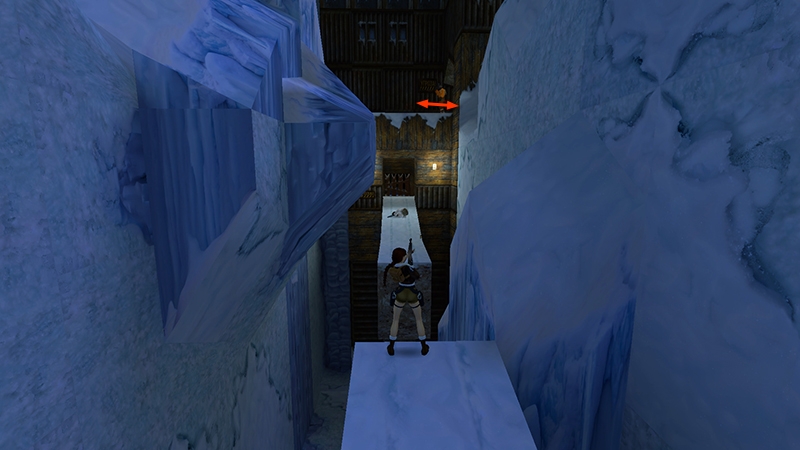
If the third mercenary (17) on the far roof is still alive, you can target him from the end of the walkway using the M16. Or, wait and deal with him later.
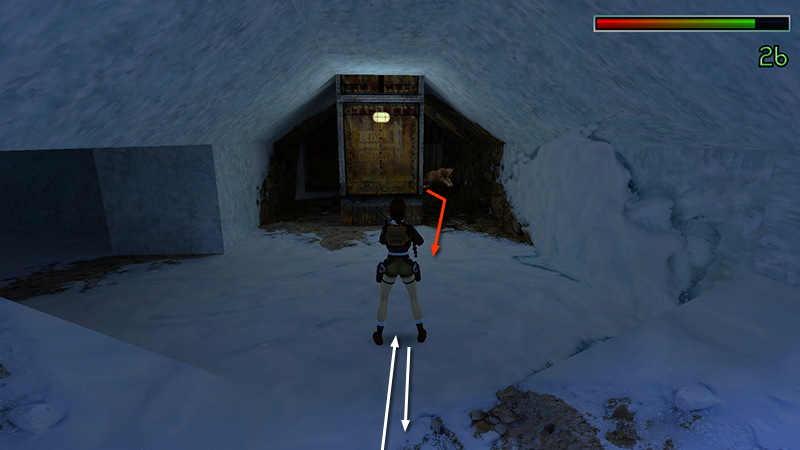
Enter the cave with shotgun ready. A leopard (19) springs out from behind the manmade column as you approach. Two well-placed shots will bring it down.
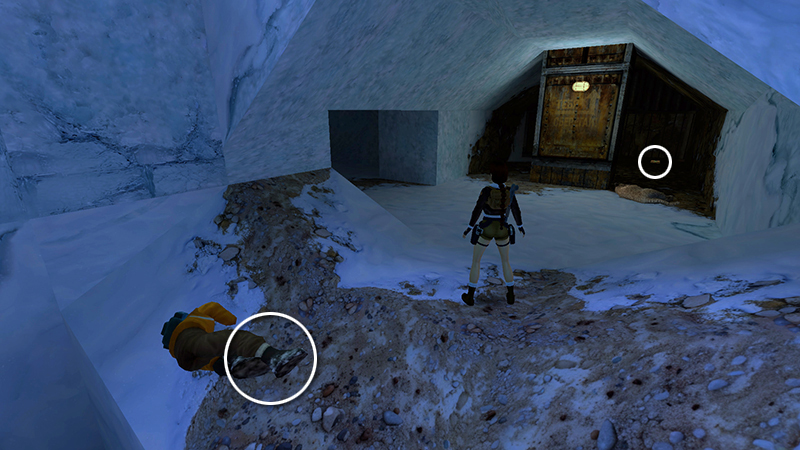
Pick up M16 clips (37) from the fallen mercenary and a small medi pack (38) lying in the back right corner of the cave.
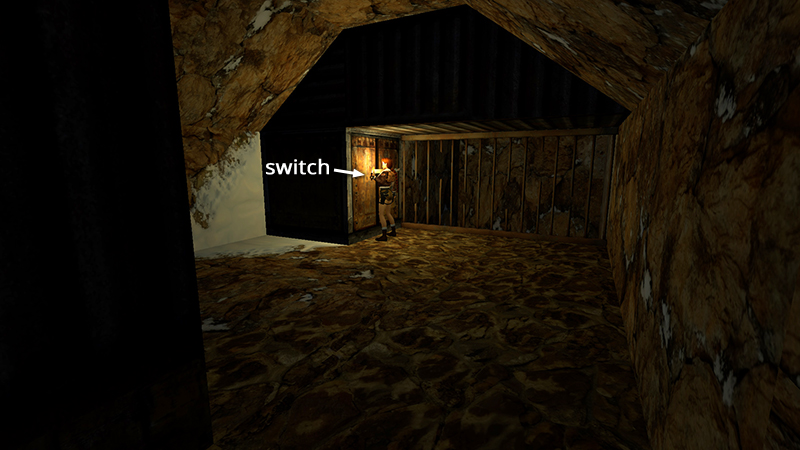
Pull the switch at the back left...
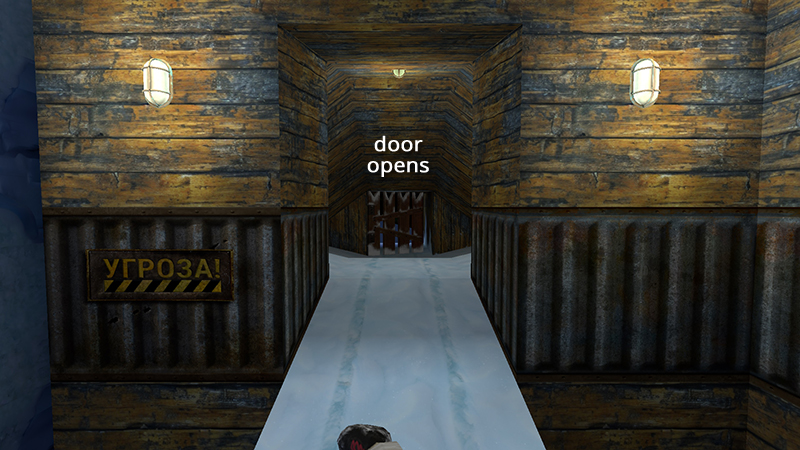
...to open a door on the other side of the chasm.
[Previous | Next | Cold War Walkthrough]
DARK MODE: I plan to add optional dark mode for these pages, but my current priority is updating the walkthroughs. Meanwhile, may I suggest a reputable dark mode browser extension, such as Dark Reader? (Download only from trusted sites, like darkreader.org or your browser's official add-on/extension site.)
Walkthrough text and diagrams copyright © Stellalune (email ). Feel free to copy or print this walkthrough for personal use. By all means, share it with friends, but please include this credit line so people can send me their feedback. No part of this walkthrough may be reproduced on another site without permission.