Venice - "Let's Saddle Up" Achievement/Trophy
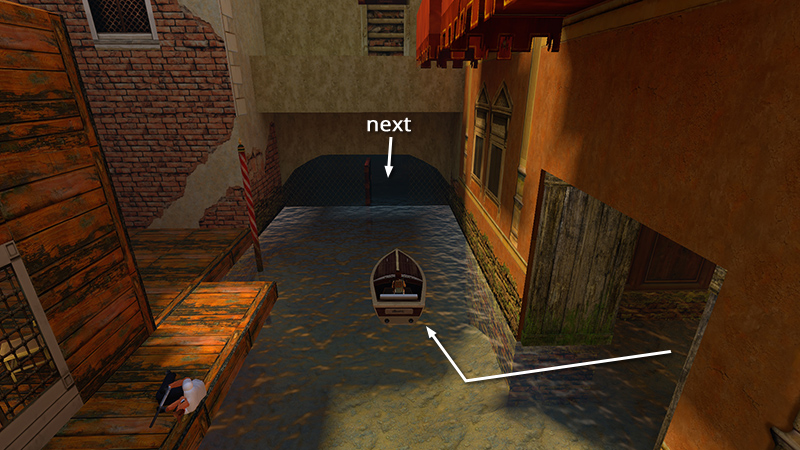
Swim back into the boathouse, climb into the speedboat and drive out into the canal. If you don't care about achievements, skip to the next section.
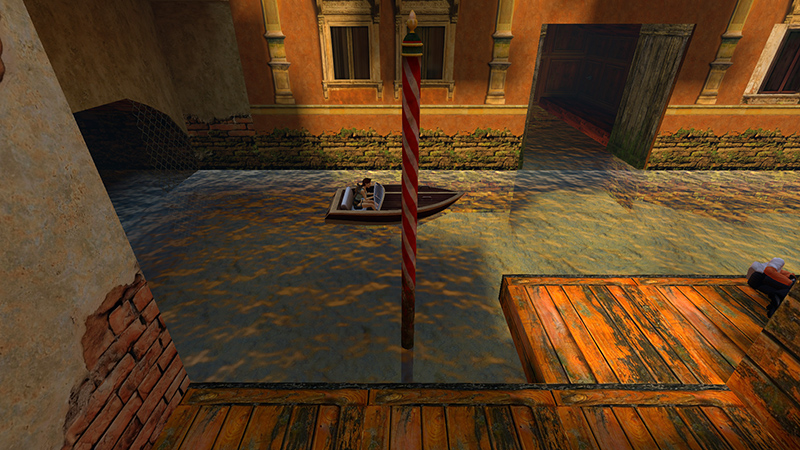
Otherwise, to unlock the "Let's Saddle Up" achievement/trophy, position the boat facing away from the door in the chain-link fence, with the red-and-white striped pole on your right. Try to line up the front section of the boat, just ahead of the windshield, with the striped pole.
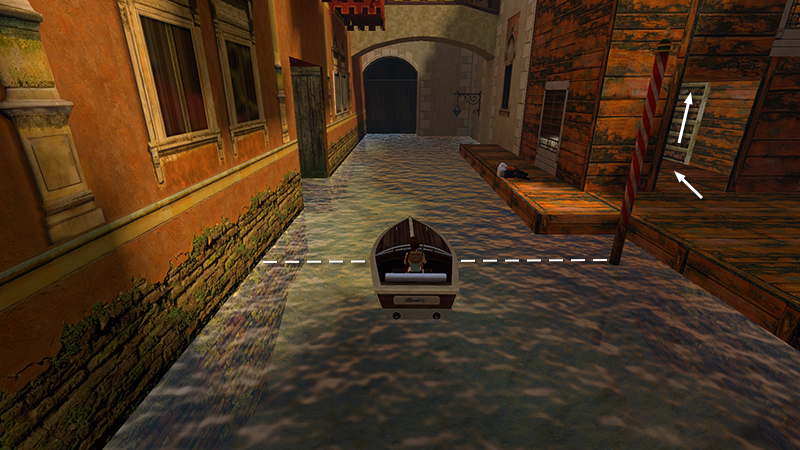
Once you have the boat in place, press Jump + Left or Right to get out. Climb out of the water. Then climb up through the wooden building with the buttons and trapdoors, just as you did earlier.
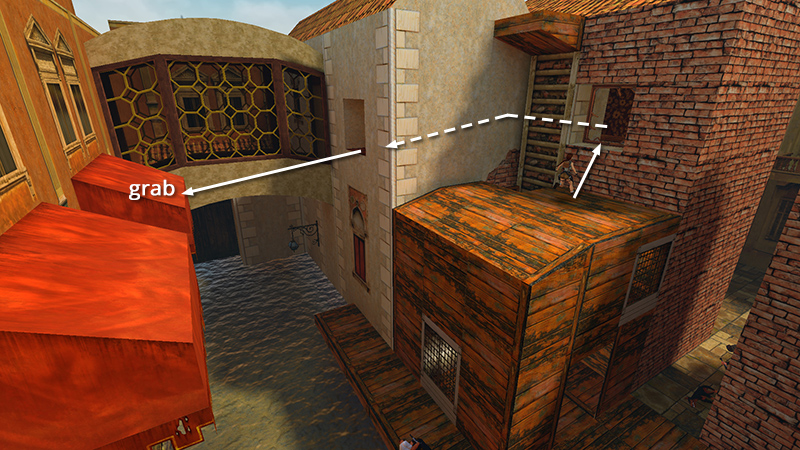
Climb in through the window and return to the room with the checkerboard floor. Take a running jump across the canal to grab the red awning.
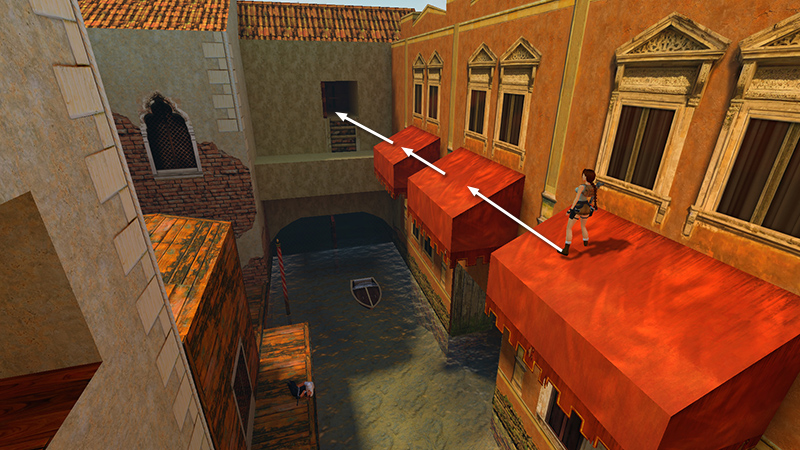
Pull up and once again make your way across the awnings to the raised alcove with the switch.
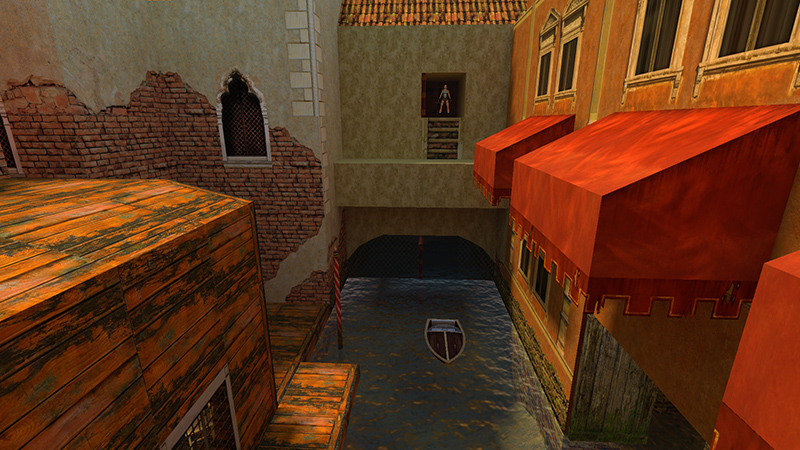
Walk to the edge of the switch alcove overlooking the canal. Save the game just in case.
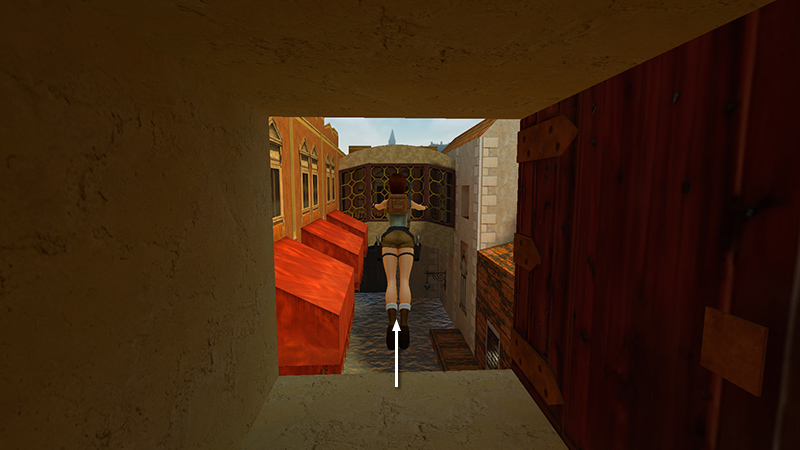
Then take a standing jump and hold Action...
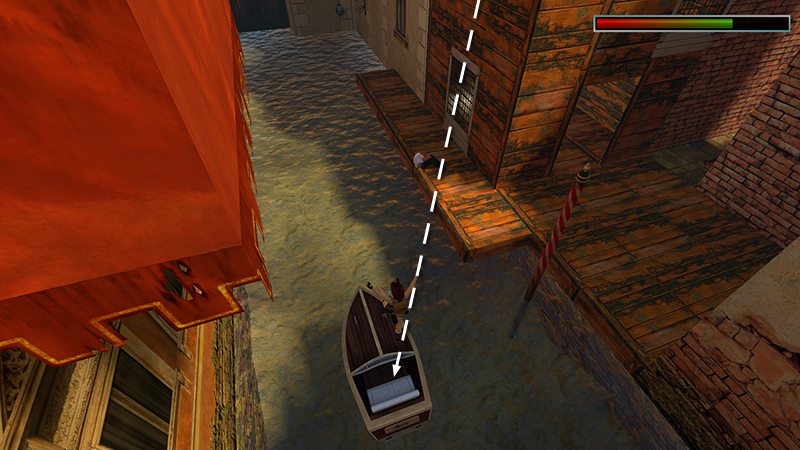
...to (hopefully) land in the boat...
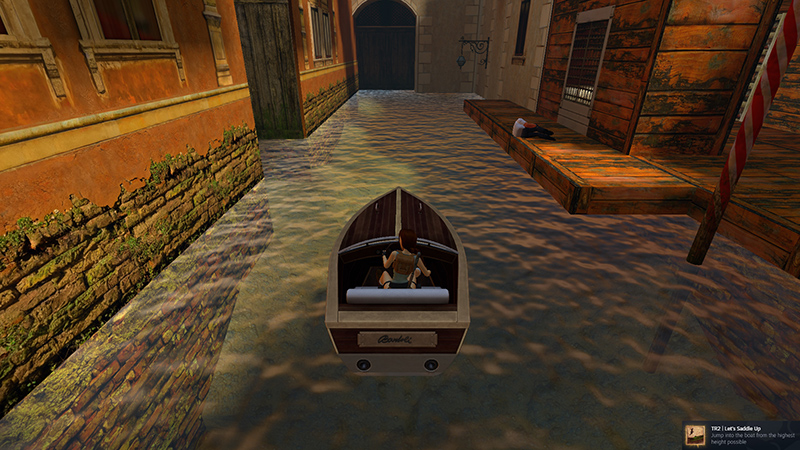
...and unlock the achievement/trophy.
[Previous | Next | Venice Walkthrough]
DARK MODE: I plan to add optional dark mode for these pages, but my current priority is updating the walkthroughs. Meanwhile, may I suggest a reputable dark mode browser extension, such as Dark Reader? (Download only from trusted sites, like darkreader.org or your browser's official add-on/extension site.)
Walkthrough text and diagrams copyright © Stellalune (email ). Feel free to copy or print this walkthrough for personal use. By all means, share it with friends, but please include this credit line so people can send me their feedback. No part of this walkthrough may be reproduced on another site without permission.