Offshore Rig - Starting Area - Movable Crates and Timed Door
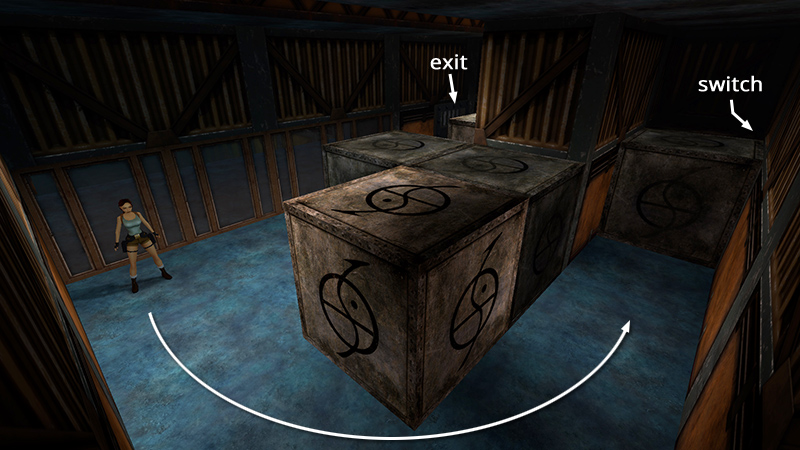
The room where you begin has a wall of windows and a locked door. The switch that opens the door is hidden behind the crates in the back left corner of the room. Go around to that corner...
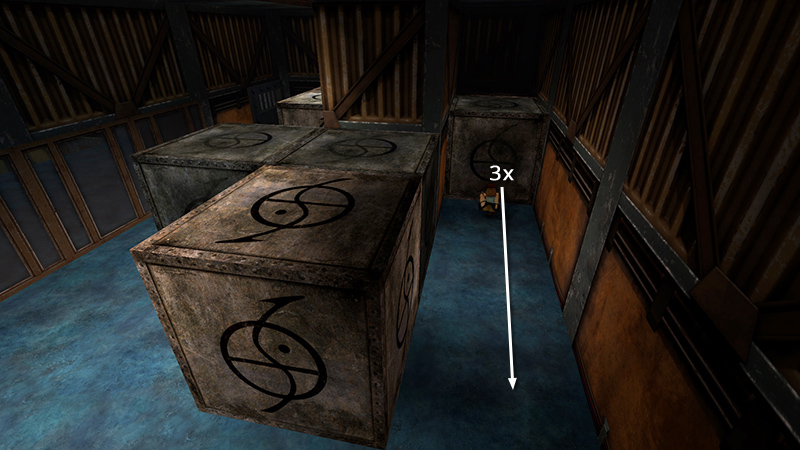
...and pull the movable crate three times.
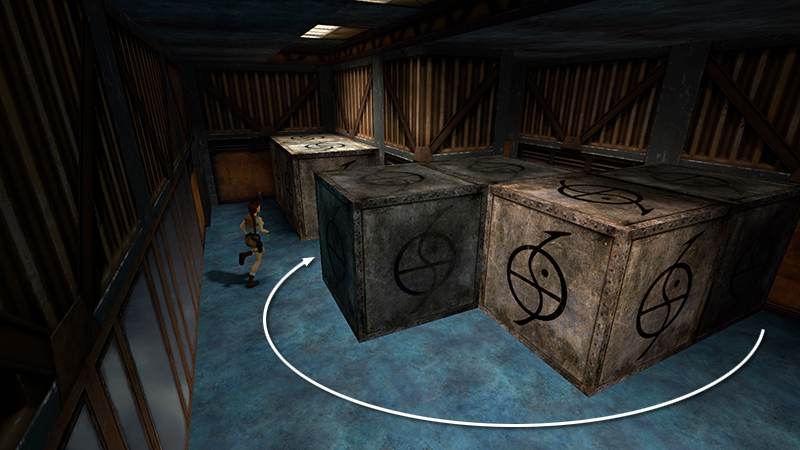
Move back around to the crates nearest the windows. Here there are two crates together, sitting under the light, and one on its own.
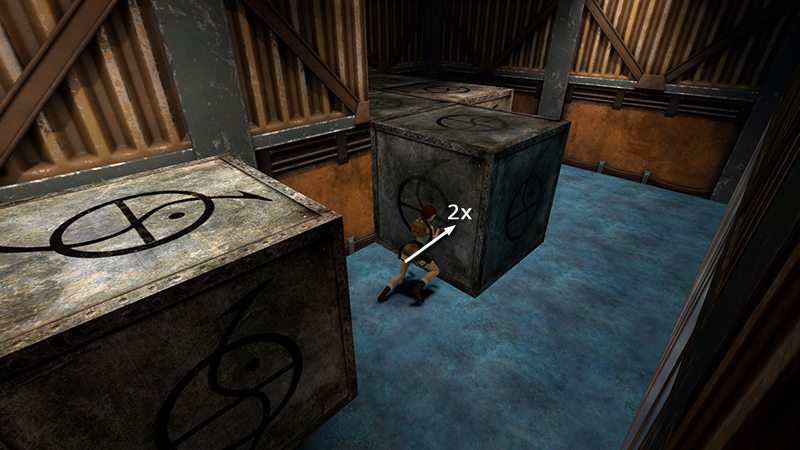
Face the left side of the single crate and push it twice.
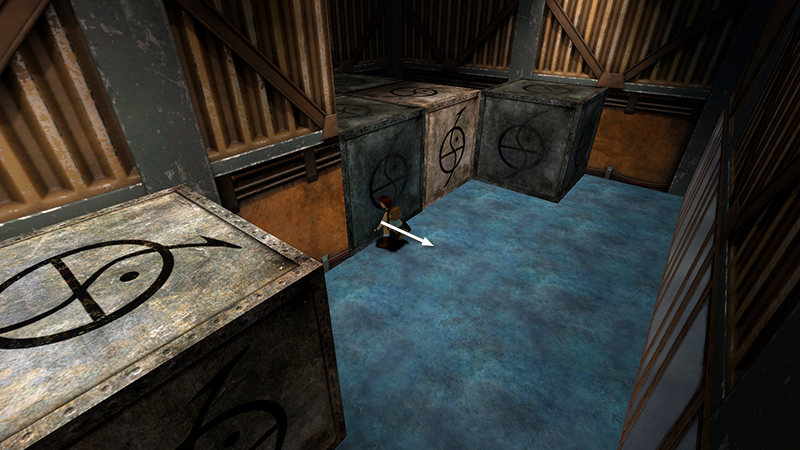
Stand facing the crate that was behind the crate you just moved and pull it once.
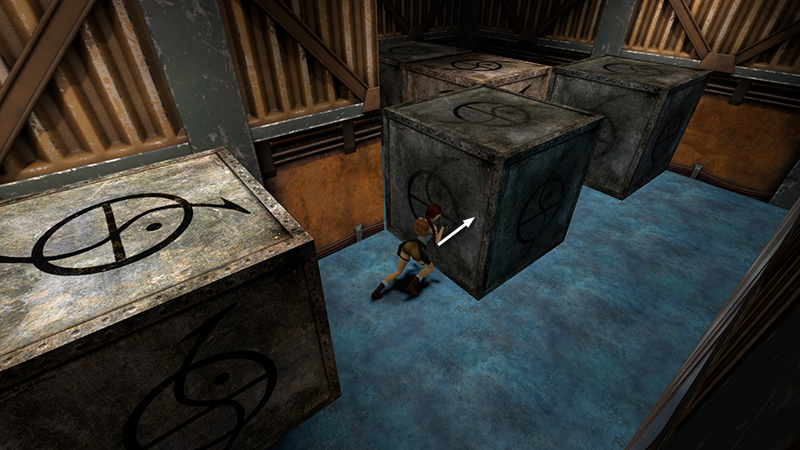
Move around to its left side and push it once.
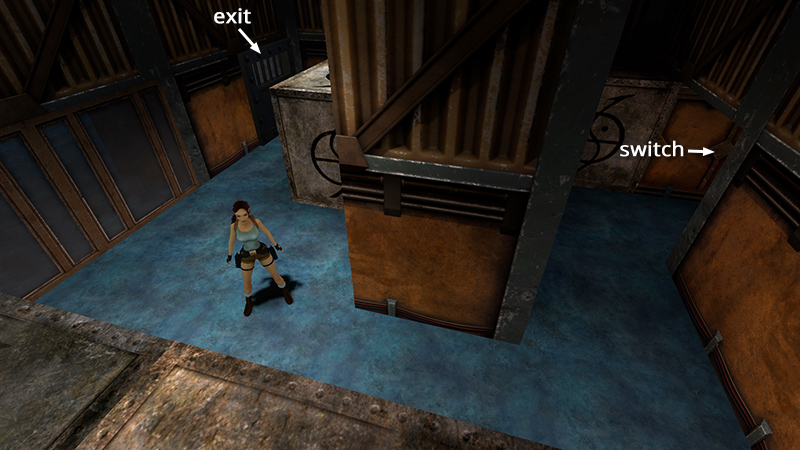
Now you should have a clear path to the switch.
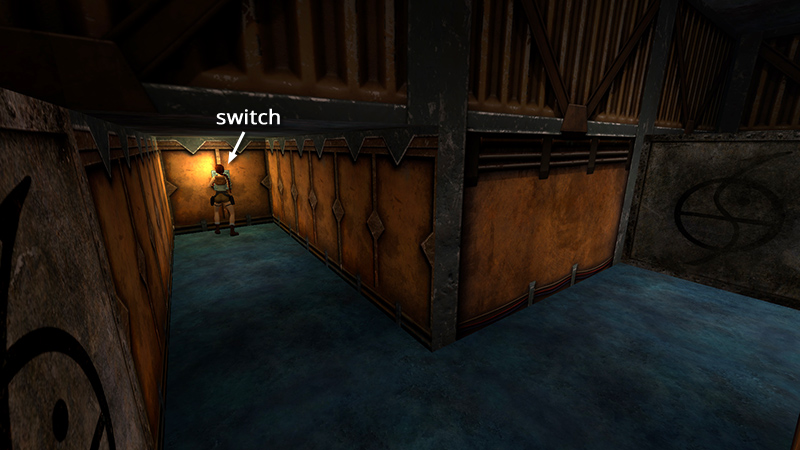
Save the game then pull the switch. You only have 15 seconds to reach the exit.
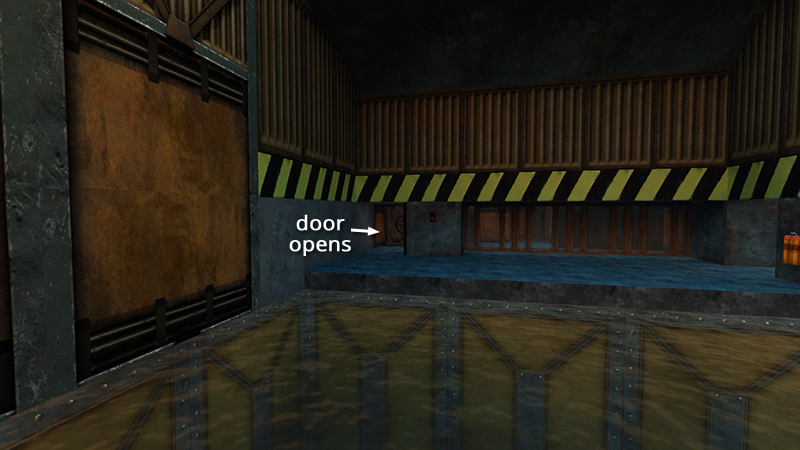
Press Look to cancel the cutscene showing the door opening.
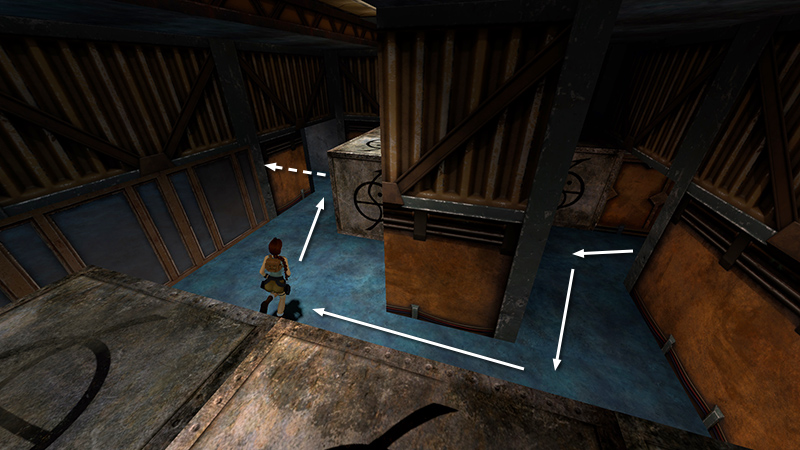
Then roll and run out before the door closes.
DARK MODE: I plan to add optional dark mode for these pages, but my current priority is updating the walkthroughs. Meanwhile, may I suggest a reputable dark mode browser extension, such as Dark Reader? (Download only from trusted sites, like darkreader.org or your browser's official add-on/extension site.)
Walkthrough text and diagrams copyright © Stellalune (email ). Feel free to copy or print this walkthrough for personal use. By all means, share it with friends, but please include this credit line so people can send me their feedback. No part of this walkthrough may be reproduced on another site without permission.