Old Mill - Swinging Across the Chasm

After getting a makeshift CROWBAR, as shown in the previous section, once again jump and grab the dangling rope.

Slide to the bottom. Now look for the group of whitewashed STONE PILLARS WITH ANGLED TOPS on the far side of the chasm. Aim for the first sloping pillar on the right.

Press Look to check your angle and adjust if necessary. (The screenshot above shows a good angle while holding Look.) Remember, you can save the game while hanging on the rope or ledge. Just be sure to hold Action when reloading so Lara doesn't fall.
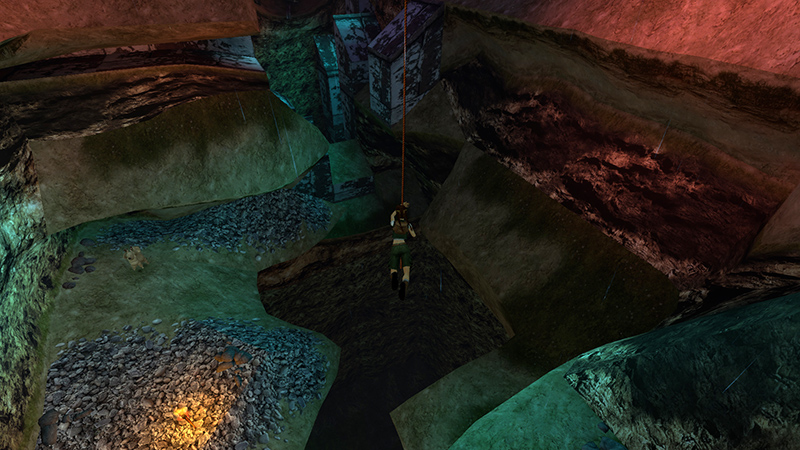
Hold Sprint/Dash to work up a good, long swing.
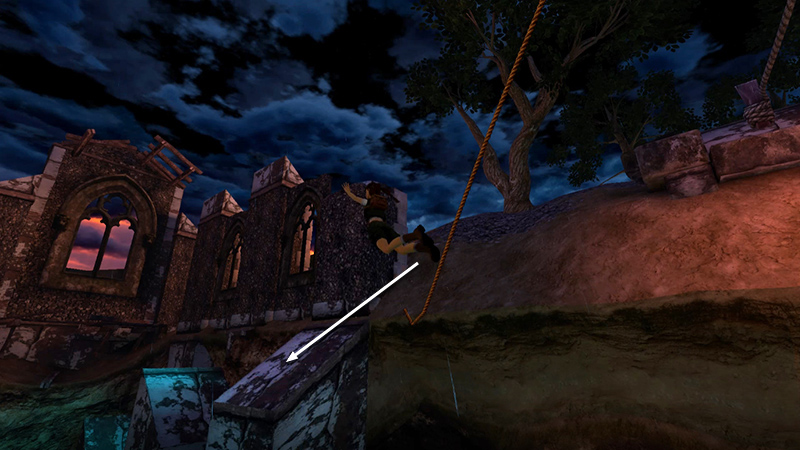
Then jump off the rope to land on the pillar.
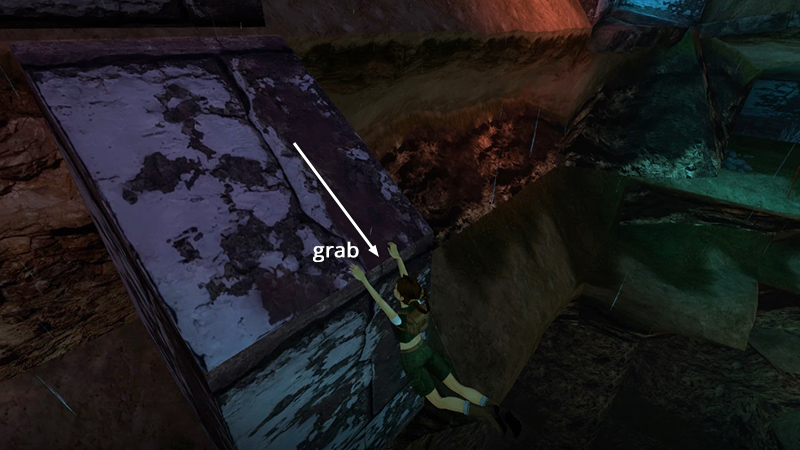
Slide backwards and grab the edge.
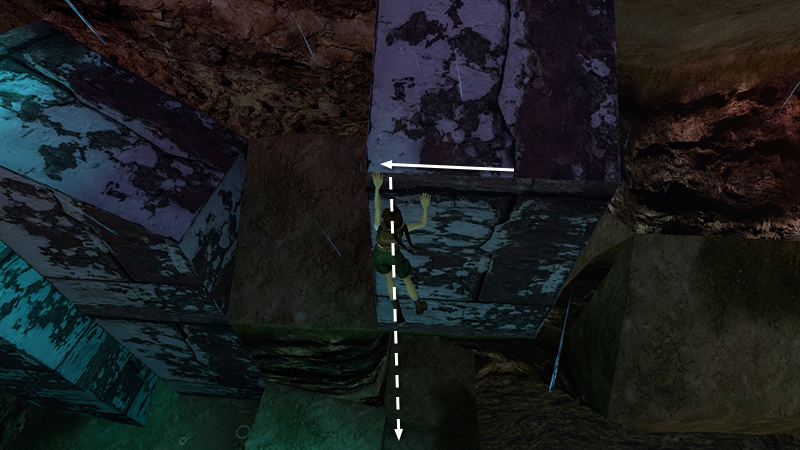
Then traverse to the left before dropping down to minimize fall damage.
- OR -

Alternatively, if you're having trouble landing on the sloping pillar, instead aim for the green ledge between the nearest angled blocks.
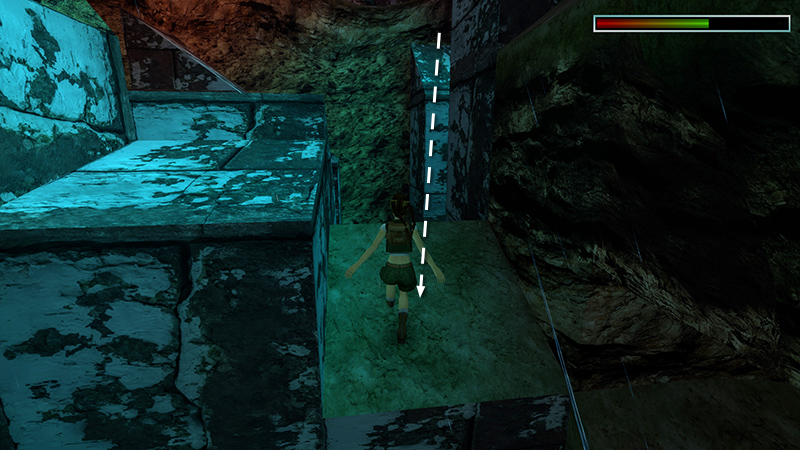
Lara will lose a bit more health when she lands, but it's easier. Unless you've already lost a lot of health, she'll survive even if you land on the lower parts of the ledge. (Most of my health loss here was due to the changelings throwing rocks, not the fall.)
[Previous | Next | Old Mill Walkthrough]
DARK MODE: I plan to add optional dark mode for these pages, but my current priority is updating the walkthroughs. Meanwhile, may I suggest a reputable dark mode browser extension, such as Dark Reader? (Download only from trusted sites, like darkreader.org or your browser's web store.)
Walkthrough text and diagrams copyright © Stellalune (email ). Feel free to copy or print this walkthrough for personal use. By all means, share it with friends, but please include this credit line so people can send me their feedback. No part of this walkthrough may be reproduced on another site without permission.