Living Quarters - Flooding the Burner Room
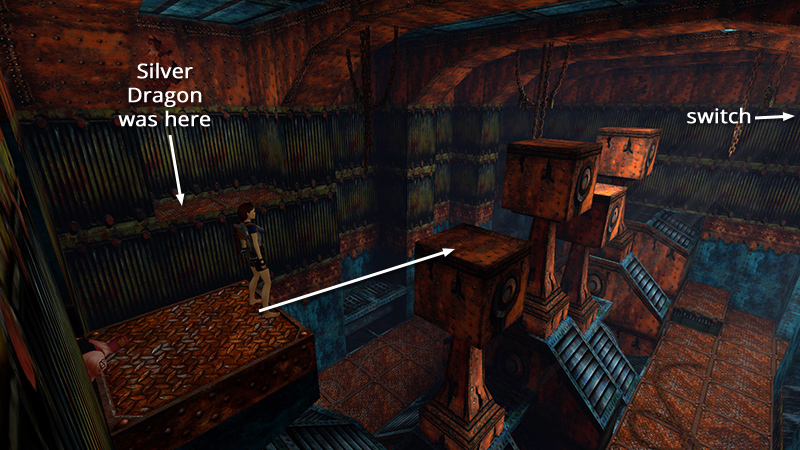
In the last section, we used a switch to change the height of the 4 huge pistons, climbed across them to reach an area with movable blocks, then used the piston switch a second time to return the pistons to their original configuration. Now we can reach the switch we noticed earlier, high above the engine room. Begin by take a standing jump from the edge of the doorsill to land on the nearest piston.
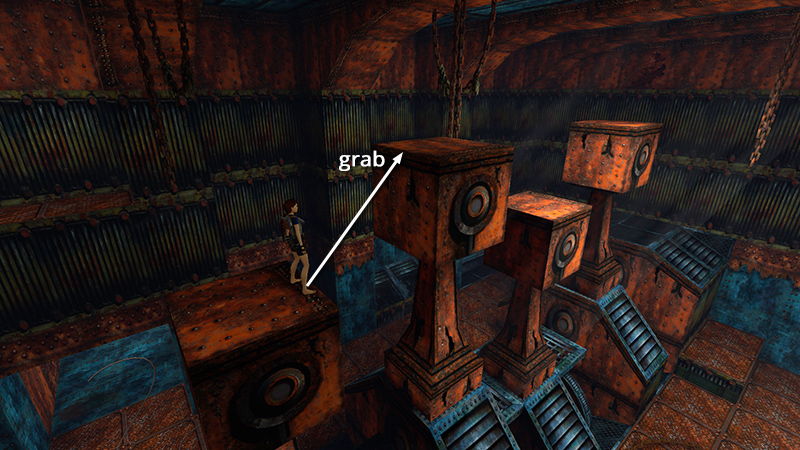
Walk to the opposite edge and take another standing jump to grab the edge of the next piston; pull up.
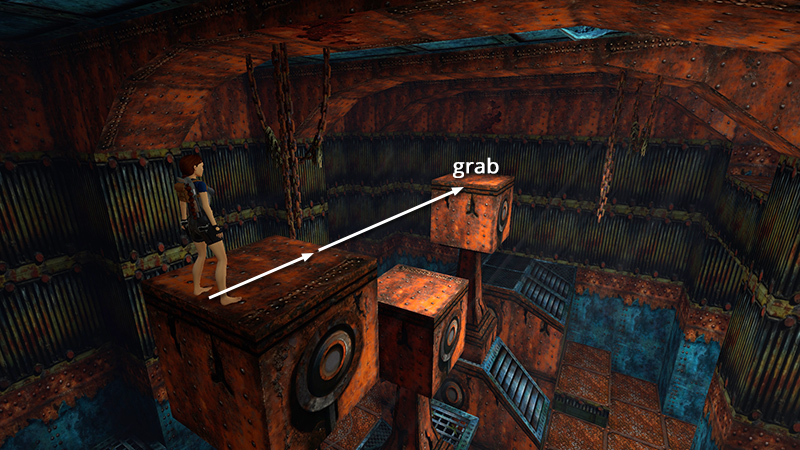
Then take a running jump over the third piston to grab the edge of the fourth and pull up.
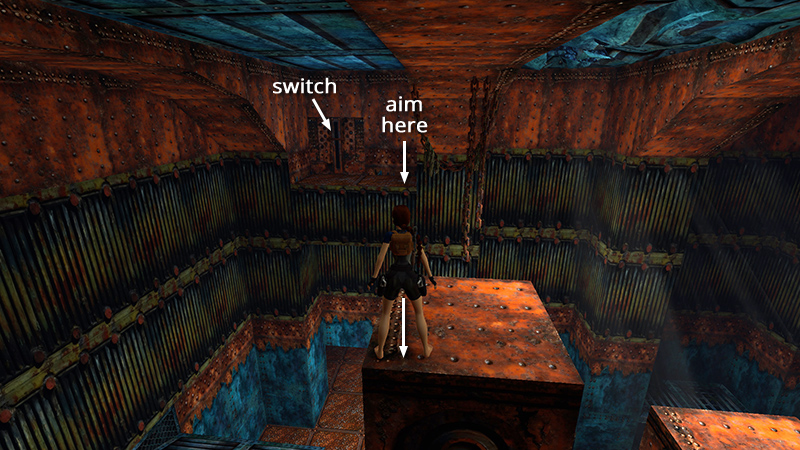
Turn right to face the alcove with the switch. Save the game and set up the next running jump carefully, since it's easy to miss: Walk to the outer left corner of the piston, aim for the right side of the alcove, hop back once...
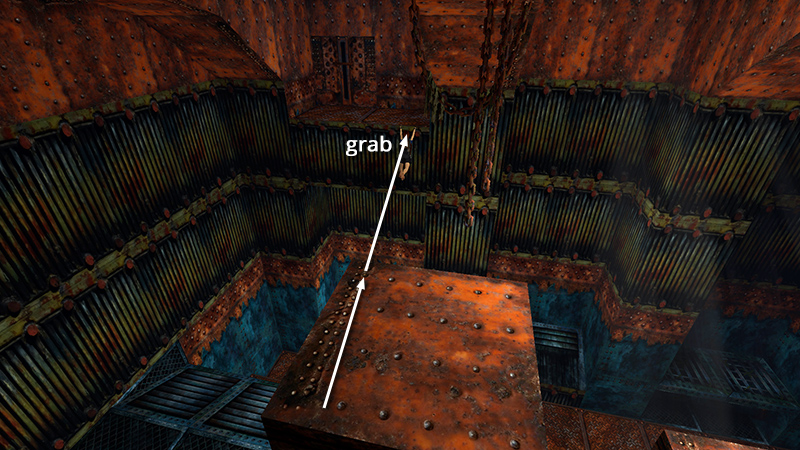
...then take the running jump to grab the edge of the alcove. Pull up and throw the switch...
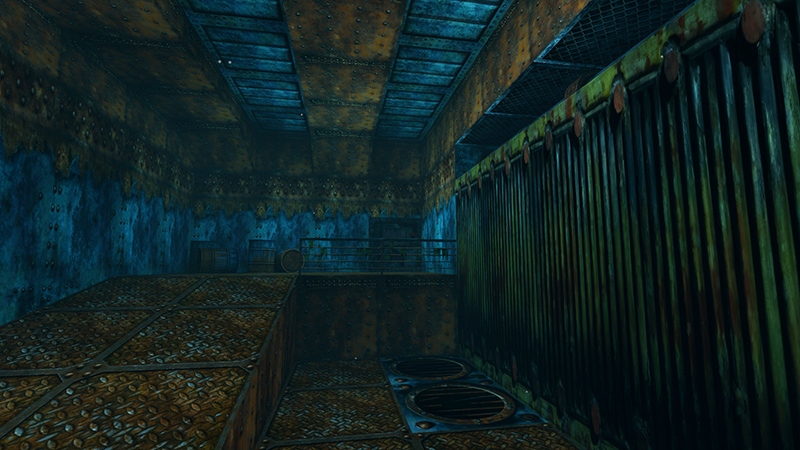
...to flood the BURNER ROOM and rearrange the pistons once more.
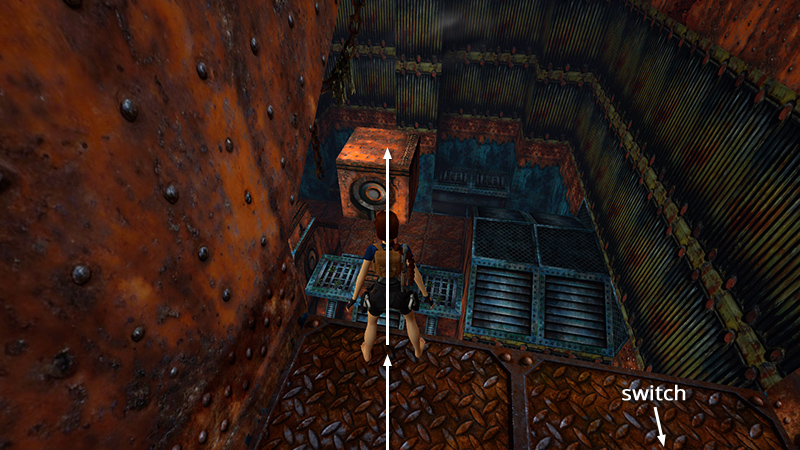
To get down without injury, take a running jump back to the fourth piston, which is now lower than it was before.
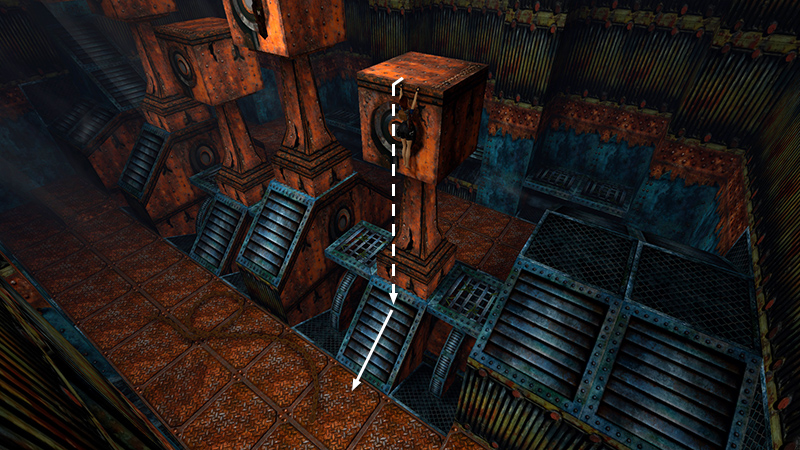 Then safety drop to the angled surface below and slide down to the floor.
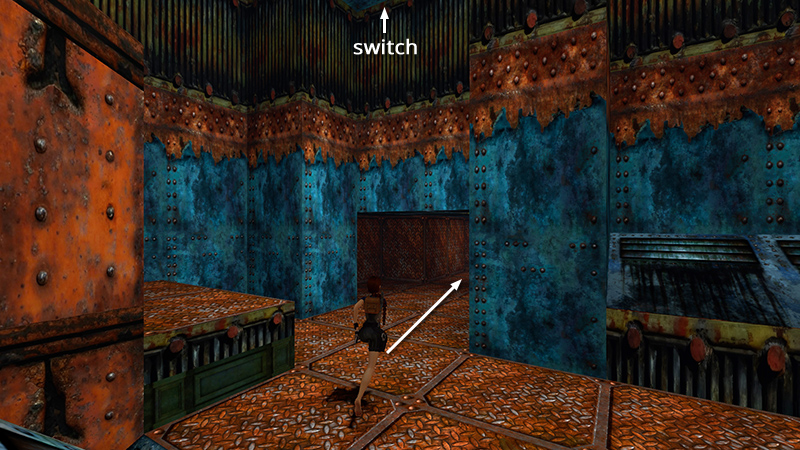
Follow the rusty passageway below the switch alcove back toward the BURNER ROOM..
DARK MODE: I plan to add optional dark mode for these pages, but my current priority is updating the walkthroughs. Meanwhile, may I suggest a reputable dark mode browser extension, such as Dark Reader? (Download only from trusted sites, like darkreader.org or your browser's official add-on/extension site.)
Walkthrough text and diagrams copyright © Stellalune (email ). Feel free to copy or print this walkthrough for personal use. By all means, share it with friends, but please include this credit line so people can send me their feedback. No part of this walkthrough may be reproduced on another site without permission.