Living Quarters - Shortcut from Lobby to Level Exit
If you don't care about 100% completion, you can take a shortcut that skips the THEATRE and brings you directly to the end of the level. You will, of course, miss several kills and pickups. This sequence is also shown in a short video.
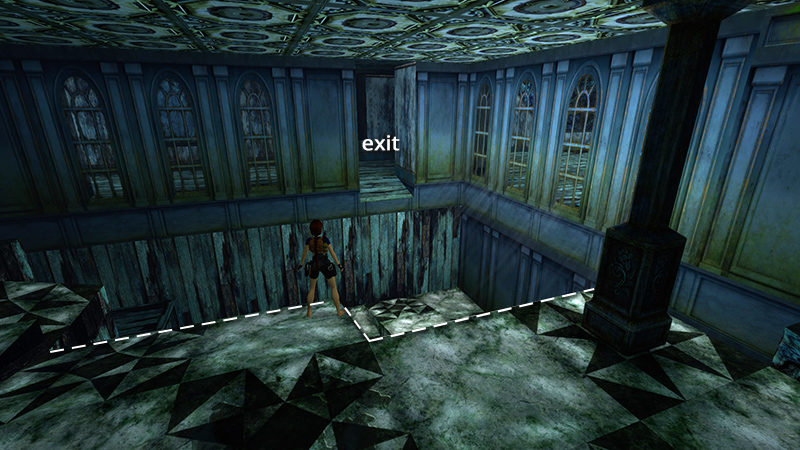
Enter the THEATRE LOBBY and kill the first 4 enemies, as described in the main walkthrough (i.e., guy with a shotgun on the entryway ramp, second guy with a gun in the black-and-white tiled area, and 2 enemies in the area with the skinny columns on the way to the pit). Don't bother moving any of the wooden crates. Move to the edge of the pit, where it juts out toward the elevated doorway on the opposite side.
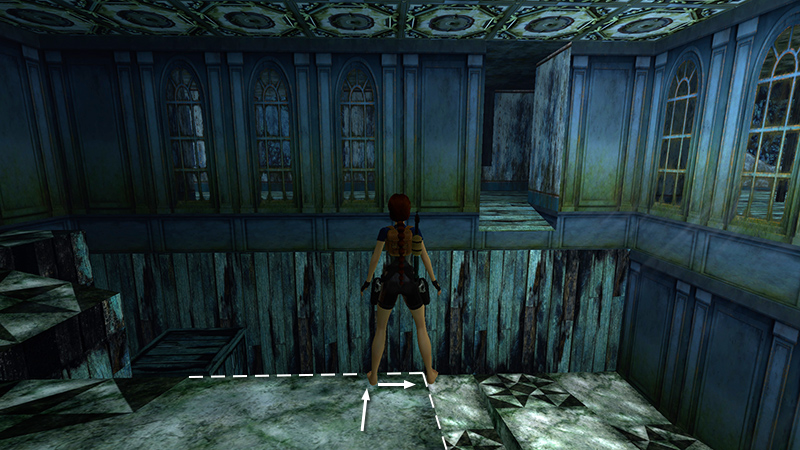
Walk to the edge, then sidestep to the right as far as possible. Lara's right foot should appear to float off the edge.
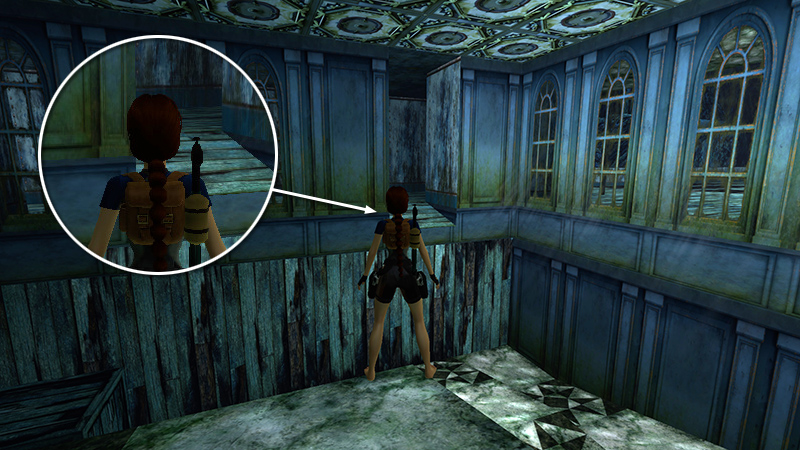
Now pivot to the right so the top of Lara's head is aimed just to the right of the left edge of the doorway. You'll notice a little light in the gap on the left side of her neck. (This is using the basic camera view, without pressing Look.)
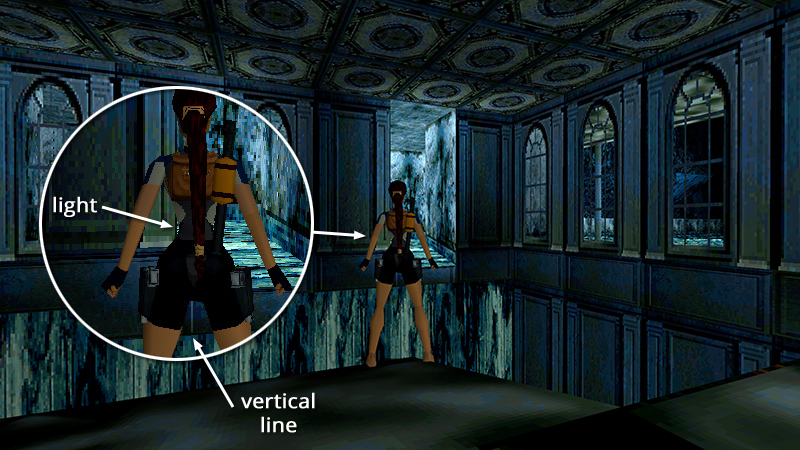
If you switch to classic graphics (F1 on keyboard, Options button on PS4/5, Menu button on Xbox, Plus [+] on Switch), you should be able to see a little light in the gap to the left of her waist, and there's a faint light-colored vertical line on the lower doorframe visible between her legs (again, when Look is not pressed).
NOTE: Everyone's video display is slightly different, so you may need to use different visual landmarks, but with a little trial and error, you can tweak Lara's position until you find an angle that works for you.
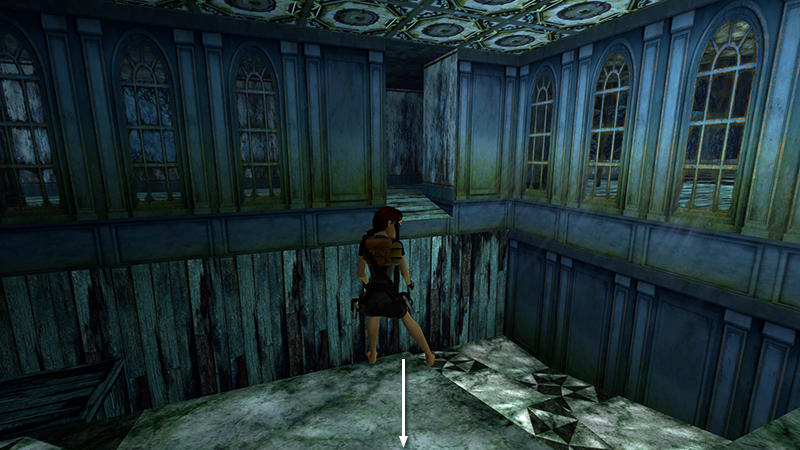
Hop back once.
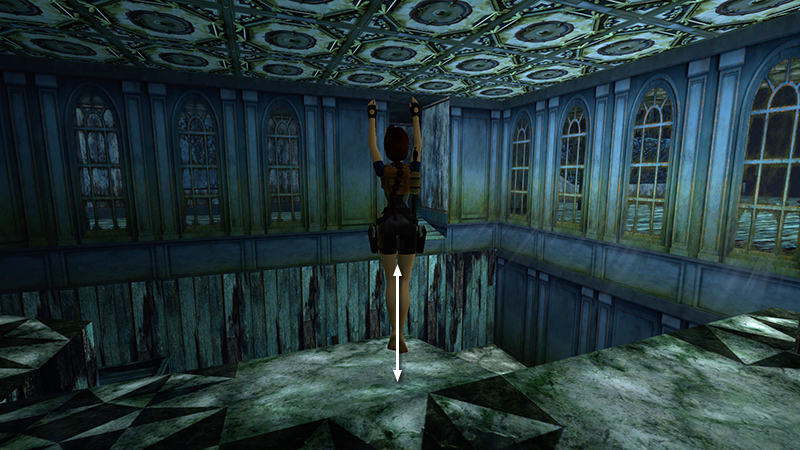
Then jump straight up once. This causes Lara to creep forward ever so slightly. Save the game if you like. Then you won't have to do the whole setup each time.
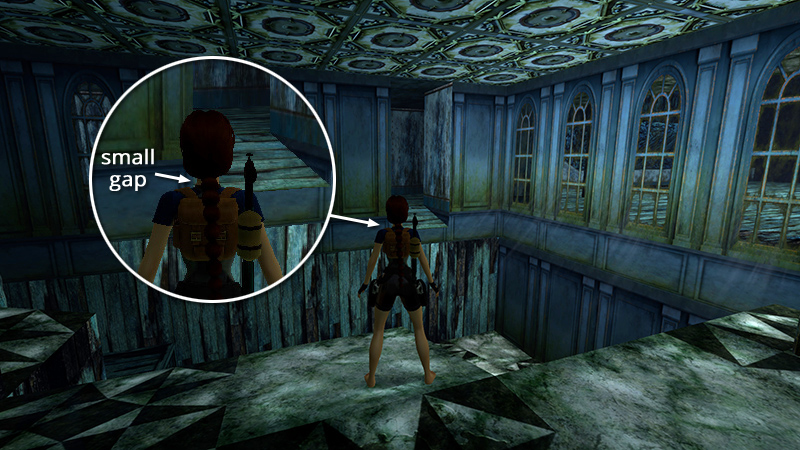
Check your angle once more. You may need to adjust ever so slightly. Again, you want to aim just to the right of the left side of the doorframe.
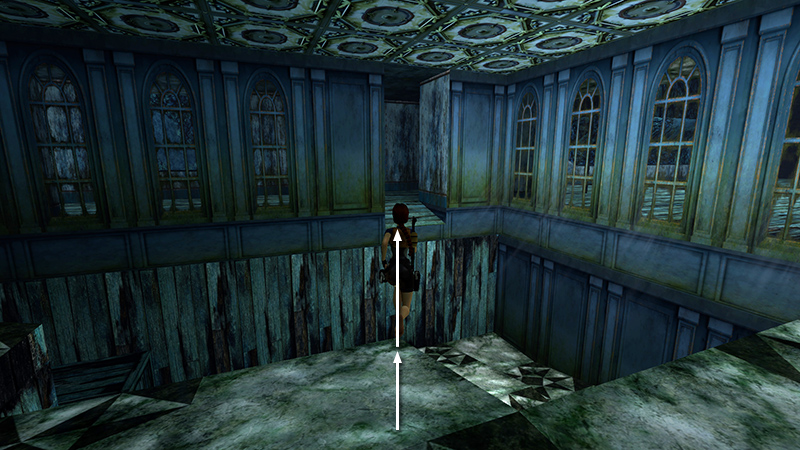
Now take the running jump and wait until the absolute last moment...
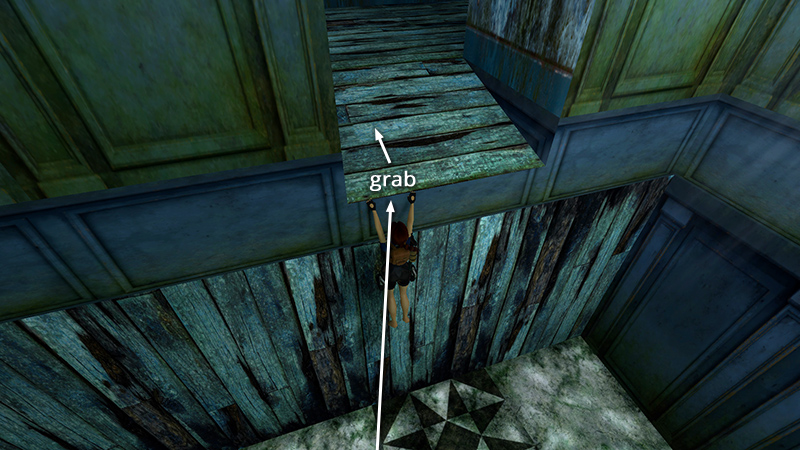
...to press Action and grab the edge. Pull up and step forward to finish the level.
DARK MODE: I plan to add optional dark mode for these pages, but my current priority is updating the walkthroughs. Meanwhile, may I suggest a reputable dark mode browser extension, such as Dark Reader? (Download only from trusted sites, like darkreader.org or your browser's official add-on/extension site.)
Walkthrough text and diagrams copyright © Stellalune (email ). Feel free to copy or print this walkthrough for personal use. By all means, share it with friends, but please include this credit line so people can send me their feedback. No part of this walkthrough may be reproduced on another site without permission.