Floating Islands - Climbing to the Exit
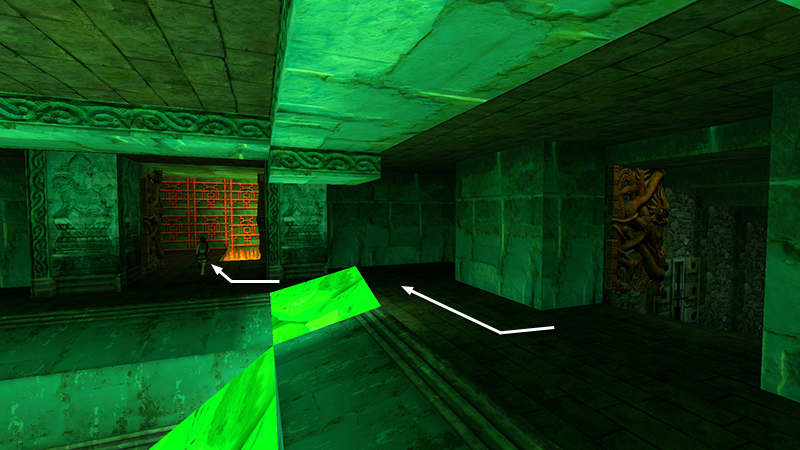
In the last section, you made your way up the stairs from the CAGE to the ROOM WITH THE SQUARE HOLE IN THE FLOOR. Enter the room on the right. (The doors will be open if you used the switch in the alcove downstairs.) Here you'll find a climbable lattice wall above a pool filled with lava and spikes. (Overkill, yeah?)
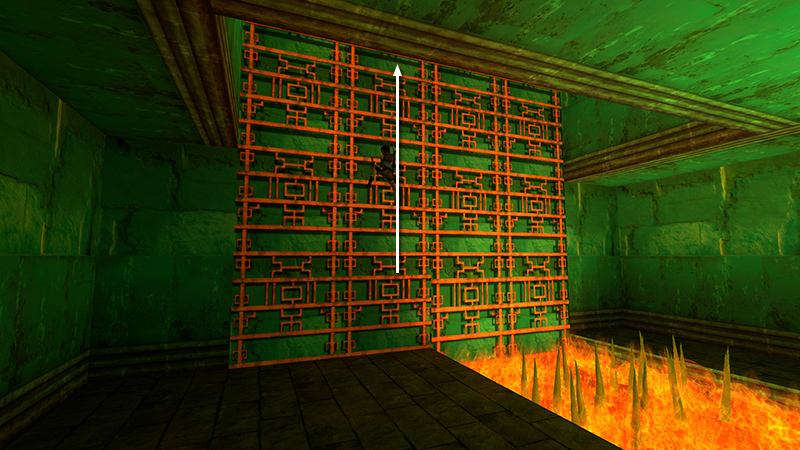
Climb the lattice...
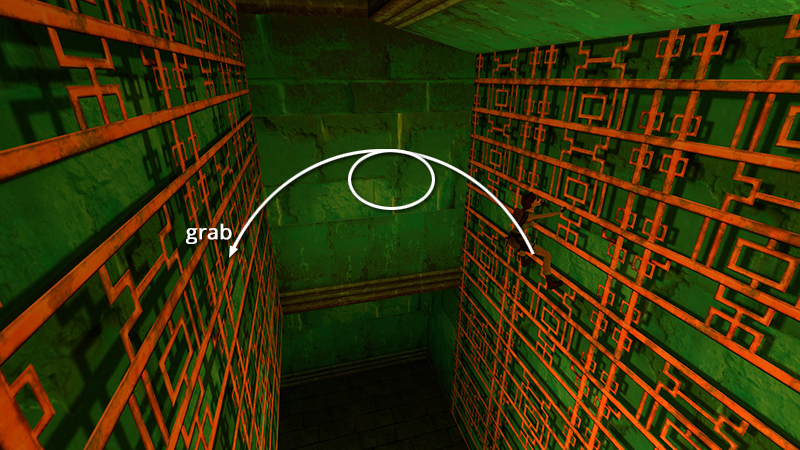
...until Lara's feet are positioned on the sixth rung from the top (i.e., the rung with no filigree above). Continue holding Action as you press Jump + Roll to leap off the wall, do a midair somersault, and grab the lattice behind.
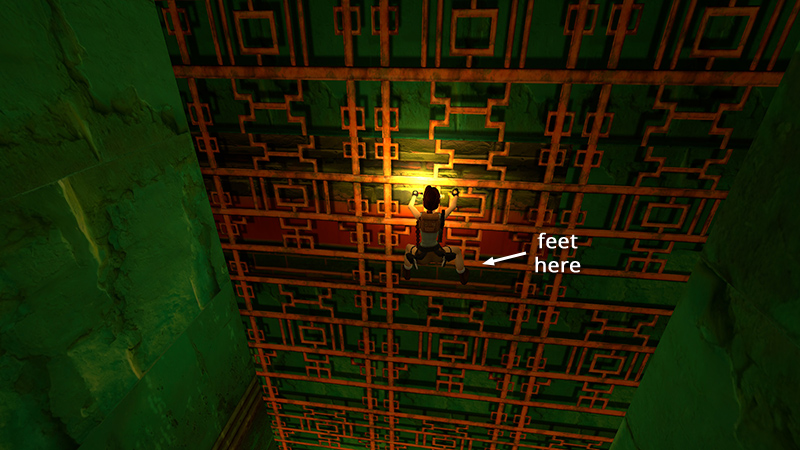
Climb up and to the left until you reach the red-and-green area. Position Lara's feet at the bottom of the red strip. (If you're unable to distinguish the colors, it's the 5th rung from the top, with no filigree below.)
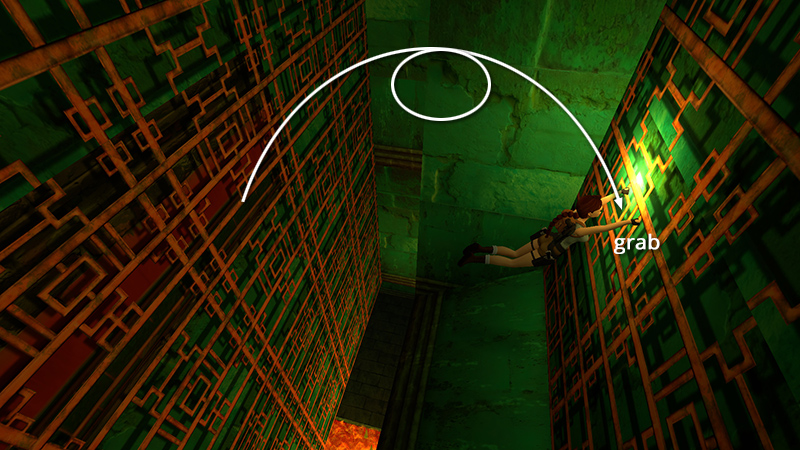
Again, continue to hold Action and press Jump + Roll to jump, twist, and grab the lattice behind.
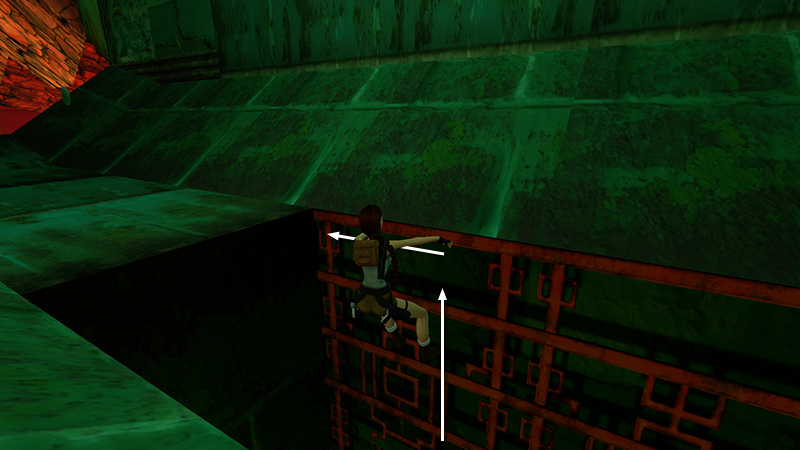
Climb to the top, but before pulling up onto the slope, move as far to the left as possible.
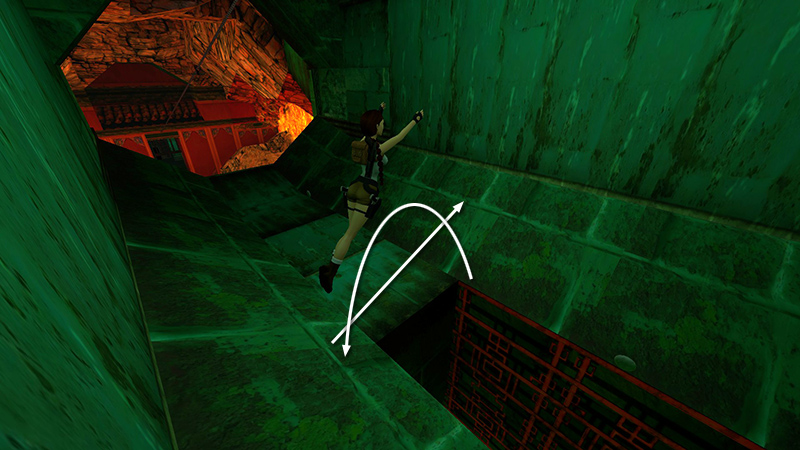
Pull up and immediately backflip. As Lara lands on the slope behind her, jump to the left to land on the slope ahead...
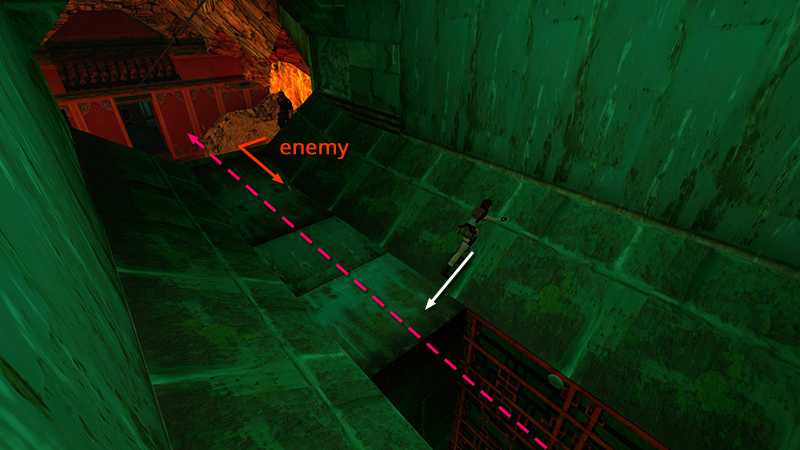
...and slide down onto the flat area.
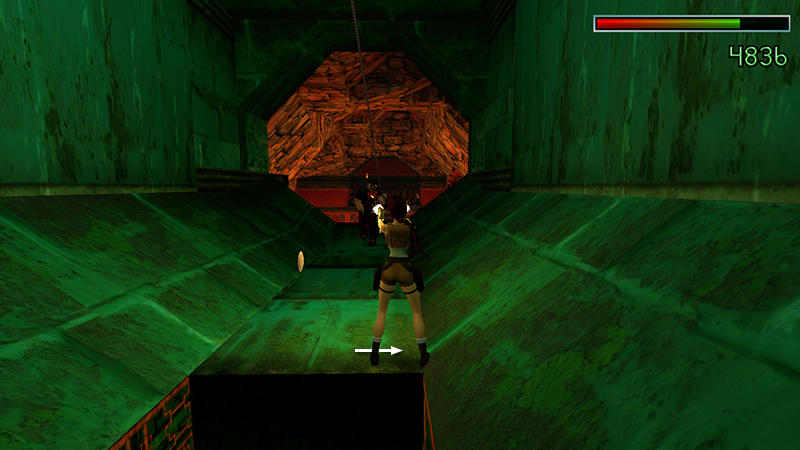
Turn right and sidestep to avoid the flying blades. Quickly draw weapons and kill the knife-throwing cult goon (26) waiting here.
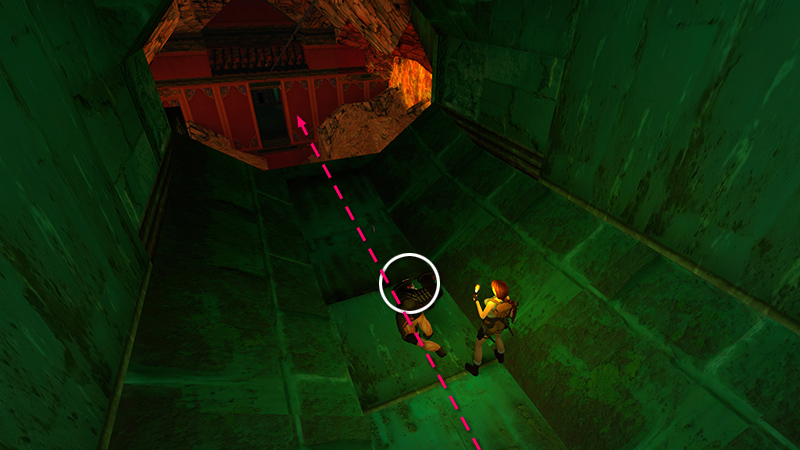
Try to avoid the blades as you steal his shotgun shells (30).
DARK MODE: I plan to add optional dark mode for these pages, but my current priority is updating the walkthroughs. Meanwhile, may I suggest a reputable dark mode browser extension, such as Dark Reader? (Download only from trusted sites, like darkreader.org or your browser's official add-on/extension site.)
Walkthrough text and diagrams copyright © Stellalune (email ). Feel free to copy or print this walkthrough for personal use. By all means, share it with friends, but please include this credit line so people can send me their feedback. No part of this walkthrough may be reproduced on another site without permission.