Floating Islands - Stairs Leading Back to the Upper Room
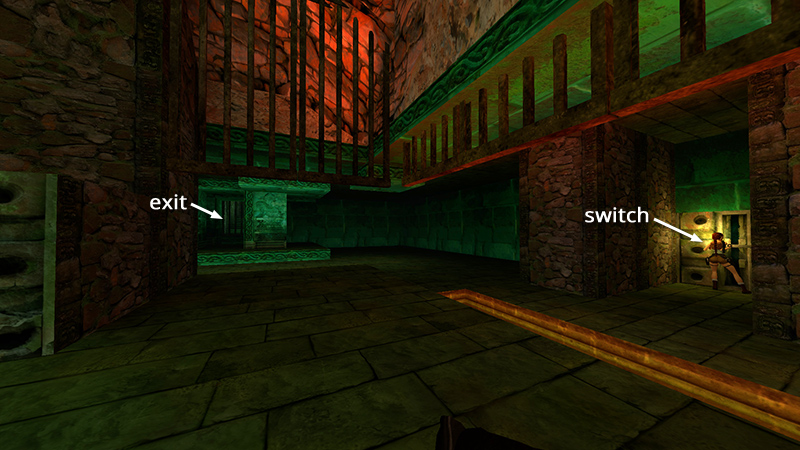
After defeating a load of human and supernatural enemies in the ROOM WITH THE METAL CAGE AND SWITCHES, detailed in the last section, you used the switches in the two alcoves to open the exit and a set of large, ornate doors upstairs.
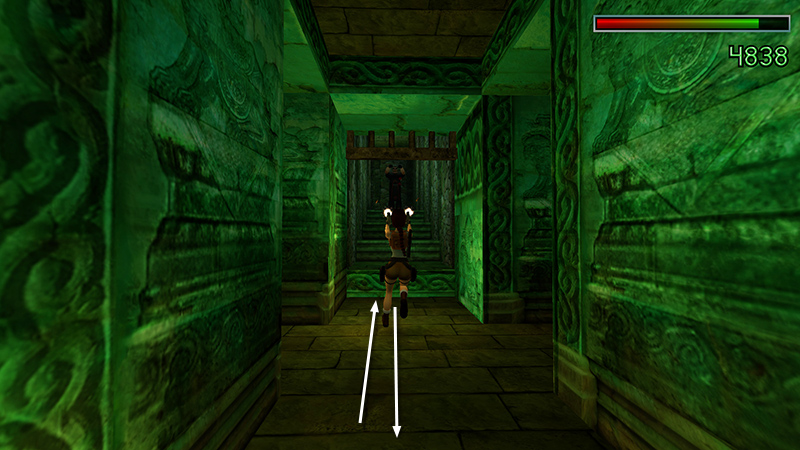
Go through the exit and start up the stairs. A knife-throwing cultist (23) appears just ahead. Get a lock on him and back down the stairs shooting until he falls.
- OR -
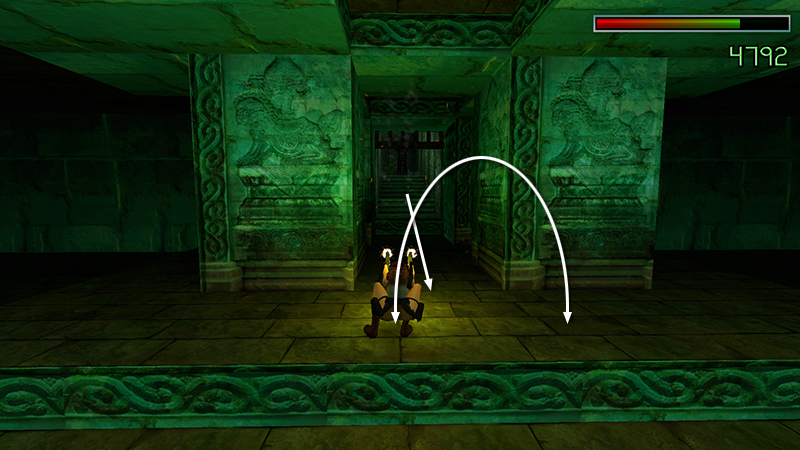
If you're low on ammo, you can use pistols. Get a lock on him, backflip into the cage room, then flip side to side, in and out of the doorway, while shooting.
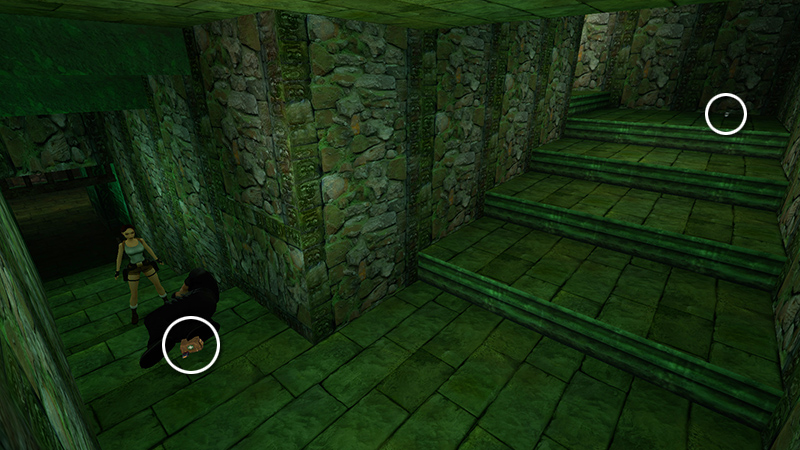
Continue upstairs. Pick up the large medi pack and automatic pistol clips (26-27) the bad guy dropped, along with 2 pairs of grenades (28-29) on the second landing.
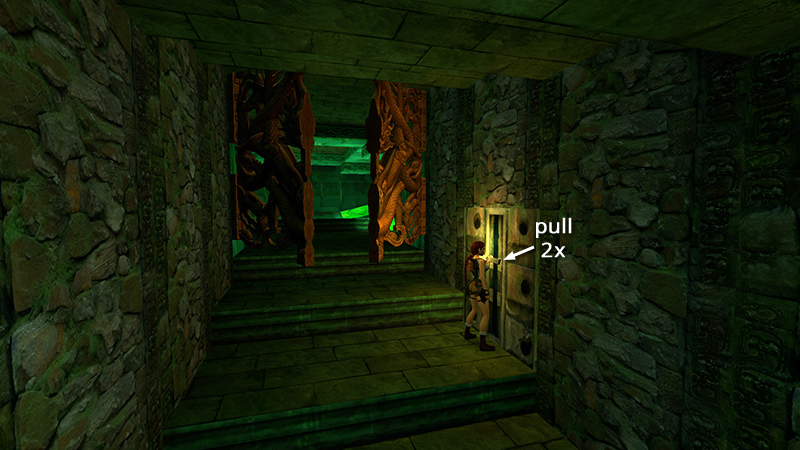
At the top of the stairs is a switch that opens the big doors and awakens the 2 petrified guardians (24-25) just inside. Pull the switch then immediately pull it again to close the doors.
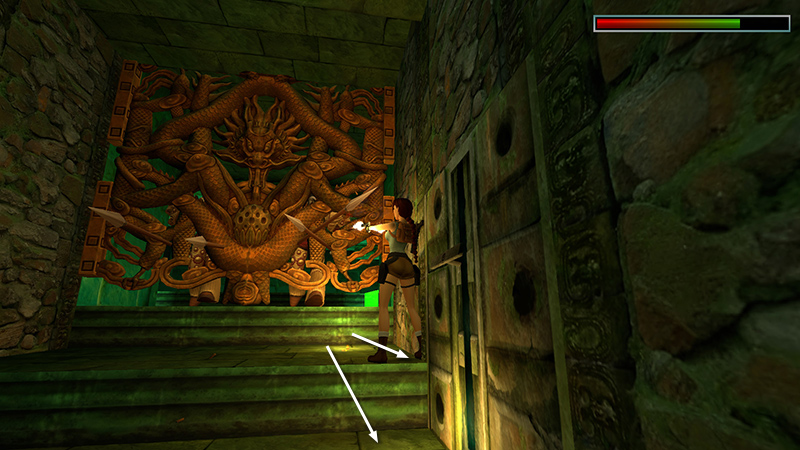
The warriors will awaken and start thrashing around, and you can shoot them through the doors using your trusty pistols. Their spears can reach Lara through the gaps, so it's a good idea to get a pistol lock on one of them, step back, and fire from a distance. (The outer corners of the top step or anywhere on the step with the switch should be safe.)
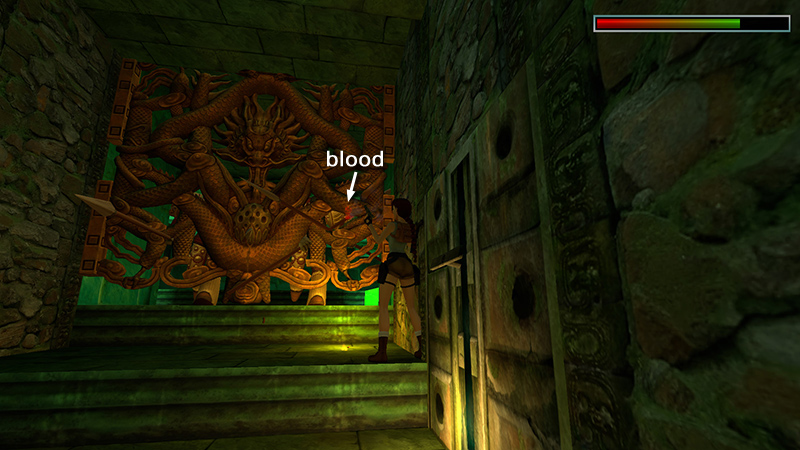
If you see blood, you'll know your shots are connecting.
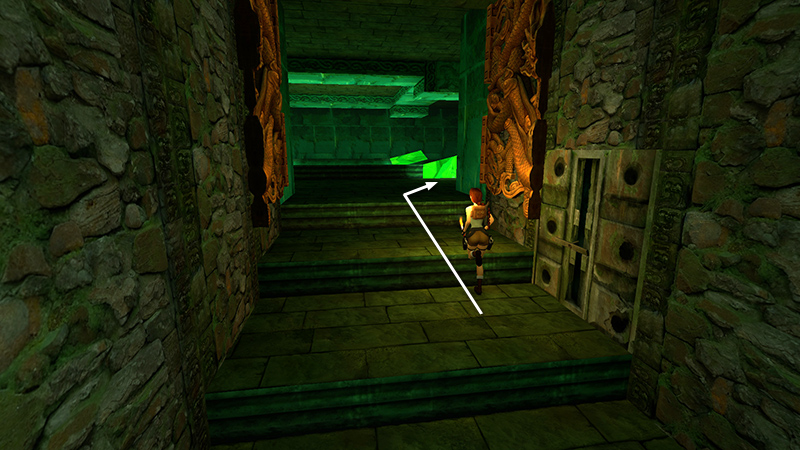
Once both guardians have been destroyed, use the switch a third time to re-open the doors and go inside.
DARK MODE: I plan to add optional dark mode for these pages, but my current priority is updating the walkthroughs. Meanwhile, may I suggest a reputable dark mode browser extension, such as Dark Reader? (Download only from trusted sites, like darkreader.org or your browser's official add-on/extension site.)
Walkthrough text and diagrams copyright © Stellalune (email ). Feel free to copy or print this walkthrough for personal use. By all means, share it with friends, but please include this credit line so people can send me their feedback. No part of this walkthrough may be reproduced on another site without permission.