Catacombs of the Talion - Icy Pools (Continued)
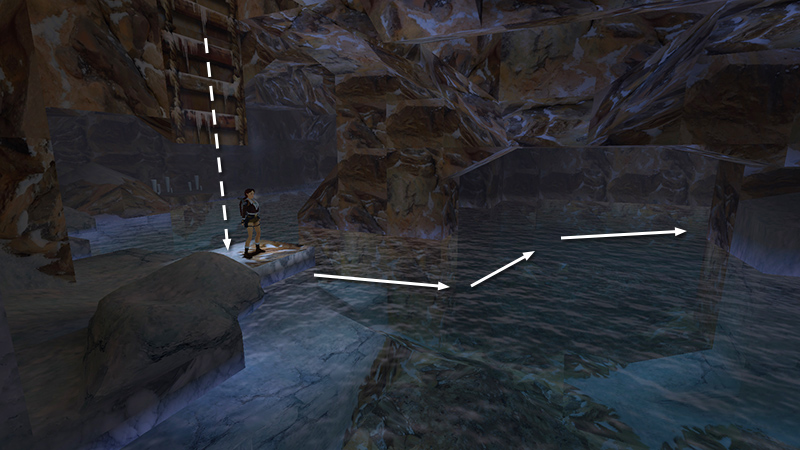
After collecting the Jade Dragon secret and climbing back down the ladder, as shown in the last section, turn around, jump in the pool, and swim into the next cave, ahead on the left.
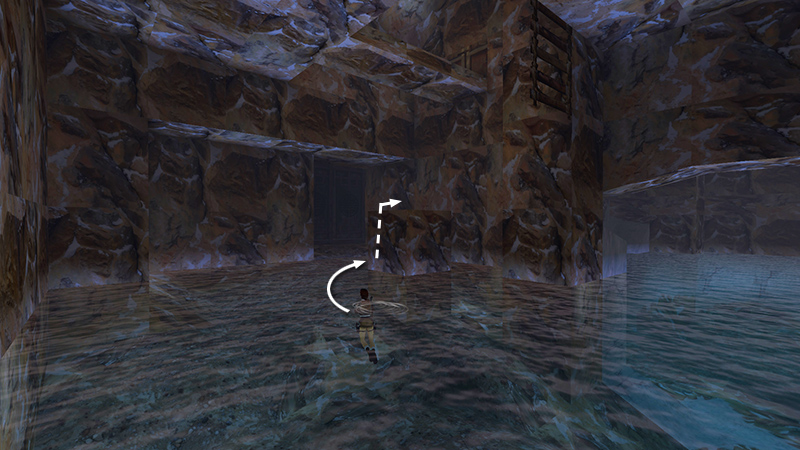
The large doors at the far end are closed. Climb onto the block in front of them...
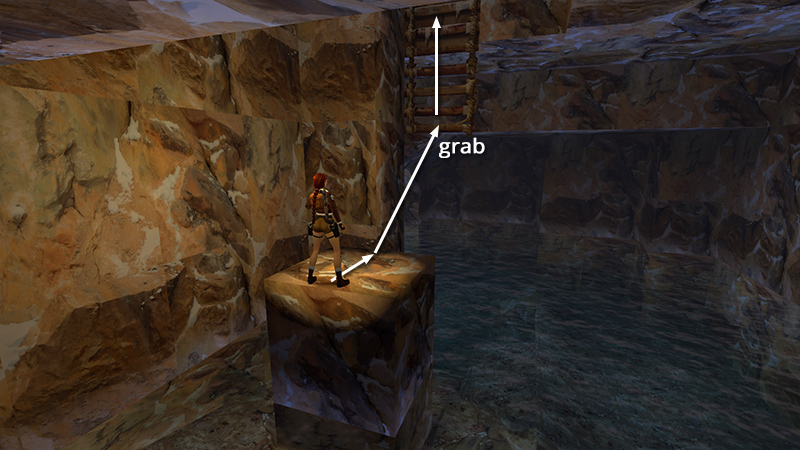
...and take a running jump to grab the bottom of the dangling ladder.
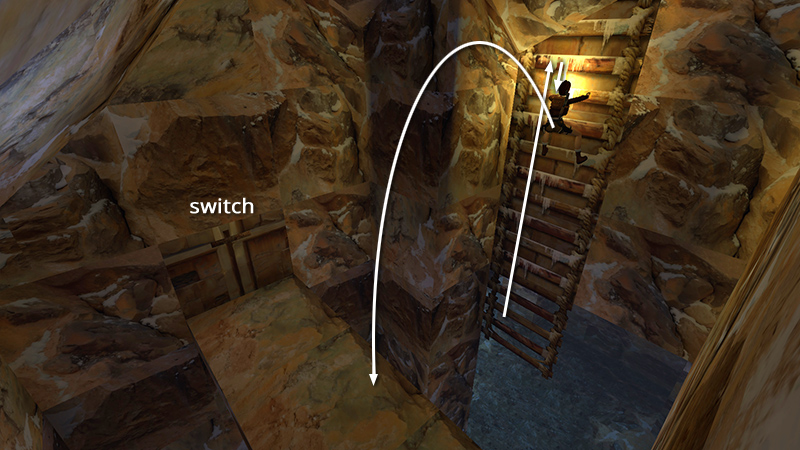
Climb almost to the top (up as far as you can, then down one rung) and backflip onto the ledge behind you. Use the switch to open the big doors below.
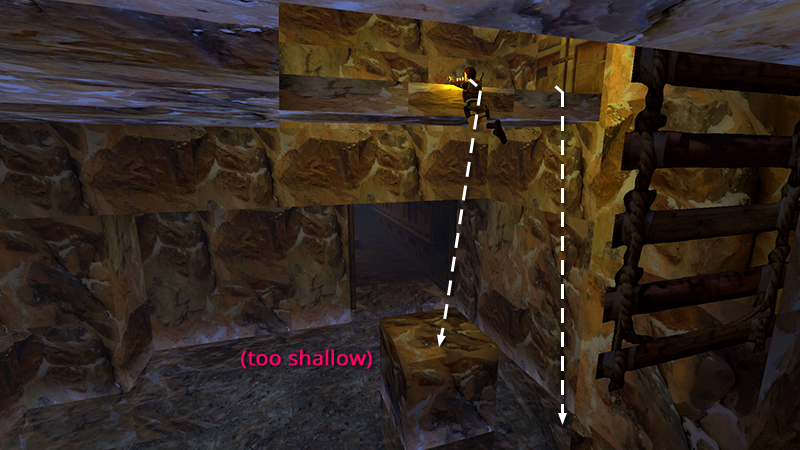
Then either drop into the pool on the side farther from the doorway, where the water is deeper, or use the safety-drop maneuver or "fake grab" to land on the block.
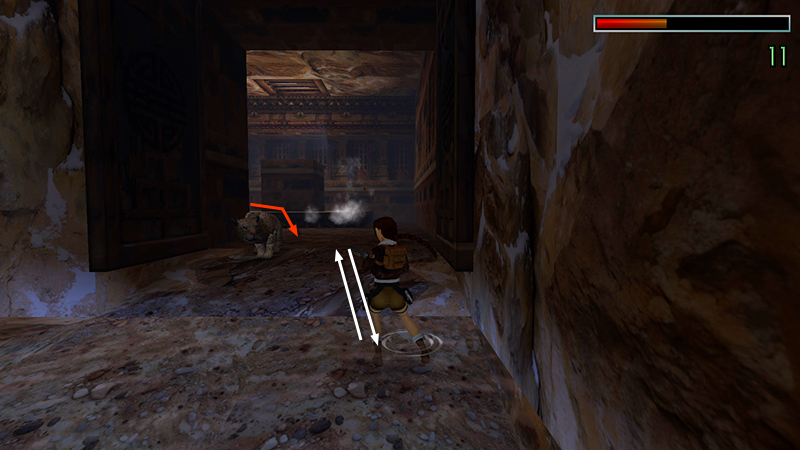
Draw weapons, step into the doorway, and kill a leopard (29) that charges from the left.
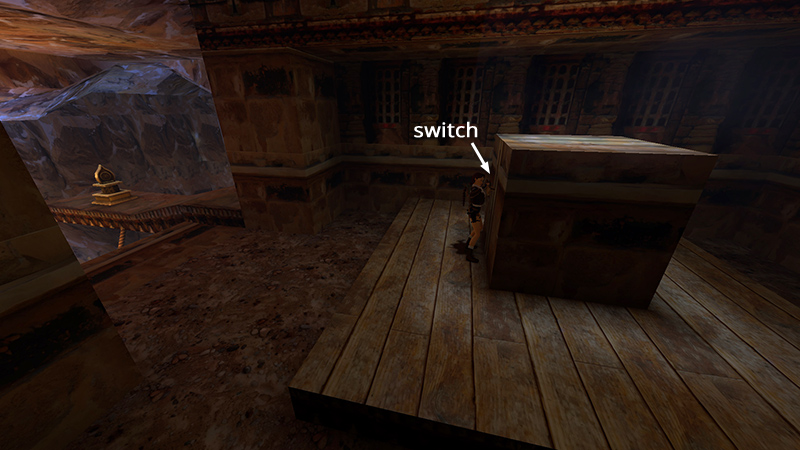
Then pull the switch on the side of the block...
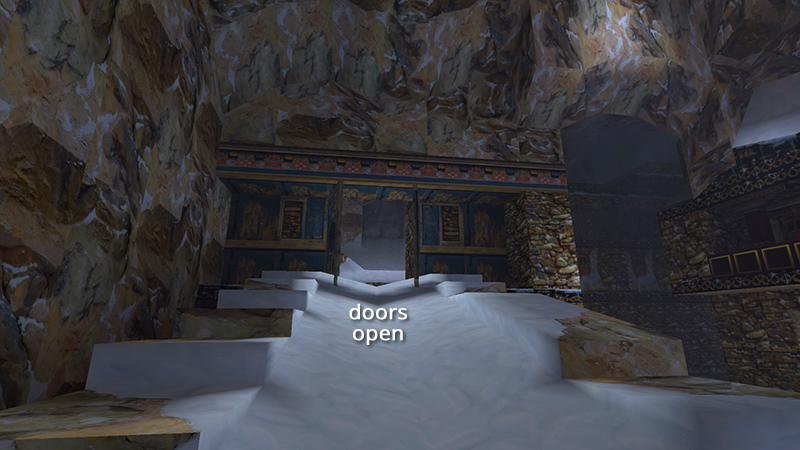
...to open the big blue doors at the top of the SNOWBALL RAMP.
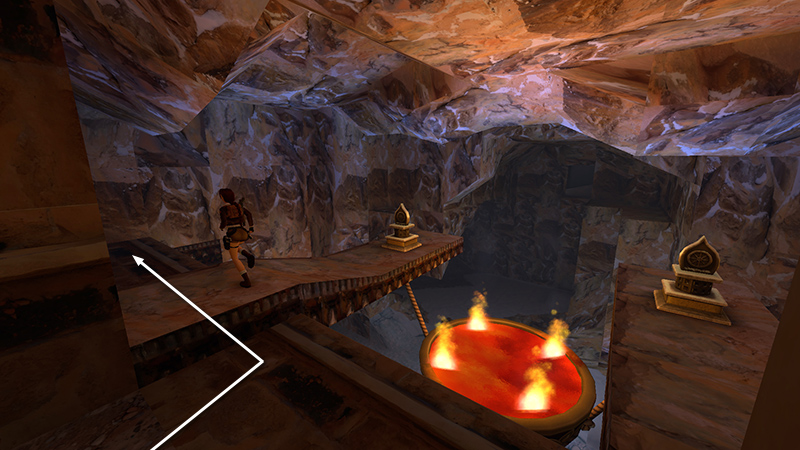
To get back there, step out onto the ledge overlooking the hanging firepot. Follow the ledge to the left end.
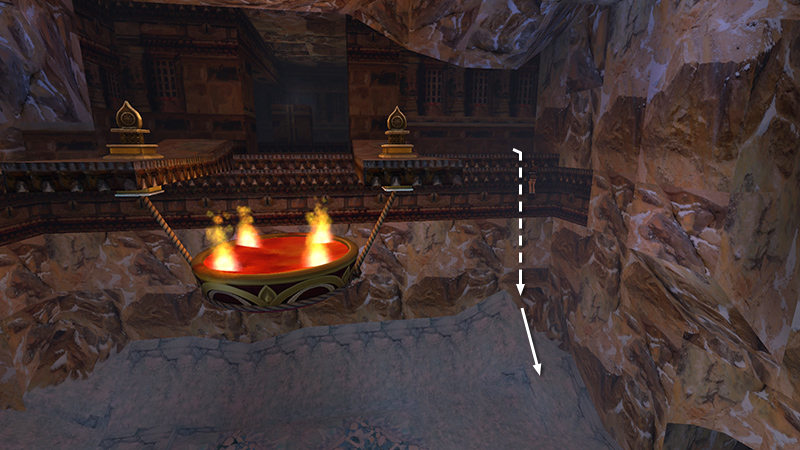
Turn around so the firepot is on Lara's left and the open cavern is behind her. Then safety drop onto the slope below and slide to the ground.
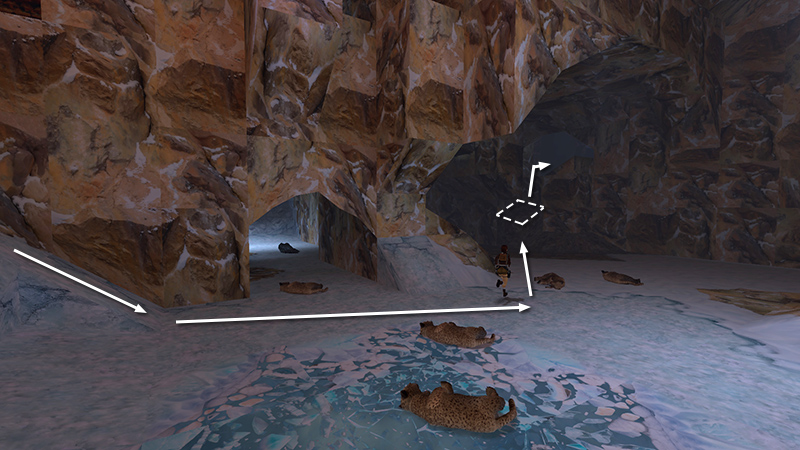
Turn around and head into the dimly lit cave where you fought the leopards earlier. Use the angled block in the corner to climb into the cave opening.
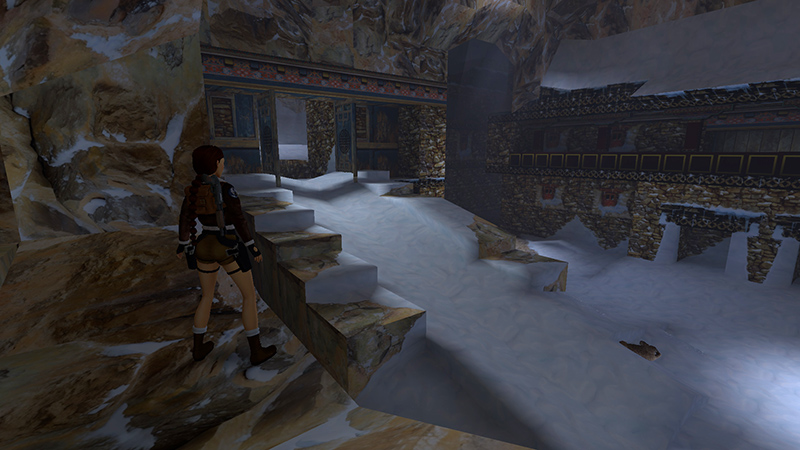
Jump down on the other side near the SNOWBALL RAMP.
DARK MODE: I plan to add optional dark mode for these pages, but my current priority is updating the walkthroughs. Meanwhile, may I suggest a reputable dark mode browser extension, such as Dark Reader? (Download only from trusted sites, like darkreader.org or your browser's official add-on/extension site.)
Walkthrough text and diagrams copyright © Stellalune (email ). Feel free to copy or print this walkthrough for personal use. By all means, share it with friends, but please include this credit line so people can send me their feedback. No part of this walkthrough may be reproduced on another site without permission.