Opera House - Shortcut from Upper Level to Final Area
IMPORTANT: Do not use this shortcut unless you've already beaten the level in the usual way or don't care about getting all kills, items, and secrets. If you take it, you'll bypass most of the level and you will miss several achievements/trophies and at least two secrets. It is useful if you're trying to finish the game in less than 6 hours for the achievement/trophy "I Only Play for Sport! Still!"
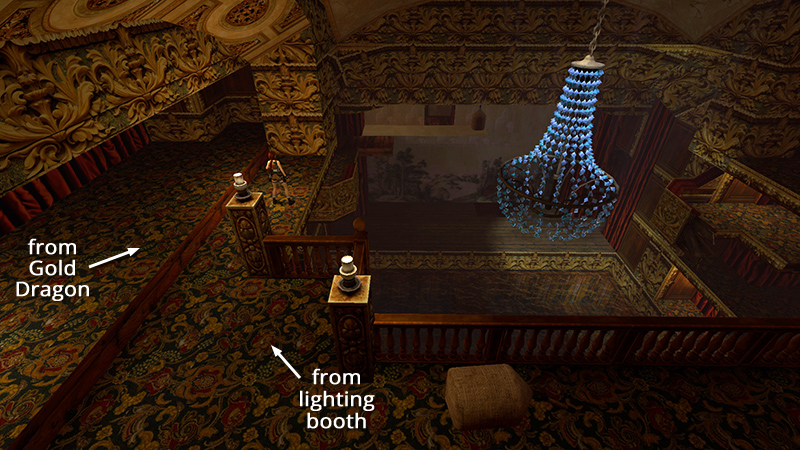
You first enter the auditorium on the TOP LEVEL, either by dropping down into the room with the glass shards and Gold Dragon, or through the LIGHTING BOOTH. Head for the carpeted ledge on the left, overlooking the stage and flooded orchestra pit.
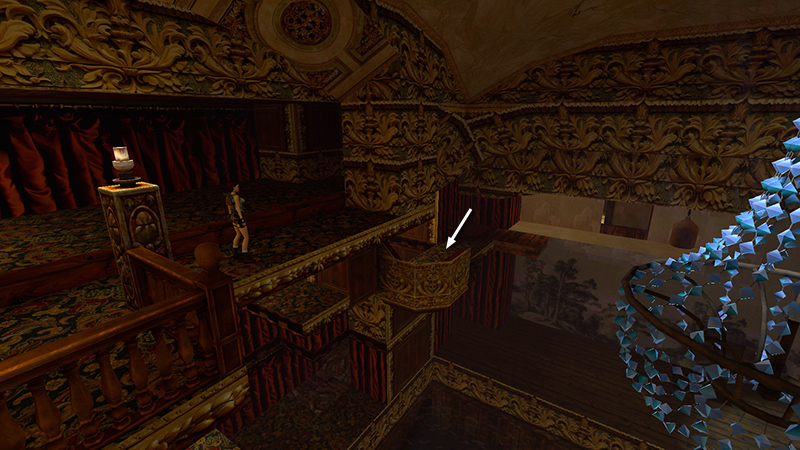
Now we're aiming for the balcony with the curved railing on the level below.
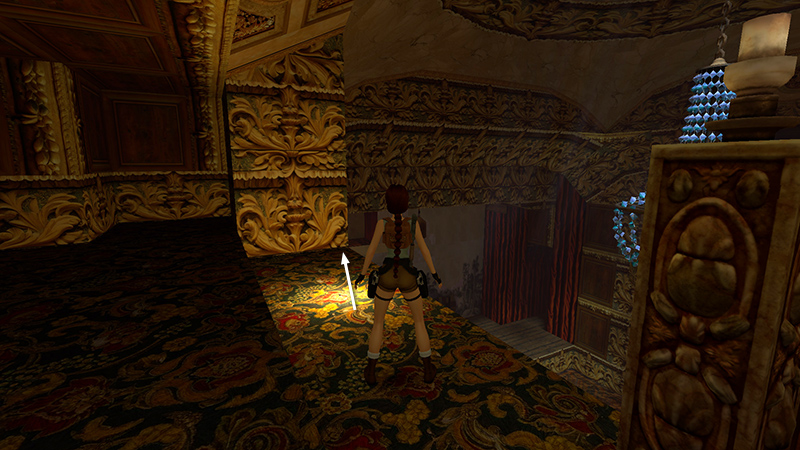
To get there, we'll need to set up and execute a tricky curved jump (a.k.a. "banana jump"). Start by walking forward to the spot shown above.
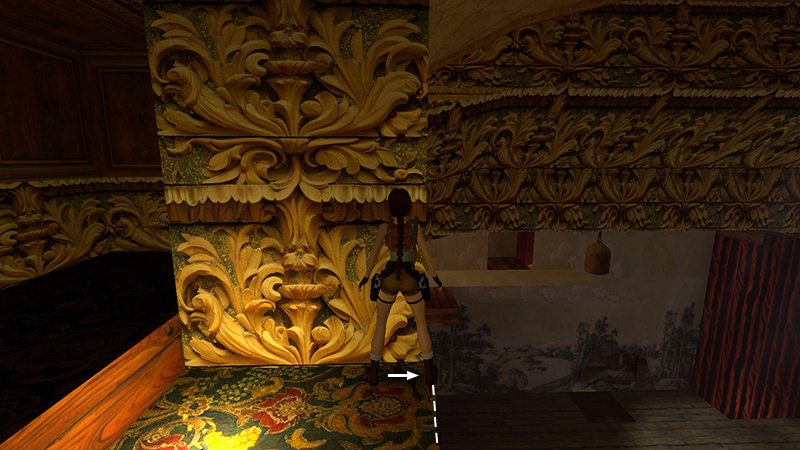
Position Lara facing the carved panel with the stage ahead on her right. Sidestep to the right edge.
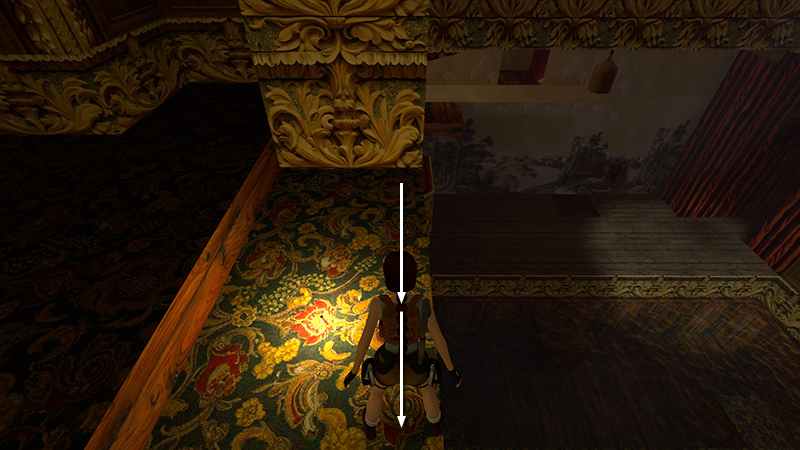
Hop back twice.
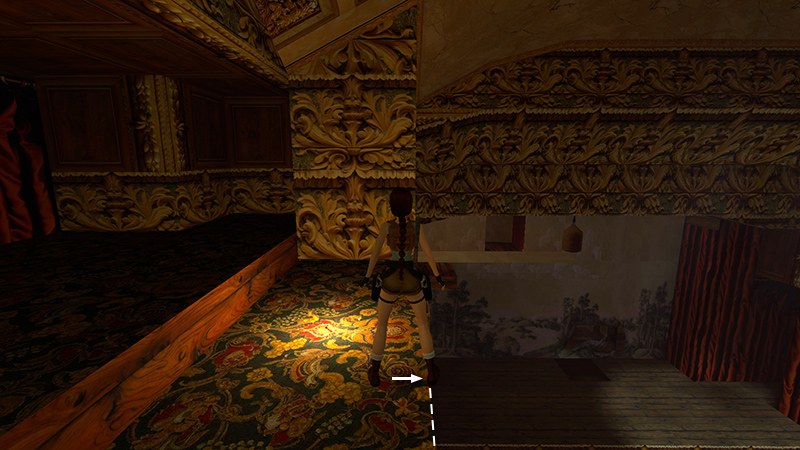
Then sidestep to the right again to make sure Lara's right foot is still at the edge.
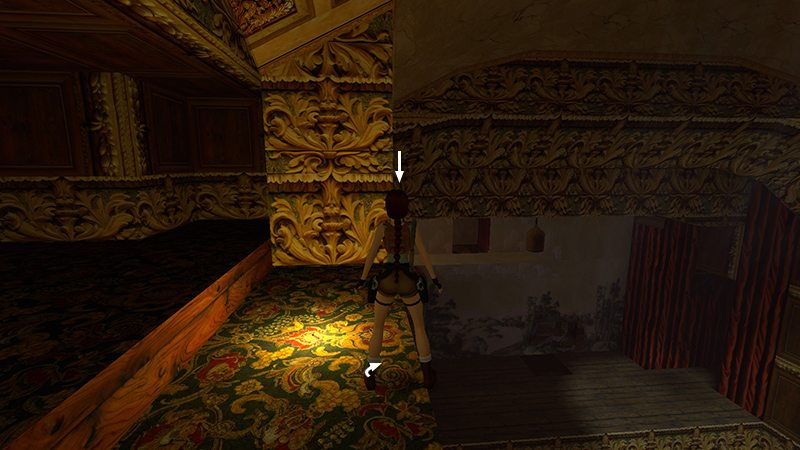
Pivot on this spot so Lara is facing just a tiny bit to the right of the carved panel. Press Look if necessary to center the camera behind Lara and check your angle.
When you're all set up, save the game. Then, if the next tricky jump doesn't work the first time, you can reload and try again.
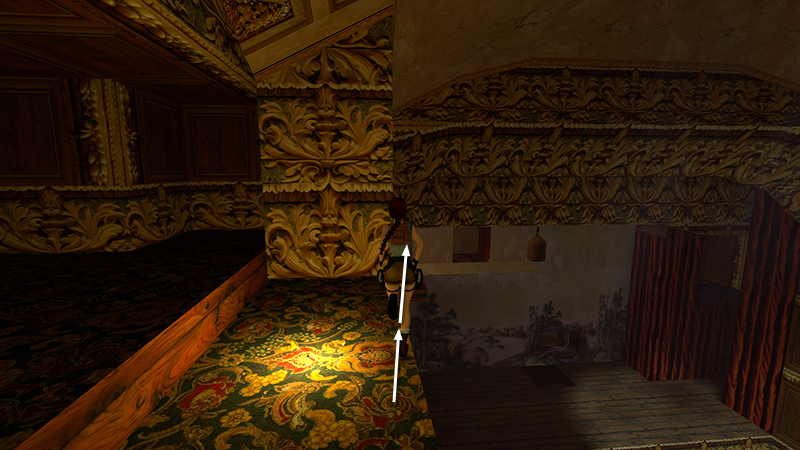
Now take a running jump (press and hold Forward then almost immediately press Jump). If you've lined it up correctly, Lara will run forward and take off at the edge of the ledge, a few steps before where it meets the carved panel.
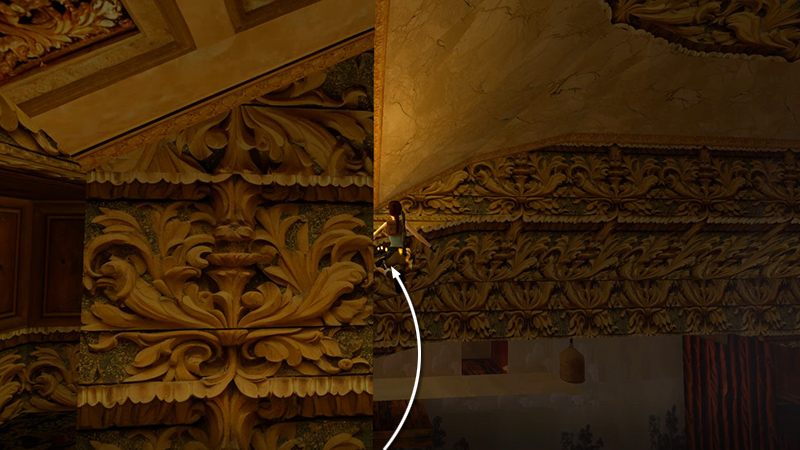
As Lara sails through the air, steer a little to the left. (Yes, she can defy the laws of physics; she's Lara Croft, damn it!)
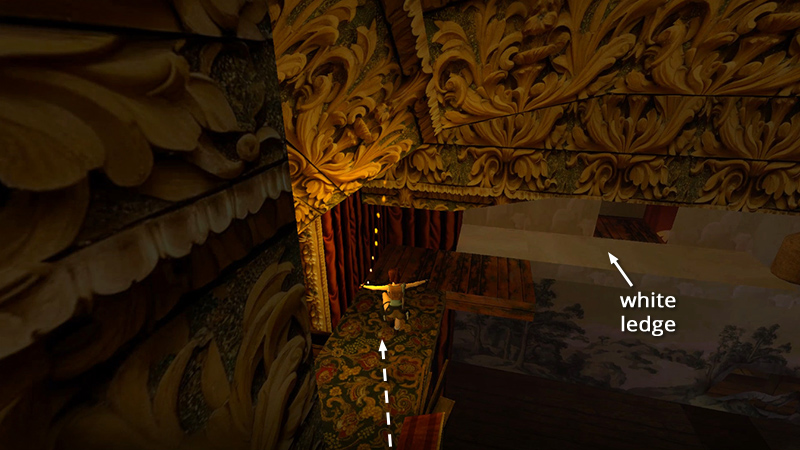
She should then land on the balcony below, on LEVEL 3. It is connected to the WHITE LEDGE ABOVE THE STAGE.
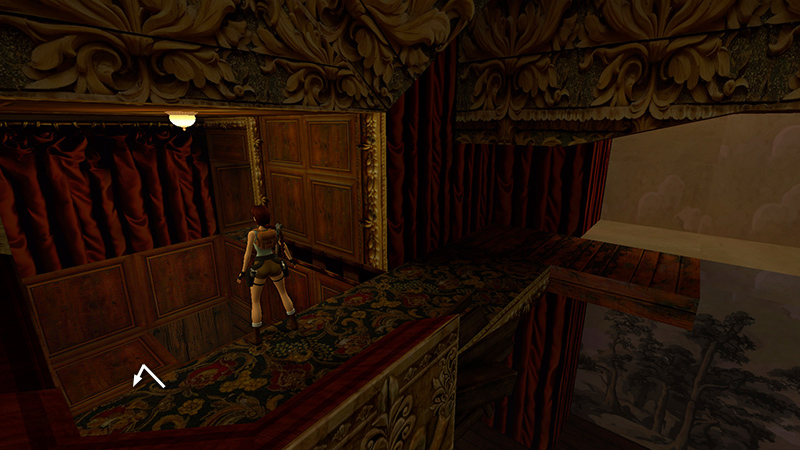
There's no need to explore the area above and behind the stage. Just drop down into the small, wood-paneled room on the left. Then follow the main walkthrough to finish the level.
DARK MODE: I plan to add optional dark mode for these pages, but my current priority is updating the walkthroughs. Meanwhile, may I suggest a reputable dark mode browser extension, such as Dark Reader? (Download only from trusted sites, like darkreader.org or your browser's official add-on/extension site.)
Walkthrough text and diagrams copyright © Stellalune (email ). Feel free to copy or print this walkthrough for personal use. By all means, share it with friends, but please include this credit line so people can send me their feedback. No part of this walkthrough may be reproduced on another site without permission.