The Great Wall - Descending to the Cavern Floor
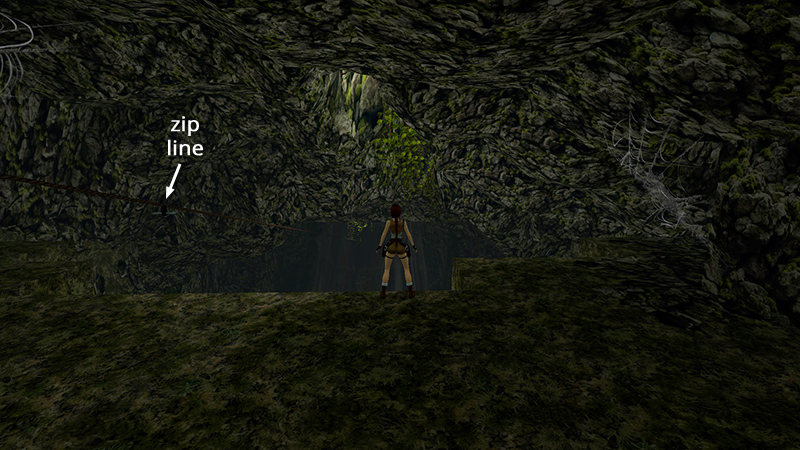
In the last section we navigated a gauntlet of traps and shot a bunch of small spiders on the wide ledge overlooking the cavern. Don't ride the zip line yet, or you'll miss quite a bit of action, a secret, and an achievement/trophy. Instead, walk carefully to the edge, to the right of the zip line, and look down.
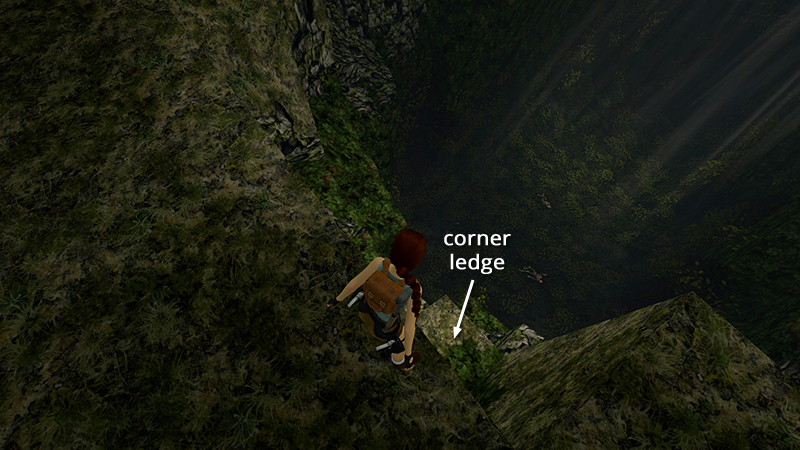
You'll see a small, square ledge in the corner below. That's where you're headed.
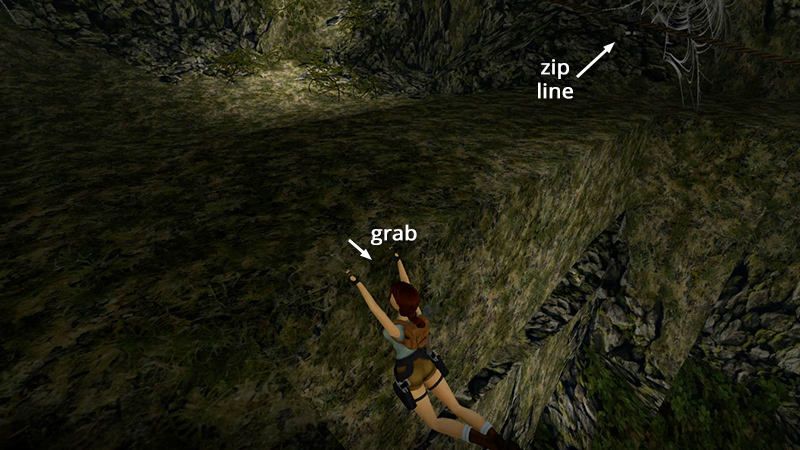
Turn around so Lara's back is toward the cavern and step back while holding Action to grab the edge.
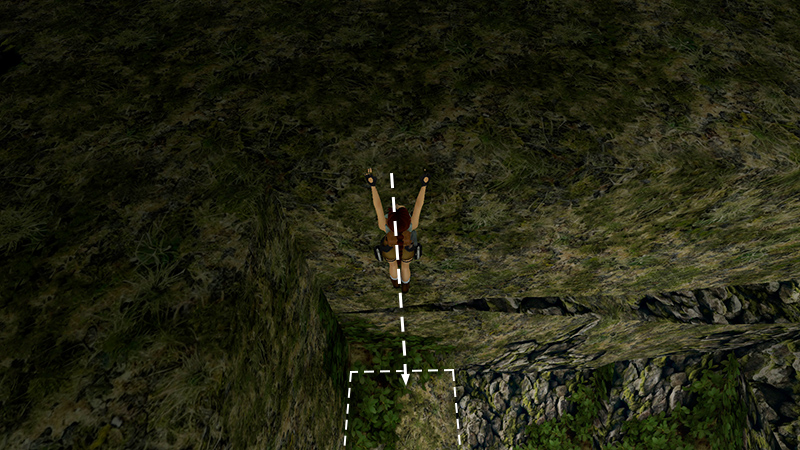
Make sure Lara is hanging directly above the corner ledge. Then release Action to drop. This is called a safety drop. It allows you to descend carefully and can reduce the amount of damage Lara takes when falling.
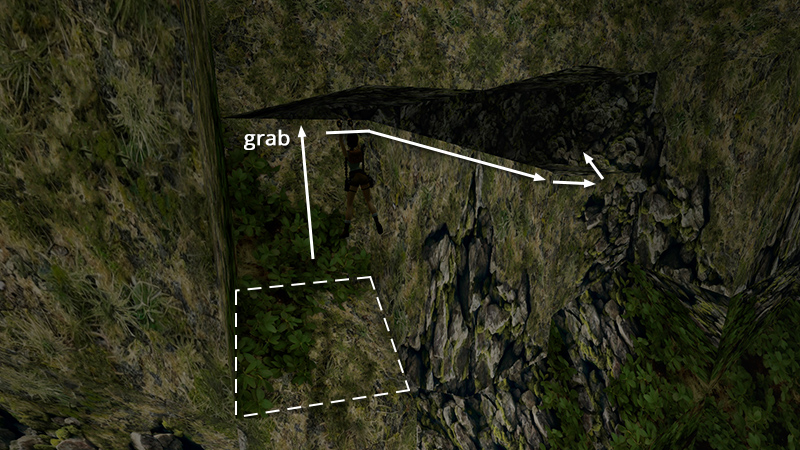
Grab the horizontal crevice in front of you and traverse to the right until you can pull up into a small cave.
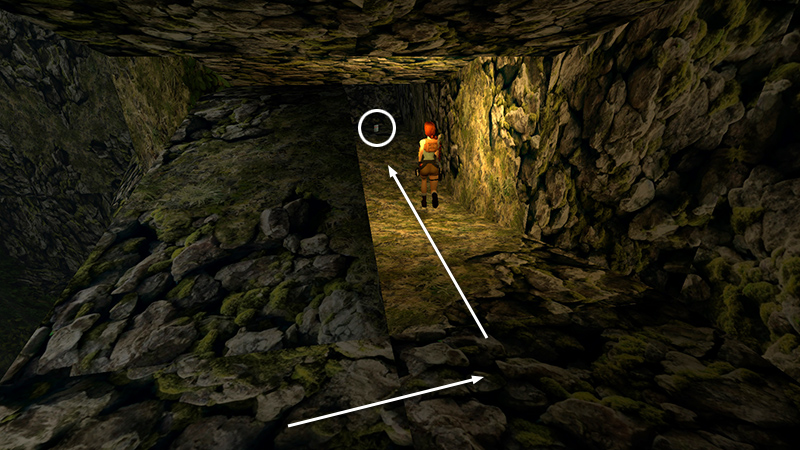
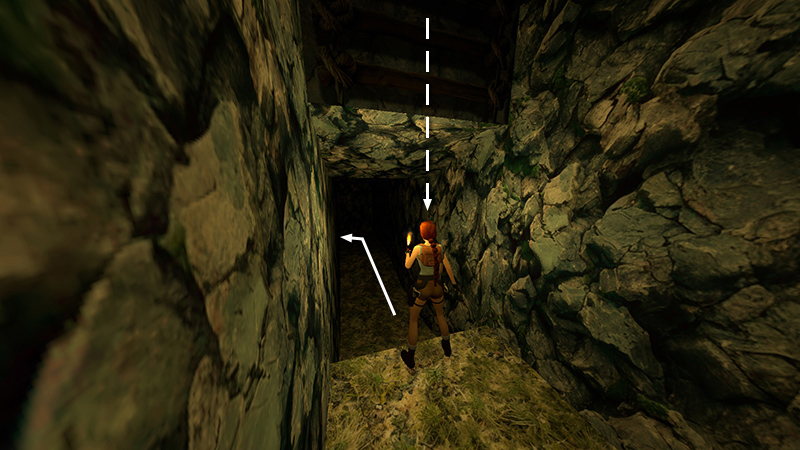
Follow the tunnel to the left, picking up a box of flares (9) on the way.
NOTES: Since flares are limited at this early stage, you can try to conserve them by saving your game before entering dark areas. Then you can use as many flares as you like during your initial exploration. Once you know where you need to go, reload your save and proceed, using only as many flares you need. If you run out of flares, try turning up the brightness in the Controls menu, or fire your pistols, which have unlimited ammo, to light the way.
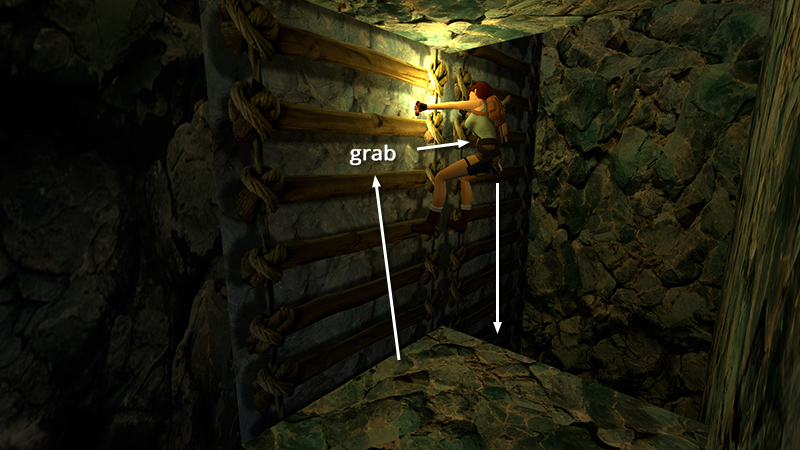
At the end of the tunnel is a deep shaft with a ladder. Approach the ladder and hold Action to grab on. Climb to the right then down the long, dark shaft to the cavern floor.
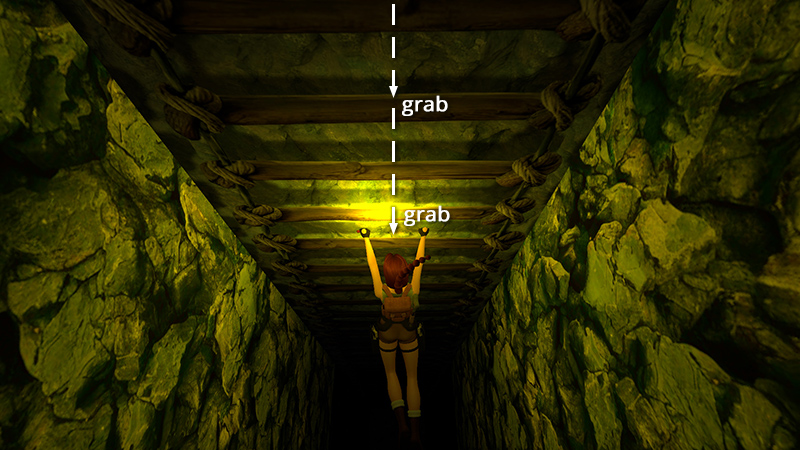
To descend faster, release Action to let go and then quickly press it again to re-grab.
When the ladder ends, drop to the floor.
DARK MODE: I plan to add optional dark mode for these pages, but my current priority is updating the walkthroughs. Meanwhile, may I suggest a reputable dark mode browser extension, such as Dark Reader? (Download only from trusted sites, like darkreader.org or your browser's official add-on/extension site.)
Walkthrough text and diagrams copyright © Stellalune (email ). Feel free to copy or print this walkthrough for personal use. By all means, share it with friends, but please include this credit line so people can send me their feedback. No part of this walkthrough may be reproduced on another site without permission.