Obtaining Glitched Pickups on Slopes and in Midair
Sometimes TR2 enemies die in awkward positions, so their dropped items land in midair or on slopes, making it tricky or impossible to retrieve them. The solution shown here can help, but it doesn't always work. Try to save in a new slot a few times each level, just in case. As a last resort, you can always restart a level (i.e., kill Lara, then press Action/Enter to open the Passport menu, page to the right, and choose "Restart Level").
This short video shows the technique below in action.
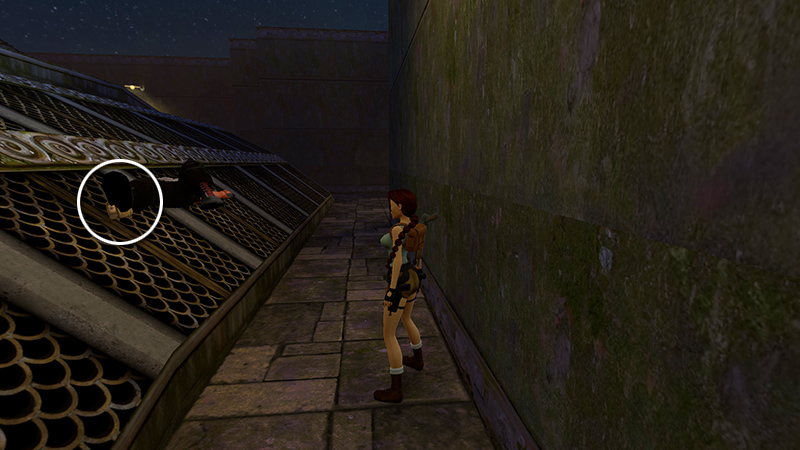
Using the OPERA HOUSE roof as an example, if an enemy dies on a slope, like this, you won't be able to reach the item he drops. When that happens, position Lara a few steps away. (Finding the exact spot may take a little trial and error.)
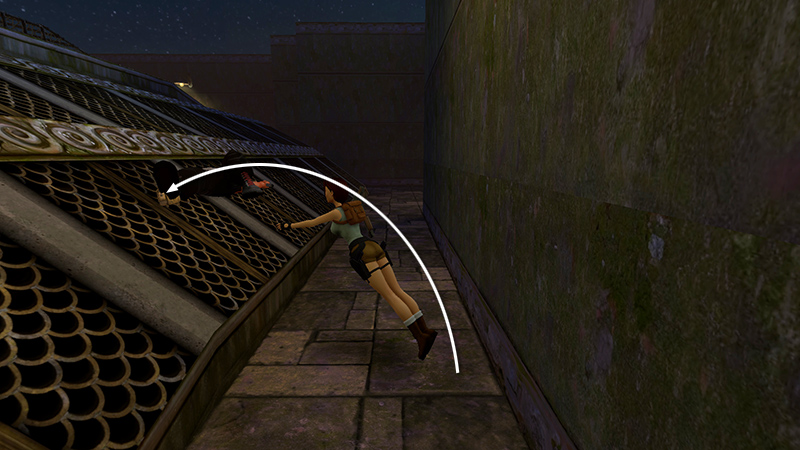
Jump forward to land directly on top of the item (or if it's on a slope, a little bit higher so Lara slides back onto the pickup). You may need to use a running jump, backflip, side flip, etc., depending on the terrain.
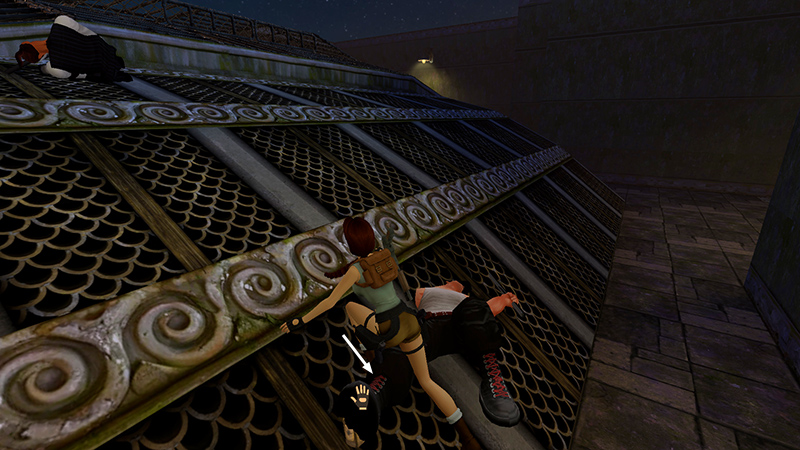
Hold Action while in the air, and with a careful setup and a little luck...
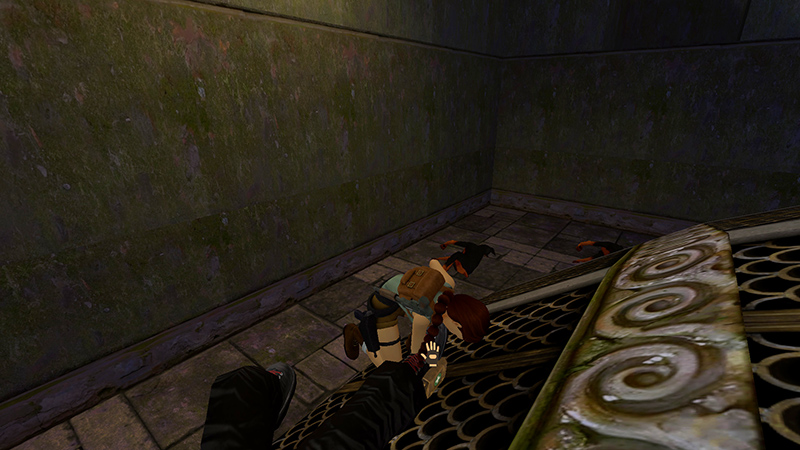
...the pickup animation will kick in, and Lara will grab the item...
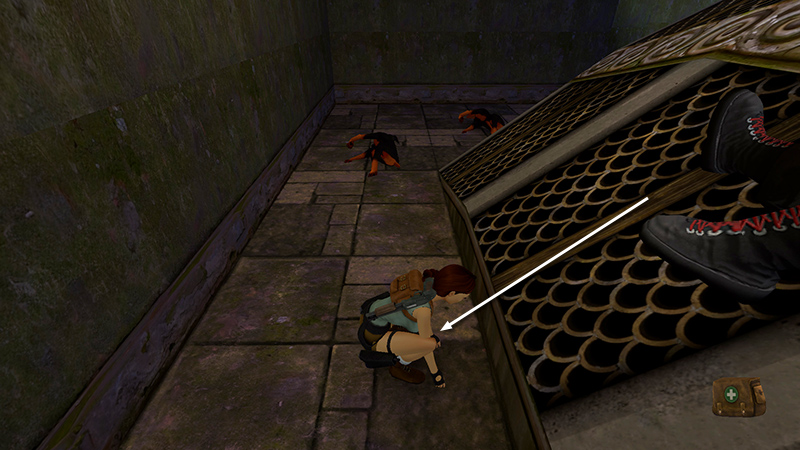
...then continue sliding.
NOTE: Some players have better luck if they first disable Walk to Action in the Controls menu. I found it worked either way, as long as you land directly on the pickup.
DARK MODE: I plan to add optional dark mode for these pages, but my current priority is updating the walkthroughs. Meanwhile, may I suggest a reputable dark mode browser extension, such as Dark Reader? (Download only from trusted sites, like darkreader.org or your browser's official add-on/extension site.)
Walkthrough text and diagrams copyright © Stellalune (email ). Feel free to copy or print this walkthrough for personal use. By all means, share it with friends, but please include this credit line so people can send me their feedback. No part of this walkthrough may be reproduced on another site without permission.