Croft Manor - Corner Bug - On the Roof & Outside the Gate
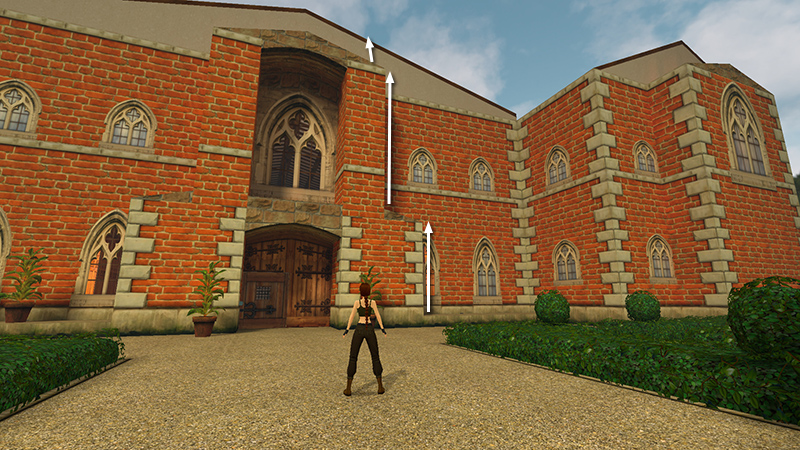
Use the corner bug twice on the right side of the front door to reach the roof. (Again if you need help with the basic technique, check out my Classic Tomb Raider Useful Bugs section, which includes tips, screenshots, and video.)
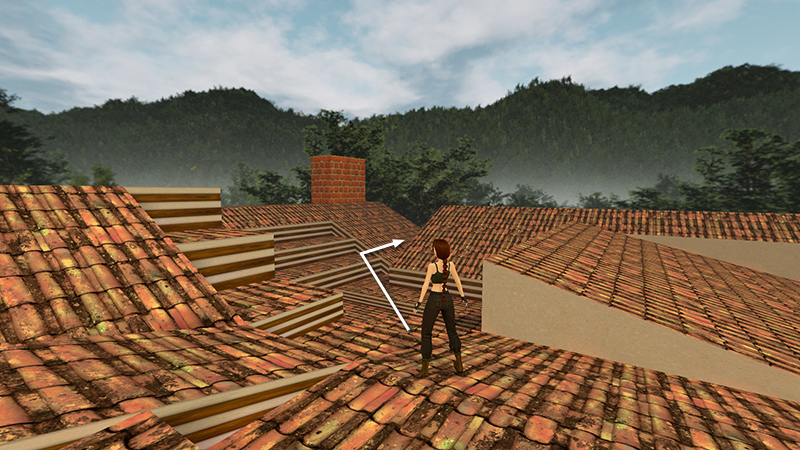
Cross over to the back right corner and move into the V-shaped gap...
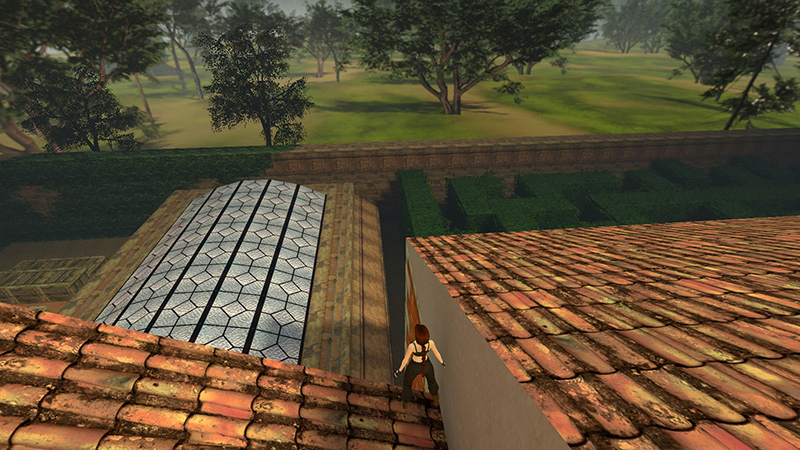
...above the glass-roofed swimming pool.
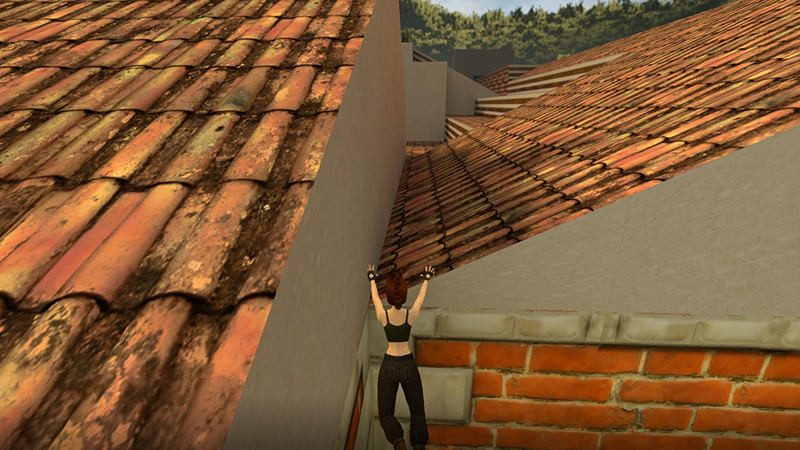
Step back off the edge where it's lowest and press Action to grab, as though you were going to do a safety drop. Lara won't actually grab the edge, but dropping this way will enable her to survive the fall.
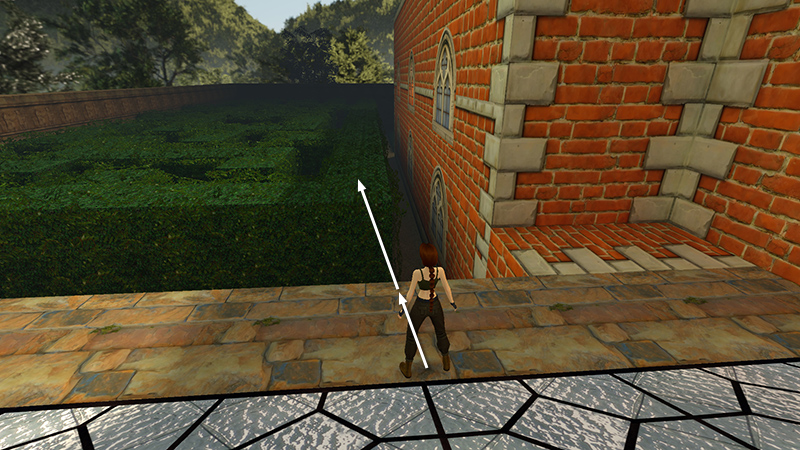
Jump from the swimming pool roof onto the hedge maze.
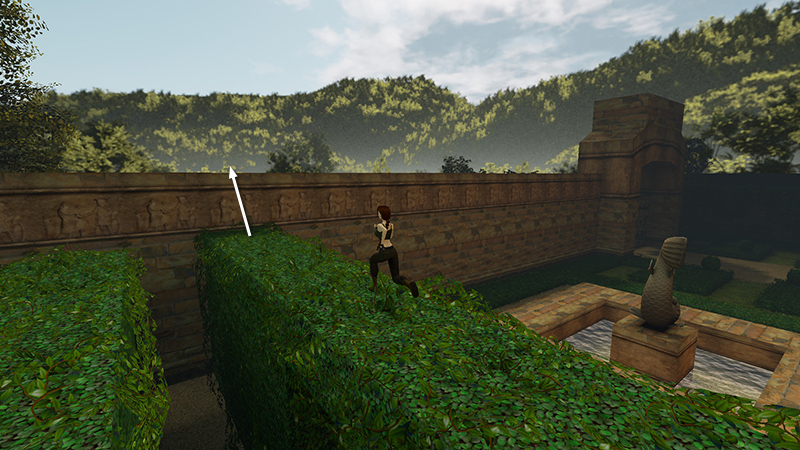
Run along the top of the hedge toward the front of the mansion. Climb onto the exterior wall...
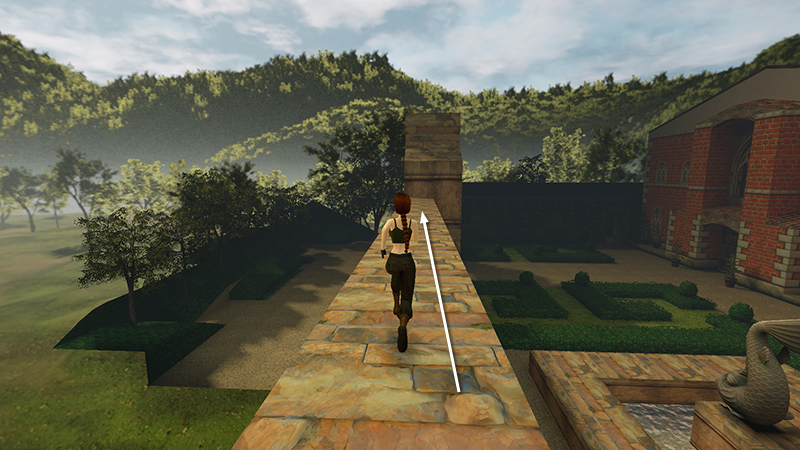
...and head to the right, toward the front gate...
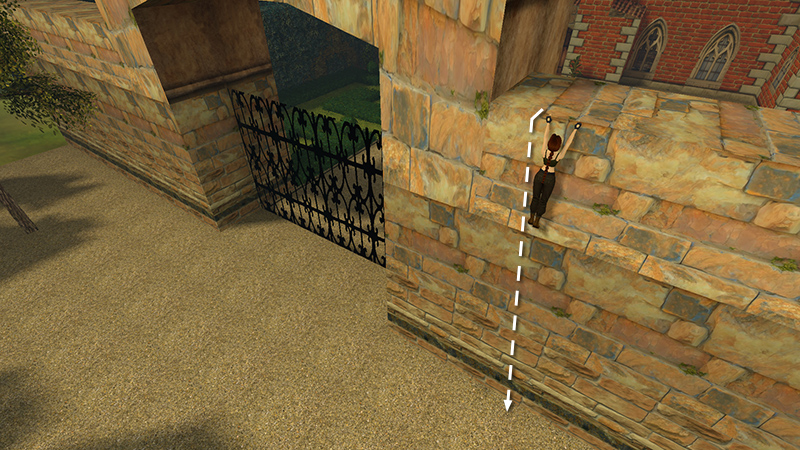
...where you can then drop down outside.
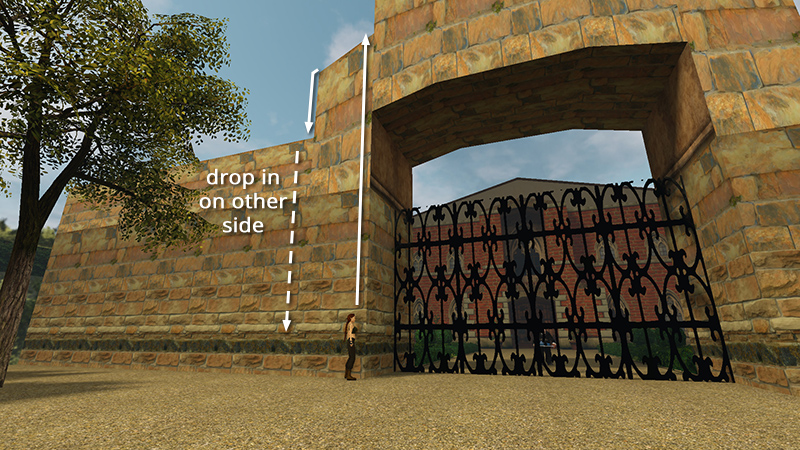
To get back in, use the corner bug on the left side of the gate.
- OR -
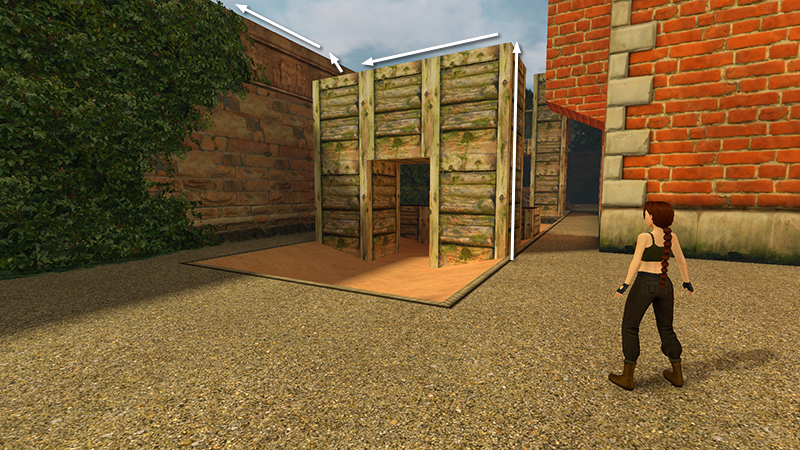
Alternatively, if you don't want to go on the roof, you can get outside the gate more quickly by using the corner bug on one of the structures near the end of the assault course. Either the one shown above...
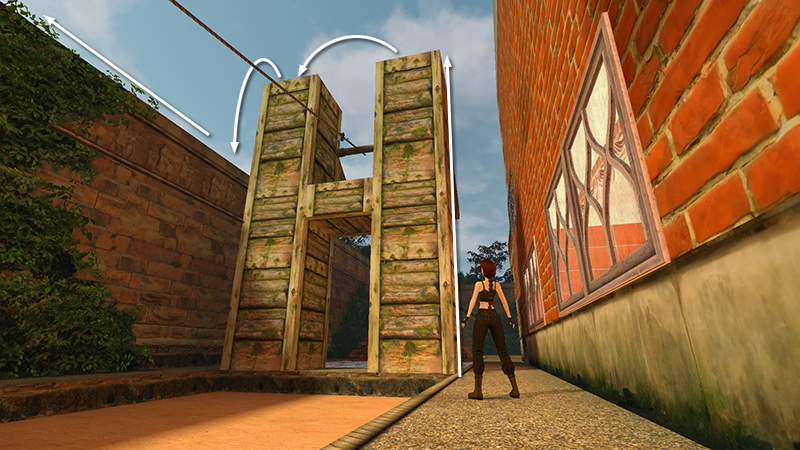
...or this one. Then follow the wall around to the front of the manor and drop down outside.
DARK MODE: I plan to add optional dark mode for these pages, but my current priority is updating the walkthroughs. Meanwhile, may I suggest a reputable dark mode browser extension, such as Dark Reader? (Download only from trusted sites, like darkreader.org or your browser's official add-on/extension site.)
Walkthrough text and diagrams copyright © Stellalune (email ). Feel free to copy or print this walkthrough for personal use. By all means, share it with friends, but please include this credit line so people can send me their feedback. No part of this walkthrough may be reproduced on another site without permission.